Back to Playground
Virtual Pet
Sticky Bunny
Raise a persistent rabbit, focus with Pomodoro, share your status, and ask the Book of Answers.
- Author 作者
- limengdu
- Source 来源
- reTerminal Sticky Bunny
0.1.2 Beta
Learn More
Step 1
Version and setup
Raise a persistent rabbit, focus with Pomodoro, share your status, and ask the Book of Answers.
- Device connection: Connect reTerminal Sticky with a USB-C data cable and use desktop Chrome or Edge.
- Clean installation: When moving from another firmware, accept the erase prompt to start with a fresh pet save and the first-boot guide.
- First boot: Follow the six illustrated pages, hatch the egg with three deliberate taps, and name the new pet on the device.
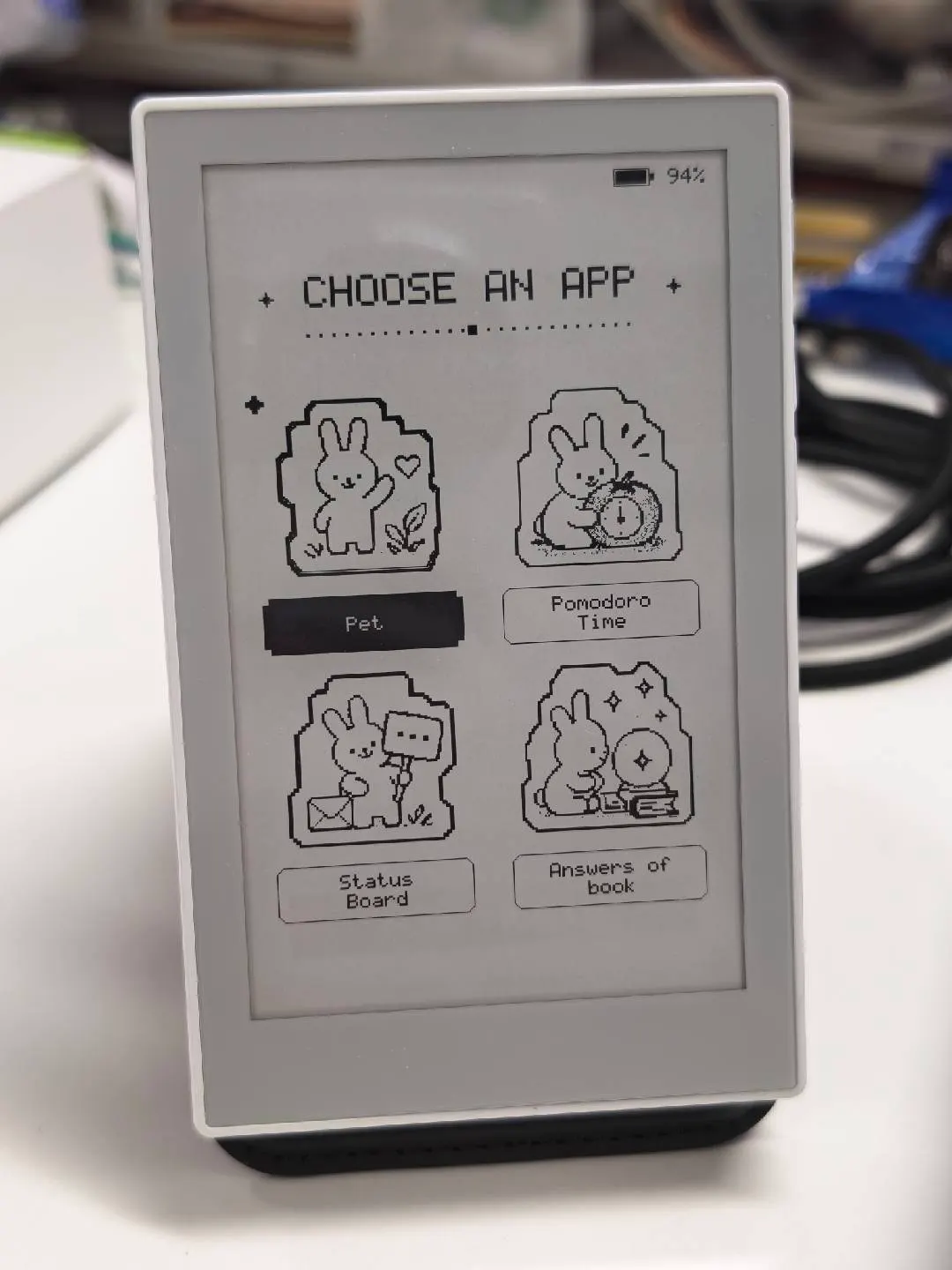
- App launcher: Tap the AI key or swipe up to open the launcher. Choose by touch, rotate for Pomodoro or Status Board, shake for the Book of Answers, and double-tap the AI key to return to the pet.
Step 2
Flash to device
Both modes verify and write the complete firmware package described by the selected manifest. Full flash erase only runs in the erase mode.
Flash device 0%
Connect your reTerminal Sticky with a USB data cable first.