Back to Playground
Handwriting
Sticky Handwriting Pad
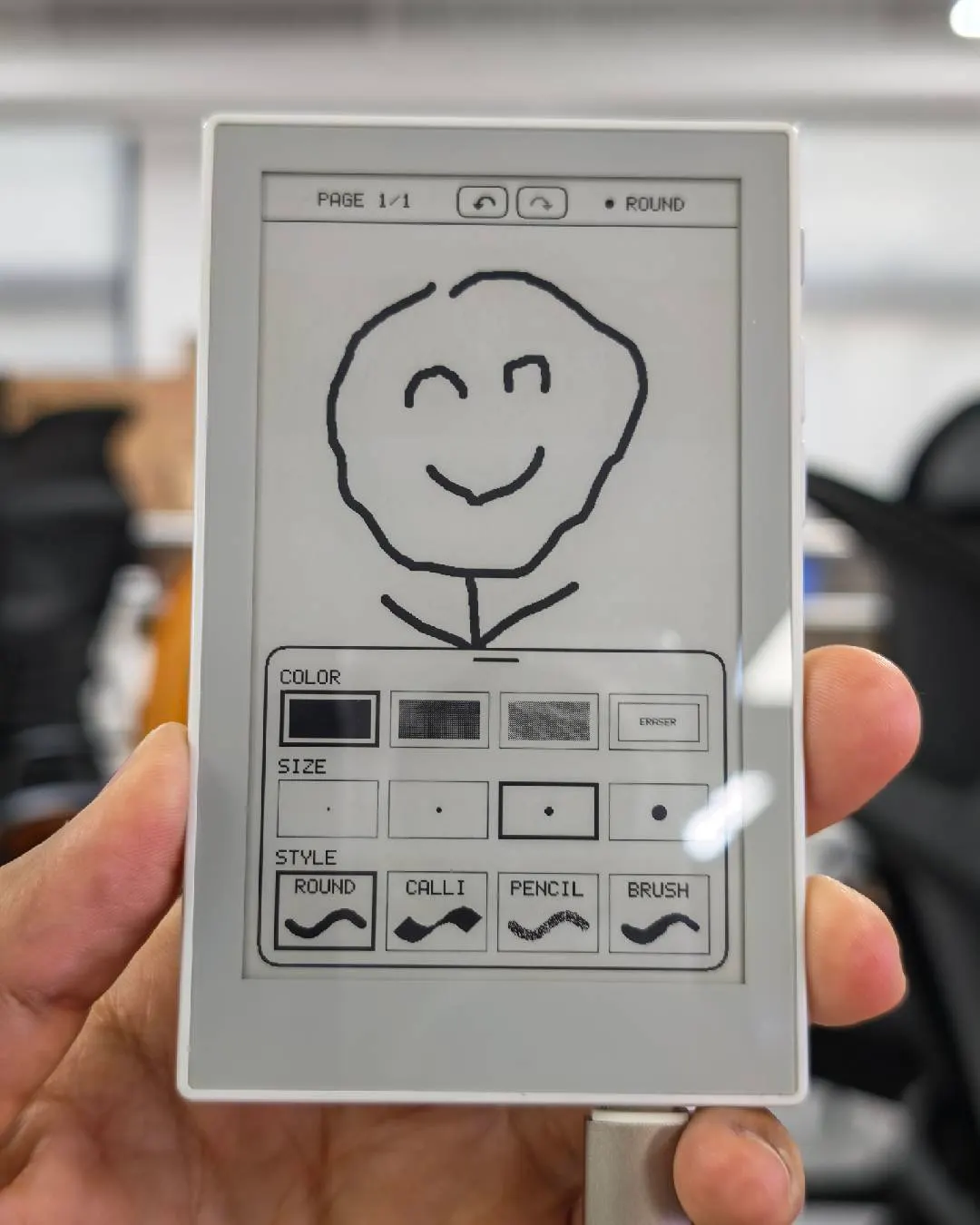
An offline handwriting notebook with 20 pages, four pen styles, grayscale ink, and undo/redo.
- Author 作者
- limengdu
- Source 来源
- Sticky Handwriting Pad project
0.1.0 Experimental
Learn More
Step 1
Version and setup
An offline handwriting notebook with 20 pages, four pen styles, grayscale ink, and undo/redo.
- Connect your device: Connect reTerminal Sticky with a USB data cable and open this page in desktop Chrome or Edge.
- Installation: This package includes the bootloader, partition table, and app for ESP32-S3 with 32 MB flash. The browser flasher uses the supplied flash map, DIO mode, and 80 MHz.
- Start writing: Use portrait orientation with the buttons on the right. Tap the bottom handle or swipe up to open the pen toolbar. The side buttons switch pages.
- Save your notebook: Press the AI button to save and sleep before disconnecting power. Press again to wake. The notebook also saves and sleeps after one minute of inactivity.
Step 2
Flash to device
Both modes verify and write the complete firmware package described by the selected manifest. Full flash erase only runs in the erase mode.
Flash device 0%
Connect your reTerminal Sticky with a USB data cable first.