Sensecraft HMI v1.0—itisfinallyhere!This isn’t just an upgrade.It’s anevolution that unlocksa new level of customization. It’s builtto save yourtime, spark your imagination, and help you focus on what matters most: designing the dashboards that bring your ideas to life.
What is SenseCraft HMI
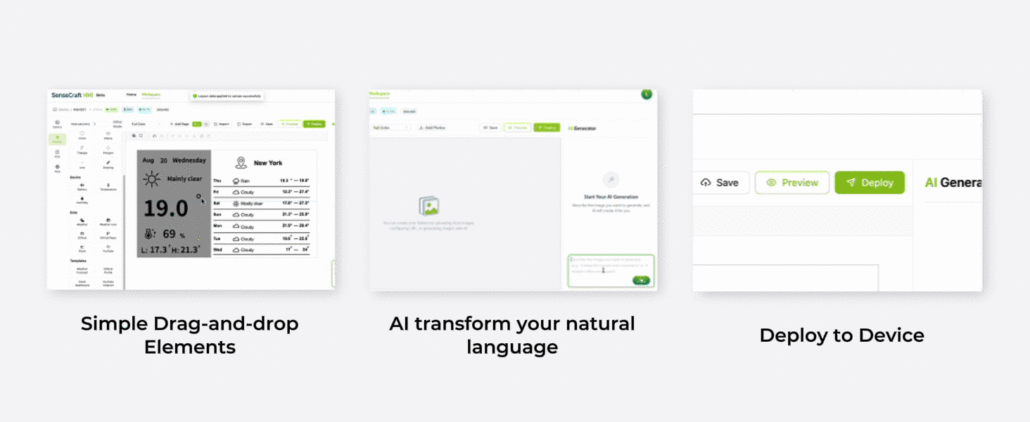
SenseCraft HMI is an AI-powered and no-code UI design platform launched in September 2025. With simple drag-and-drop elements, rich templates, and intelligent AI assistance, you can create stunning interfaces without writing any code. From design to data configuration to deployment, all happens seamlessly on one single platform.
What is New in SenseCraft HMI v1.0
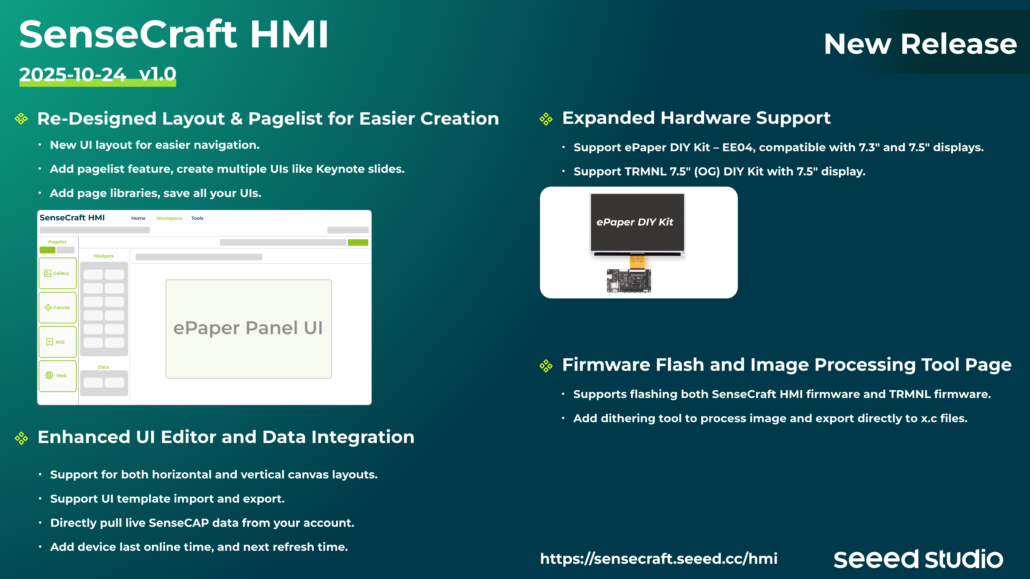
Re-designed Layout & Pagelist for Easier Creation
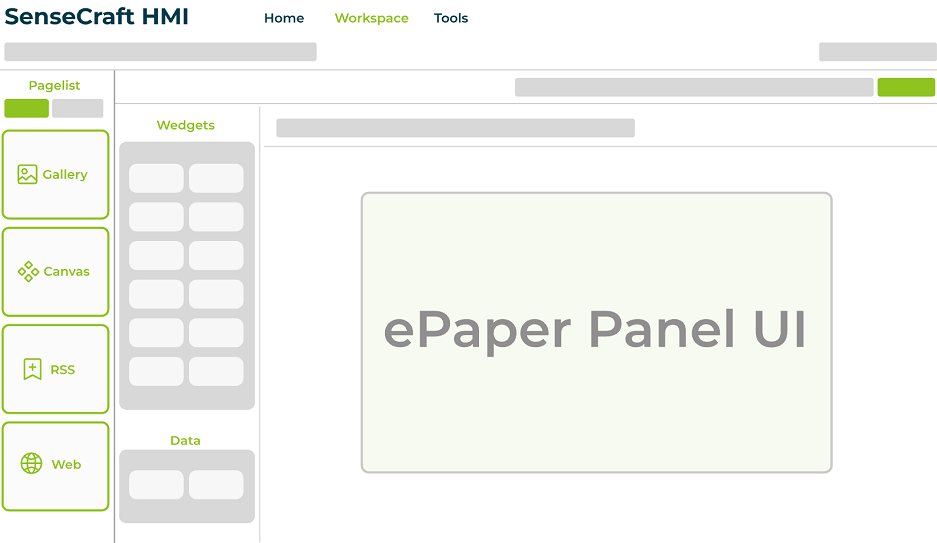
To deliver a smoother user experience, we’ve re-designed the layout and introduced the new pagelist feature. Together with the page library in SenseCraft HMI, you can now design and organize your interfaces more intuitively than ever before. Create pages freely from custom canvases and web content to ready-to-use templates that spark your imagination. Once your designs are ready, simply select your favorite pages from the library, organize them into pagelists, and deploy the list directly to your device. All your selected pages appear seamlessly, bringing your ideas to life through a more flexible, efficient, and visually refined layout.
Enhanced UI Editor and Data Integration
SenseCAP Sensor Data Integration: Direct connection with SenseCAP sensors enables real-time visualization of more environmental data such as CO₂ concentrationbeyond just temperature and humidity.
Device Status Visualization: Two new indicators, “last online time” and “expected refresh time”, have been introduced, giving you clearer visibility into your device’s connection and data update status.
Templates Import & Export: Reusing, sharing, and migrating UI designs across platform and devices comes true based on free importing & exporting template files.
Freely switch between horizontaland verticallayout: This new version enables you to design and optimize UI layouts for different application scenarios.
Expanded Hardware Support
Beyond our complete display devices: reTerminal E1001 and reTerminal E1002, the SenseCarft HMI V1.0 now supports a wider range of DIY Kits, from TRMNL 7.5” (OG) DIY Kit to our newly released XIAO ePaper Board EE04 Bundle Kitcompatible with both 7.3” and 7.5” displays. This expansion unlocks greater freedom in interface deployment, enabling more versatile and creative applications and pushing the boundaries of imagination.
Firmware Flash and Image Processing Tool Page
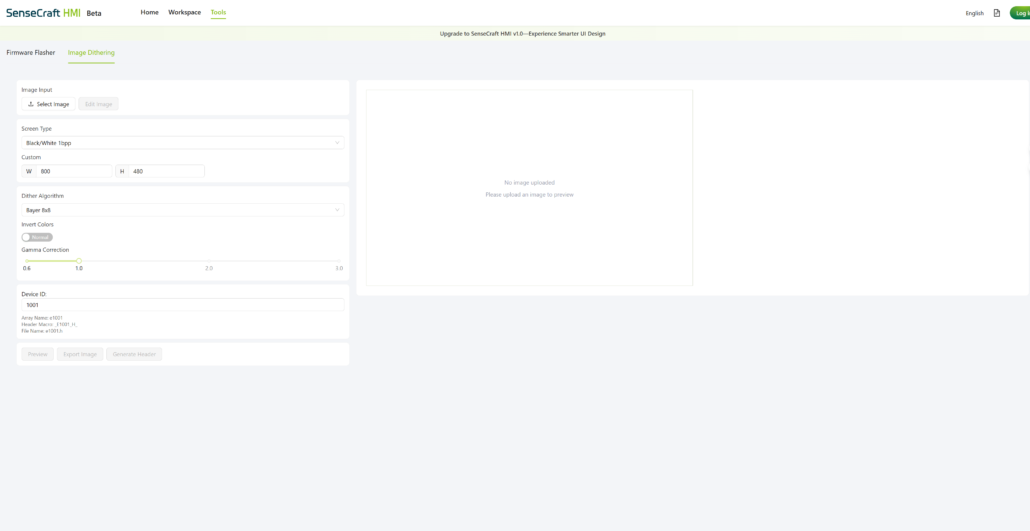
Gone are the days of switching between multiple tools to preprocess images for ePaper displays. With the new dithering tool in SenseCraft HMI v1.0, you can now optimize images directly within the platform. By adjusting parameters such as dithering algorithms, image size, and gamma correction, your visuals are perfectly tuned for ePaper screens, achieving clearer and more natural results. Beyond that, the new version also supports flashing TRMNL firmware. Beyond image processing, the new version also supports flashing TRMNL firmware. Note: The dithering tool currently supports only the reTerminal E series devices.
Ready to explore the next level of UI designing without writing any code? Check out our step-by-step tutorial that walks you through the whole process from designing your own interface to deploying on the display. Even better, the new version is FREE for a limited time! (Free access includes limited AI usage times). Don’t miss out the limited chance to try it with the reTerminal E series, TRMNL 7.5” (OG) DIY Kit and ePaper DIY Kit EE04.