SenseCraft HMI v1.2.0 Is Here: New Templates, Smarter Workflow, and More Ways to Build Your Dashboard

SenseCraft HMI is a no-code, web-based, AI-powered interface builder that makes designing IoT displays surprisingly simple. With its drag-and-drop canvas and ready-to-deploy templates, you can create functional dashboards in minutes—complete with live data from integrated sources like weather APIs, crypto trackers, stock profilers, calendar, to-do list, and more. The platform integrates LLM-powered tools to generate custom images and UI layouts on demand, while built-in device management lets you deploy and monitor your displays from anywhere.
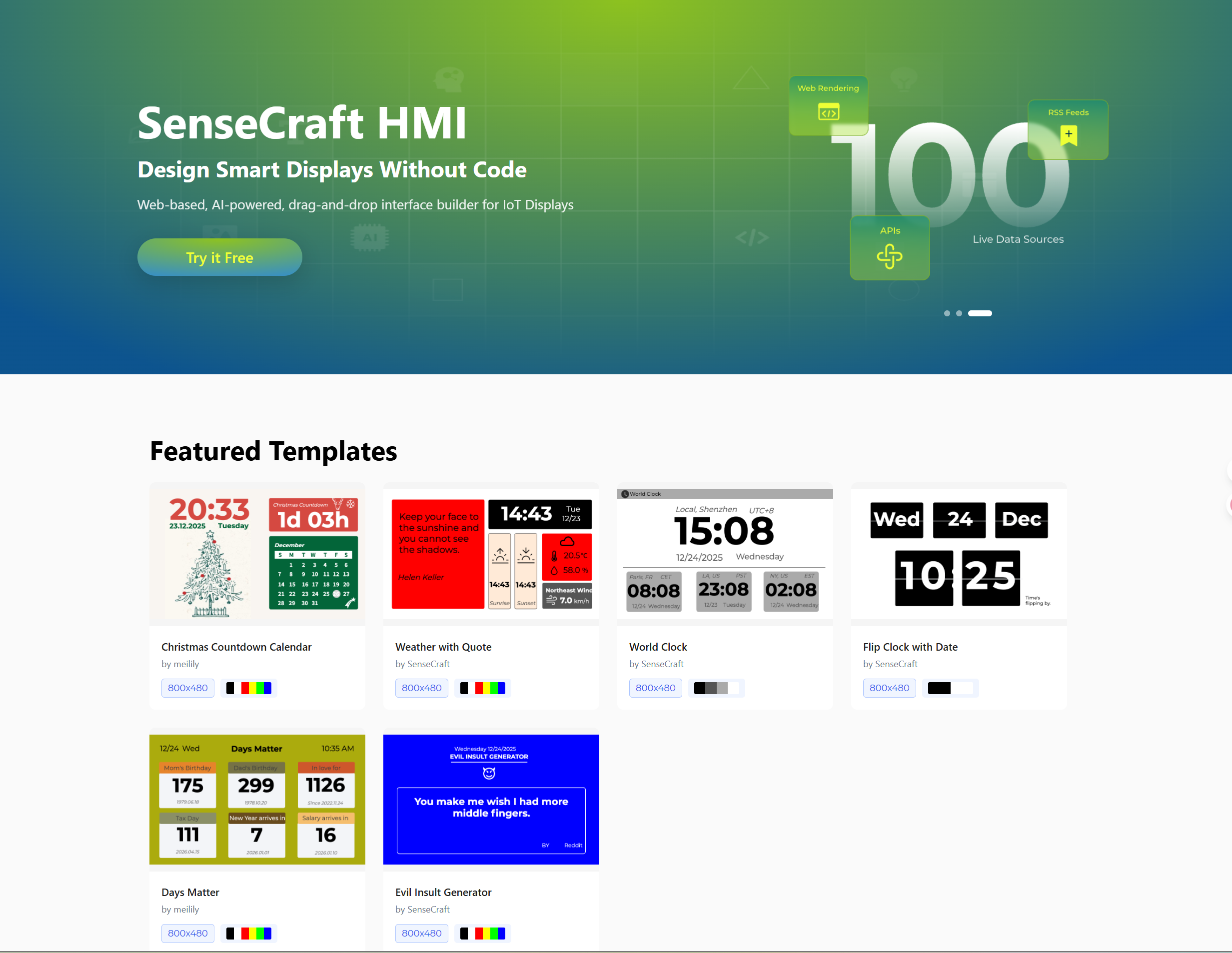
Since we launched our no-code interface builder SenseCraft HMI back in September 2025, we’ve received incredible feedback from the community on how to make it an even better platform for building user interfaces and dashboards. Now, after several months of hard work, we’re excited to announce SenseCraft HMI v1.2.0—our biggest update yet, arriving just in time for the holidays! This release transforms how you design and deploy smart display interfaces, with a redesigned platform architecture, rich ready-to-use templates, and expanded integrations that make building IoT displays faster and more intuitive than ever.

🎨 What's New: New Homepage with Ready-to-Use Templates

No more starting from scratch. The new homepage features a curated collection of professionally designed templates for common use cases:

  • Weather displays – Real-time forecasts at a glance
  • Crypto trackers – Live cryptocurrency prices via CoinMarketCap
  • Stock profilers – Monitor market data in real time
  • Inspirational quotes – Daily motivation from ZenQuotes
  • Task management – Todoist integration for to-do lists
  • Calendars – Sync with Google Calendar for daily schedules
  • And more – New templates added regularly

Simply browse from the homepage, click, and apply your favorite template directly to your canvas. Whether you’re building a desk dashboard, a smart home display, or an information kiosk, you can now go from idea to design in minutes.

🏗️ Redesigned Platform Architecture: Design Before Hardware Arrives

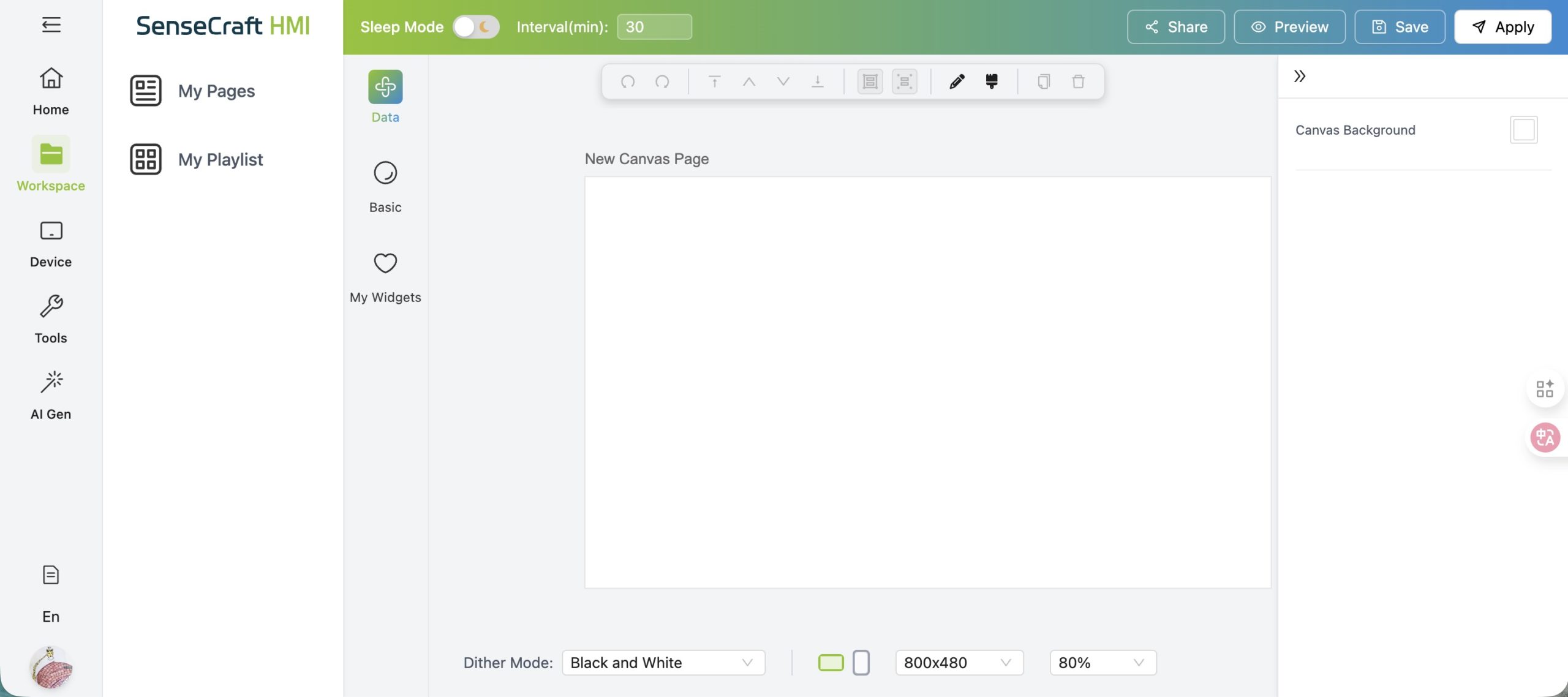
One of the most requested features is finally here: the ability to design your UI before your hardware arrives. We’ve restructured the entire platform to separate design, deployment, and tools into distinct workspaces:

  • 🏠 Home – Browse and apply templates to jumpstart your projects

  • 🎨 Workspace – Design UI pages and create playlists for multi-page displays

  • 📱 Device – Manage and deploy to your connected hardware

  • 🛠️ Tools – Access the firmware flasher and image dithering utilities

  • 🤖 AI Gen (Beta) – Experiment with AI-powered image and layout generation

This new structure makes the design-to-deployment workflow clearer and more efficient. You can now iterate on designs, test layouts, and prepare content—all before connecting physical hardware.

SenseCraft HMI Canvas Design

🔗 Expanded Data Integrations

SenseCraft HMI now connects to even more real-world data sources, enabling richer, more dynamic displays:

These integrations work seamlessly with the new templates, allowing you to build functional, data-driven displays with minimal configuration.

🎯 Hardware & Display Improvements

New Hardware Support

We’ve added support for the TRMNL 7.5″ (OG) DIY Kit, expanding the range of displays you can design for with SenseCraft HMI.

Always-On Display Mode

A new Always-On mode delivers faster response times and smoother interactions—perfect for dashboards and control panels that need constant visibility.

Better Grayscale Rendering

We’ve improved 4-level grayscale dithering for 2.9″ displays, resulting in sharper, more readable text and images.

🔐 Easier Sign-In with Social Login

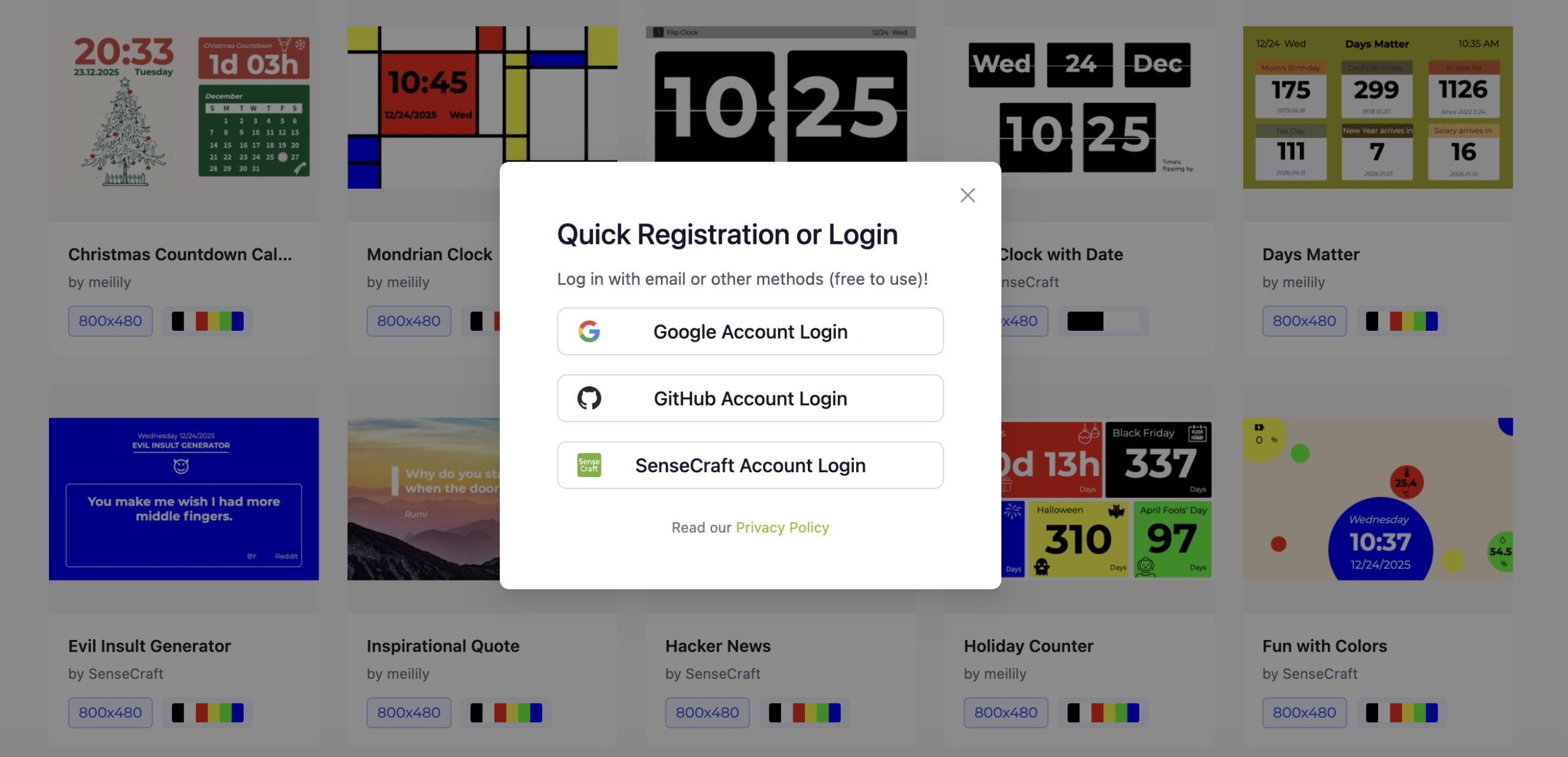
You can now sign in using your Google or GitHub account in addition to the original SenseCraft email login. This makes onboarding faster and eliminates the need to manage another password.

SenseCraft HMI Third Party Login

🐛 Bug Fixes & Refinements

✅ Fixed pairing code issue on XIAO EE04

✅ Smoother canvas rotation experience

✅ Improved preview rendering for more accurate designs

✅ General performance optimizations across the platform

🎄 Join the Community & Shape the Future

SenseCraft HMI is built with community feedback at its core. We want to hear from you:

  • Vote on new templates – Tell us what designs you want to see next
  • Report bugs – Help us squash issues faster
  • Request features – Shape our roadmap with your ideas

🚀 Get Started Today

Whether you’re a maker prototyping your first smart display or a developer building production IoT dashboards, SenseCraft HMI v1.2.0 makes it easier than ever to bring your ideas to life.

#About SenseCraft HMI

SenseCraft HMI is a nocode, web-based, AI-powered interface builder that makes designing IoT displays surprisingly simple. With its drag-and-drop canvas and ready-to-deploy templates, you can create functional dashboards in minutes—complete with live data from integrated sources like weather APIs, crypto trackers, stock profilers, calendar, todo list, and more. The platform integrates LLM-powered tools to generate custom images and UI layouts on demand, while built-in device management lets you deploy and monitor your displays from anywhere.
About Author

Leave a Reply

Your email address will not be published. Required fields are marked *

Calendar

December 2025
M T W T F S S
1234567
891011121314
15161718192021
22232425262728
293031