E Ink Display vs LCD: Which One is Right for Your Next Project?
The performance, readability, and power efficiency of your product can all be greatly impacted by the display you choose when building your next DIY or IoT device. The argument over E Ink versus LCD (and even E Ink versus OLED) is more pertinent now than it has ever been.
We’ll discuss the differences between E-paper and LCD, their respective functions, and how to choose the best display for your project in this post.

What Is an E Ink (E-paper) Display?
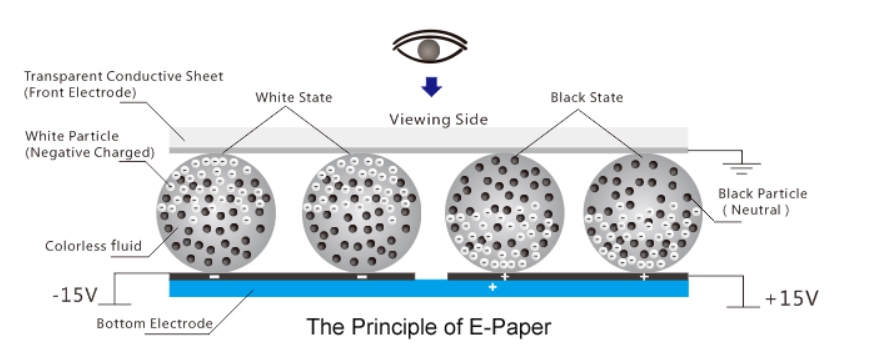
E Ink, also known as electronic paper (E-paper), is a display technology that mimics the appearance of ink on paper. Instead of emitting light, it reflects ambient light, making it comfortable to read in all lighting conditions — even direct sunlight. E Ink displays contain millions of microcapsules filled with black and white particles that move under an electric field. Once arranged, the image remains visible without consuming power until it’s refreshed.
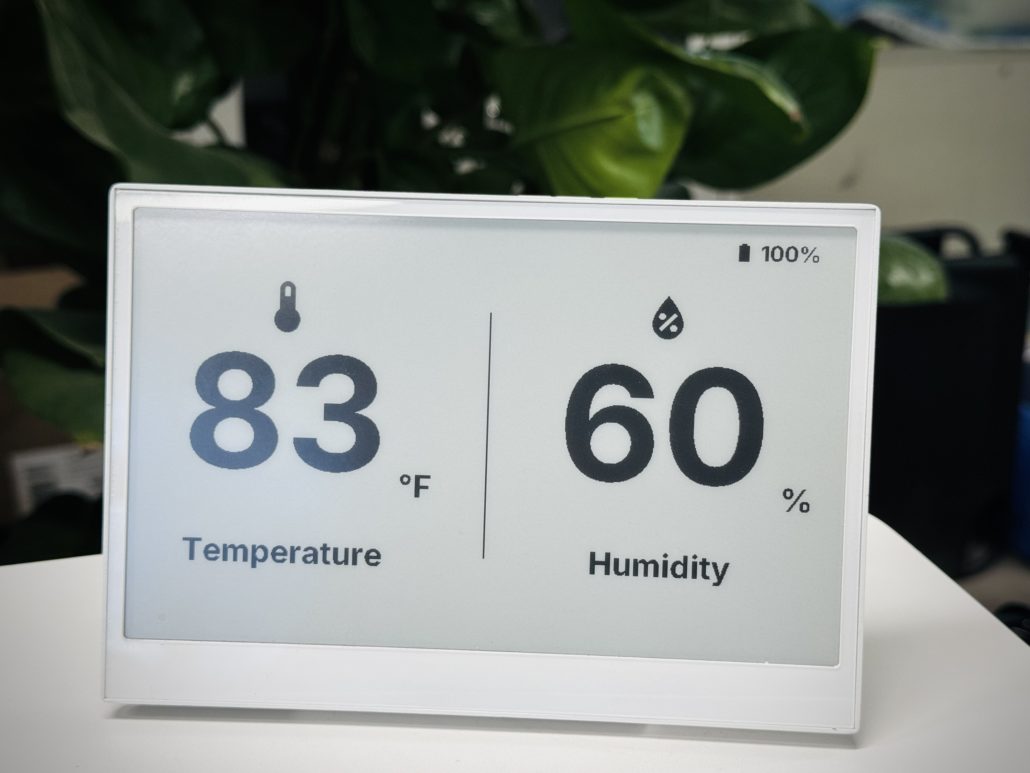
Key Features of E Ink Displays:
- Ultra-Low Power Consumption: Displays hold images without continuous power.
- Readable in Sunlight: Perfect for outdoor and handheld devices.
- Paper-Like Appearance: Great for text-heavy applications.
- Limited Refresh Rate: Not suitable for animation or video.
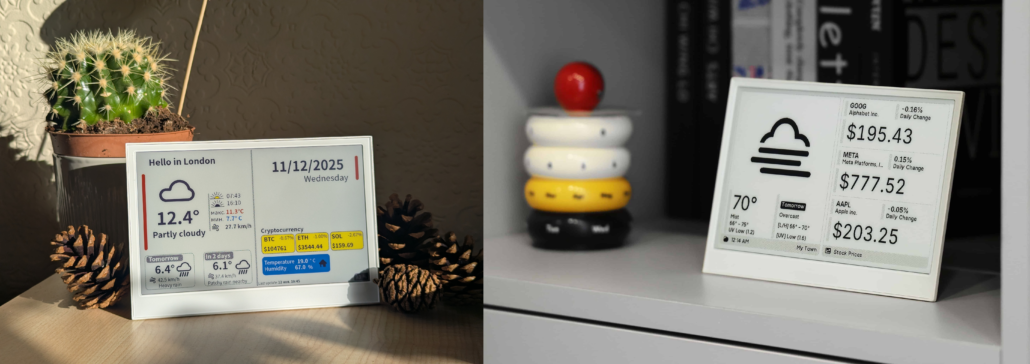
E Ink Displays from Seeed:
- reTerminal E1001 Monochrome ePaper Display
- reTerminal E1002 Full-color ePaper Display
- XIAO 7.5″ ePaper Panel
What Is an LCD Display?
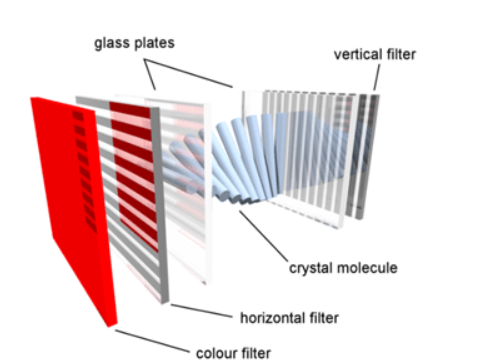
An LCD (Liquid Crystal Display) is a flat-panel display that uses a backlit layer of liquid crystals to create an image. When an electric current is applied, the liquid crystals twist to block or allow light to pass through, with the help of polarizing filters and color filters, to form the colors and shapes you see on the screen. These displays are used in TVs, monitors, smartphones, and calculators because they are thin, lightweight.

Key Features of LCD:
- High Refresh Rate: Ideal for animations, videos, and dynamic UIs.
- Bright and Vivid Colors: Excellent for colorful interfaces or outdoor visibility (with backlight).
- Wide Availability: A vast range of sizes and resolutions available.
- Low Cost: Suitable for budget-sensitive projects.
LCD Displays from Seeed:

E Ink Display vs LCD: Technical Comparison
| Feature | E Ink Display (E-paper) | LCD Display (Liquid Crystal Display) |
| Core Technology | Uses electrophoretic microcapsules that rearrange charged pigment particles. The display holds the image even without power. | Uses liquid crystals and a backlight to control the passage of light through color filters. Requires continuous power to maintain visibility. |
| Power Consumption | Extremely low – only during updates. Perfect for battery- or solar-powered devices. | High – needs constant power for backlight and pixel refresh. |
| Visibility in Sunlight | Excellent – fully reflective, works perfectly outdoors. | Moderate to poor – readability depends on brightness and anti-glare coatings. |
| Refresh Rate | Slow (mostly around 1 Hz to 15Hz) – suitable for text, sensors, or dashboards that refresh occasionally. | Fast (30–120 Hz) – ideal for data visualization, animation, or touch UI. |
| Color Range | Monochrome(black/white) or limited color options (3-color or 6-color Spectra variants) | Full RGB color with high contrast and saturation. |
| Display Type | Reflective – uses ambient light, similar to paper. | Transmissive/Transflective – relies on LED backlighting. |
| Eye Comfort | Non-glare and natural, great for prolonged viewing. | Bright and vivid, but can cause more eye strain over time. |
| Best Use Case | Static information, IoT dashboards, shelf labels, e-readers, or energy-efficient trackers. | Dynamic interfaces, media, and real-time IoT visualization (like Home Assistant panels). |
E-paper vs LCD: When to Choose Each Display
Choose E Ink (E-paper) if you’re building:
- Battery-powered IoT devices
- Outdoor signage or trackers
- E-book readers or smart labels
- Minimalist displays that update infrequently
Choose LCD if you need:
- Real-time data visualisation
- Smooth animations or videos
- Interactive user interfaces
- Projects with continuous power supply
Projects that utilise e-ink & LCD
· ESticky: a Tiny Paperless Way to Keep Your Thoughts Organized by Gokux
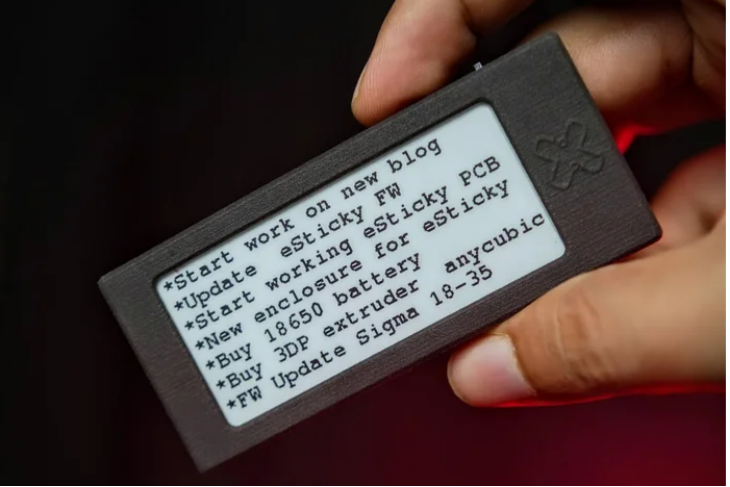
ESticky offer a fantastic way to keep your notes, reminders, and to-do lists organised—without the mess of traditional sticky notes. Imagine having a reusable, low-power sticky note that updates through Wi-Fi!
This project turns the 2.9-inch e-paper display and the Seeed Studio XIAO ESP32C3 into a sleek, always-visible sticky note that you can easily update using a web app. Whether you’re jotting down daily tasks, sharing motivational quotes, or displaying fun images, this e-paper note keeps your space tidy and your ideas front and centre.
· ESP32-Based Wireless Smartwatch by RoboticWorx
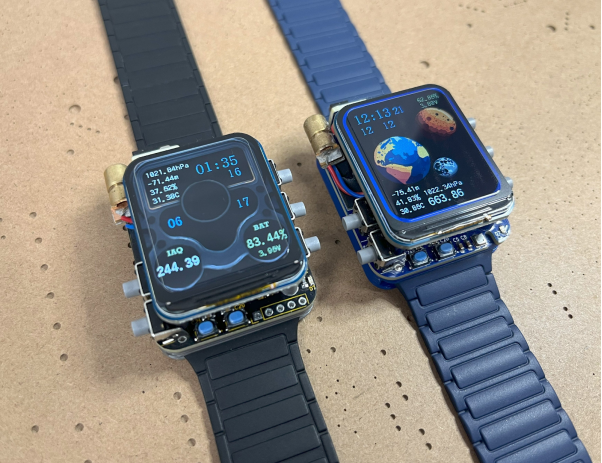
This is a “Gateway” smartwatch project! It acts as a compact wireless access key to control all your IoT devices from the comfort of your arm! It also features exchangeable MAC addresses, the ability to scan WiFi networks, has a built-in LiDAR for distance sensing, and provides you with real-time temperature, altitude, humidity, pressure, gas resistance, tilt, and acceleration.
The display being used for this project is a 280×240 resolution 1.69″ 262K RGB LCD driven by an ST7789 via Serial Peripheral Interface or SPI. Perfect for illuminating high-resolution images.
E Ink Display vs OLED: A Quick Comparison
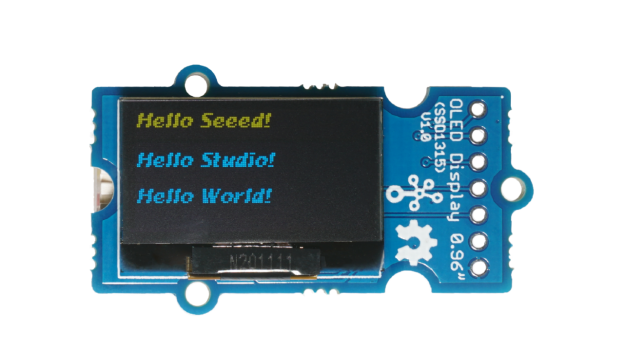
While OLED displays are known for their vibrant color and flexibility, they consume much more power compared to E Ink. If your project requires a colorful and responsive UI, OLED might be the better choice. However, for ultra-low-power and sunlight-readable applications, E Ink wins.
Final Thoughts
Both e-ink and LCD technologies have distinct advantages. If your project needs clarity under sunlight and ultra-low power, E-Ink is unbeatable. But if you’re building something dynamic or colorful, LCD remains the go-to choice.
Explore Seeed Studio to find the perfect match — whether it’s a low-power ePaper for outdoor devices or a vivid LCD for data-rich dashboards.
Start your next project today — with the right display for your vision.
>> Read more about E ink
About Author
