8 Inspiring Home Assistant Dashboard Ideas to Level Up Your Smart Home
Managing a smart home is exciting, but as devices multiply, control can become chaotic. A thoughtful Home Assistant dashboard simplifies this, turning a sea of sensors into a clear, intuitive interface. From lighting and climate to security and media, it helps keep your home organized and easy to manage.
In this guide, we’ll share practical tips and inspiring home assistant dashboard ideas to create a setup that fits your routines, reflects your style, and makes interacting with your smart home effortless and enjoyable.
What Is a Home Assistant Dashboard?
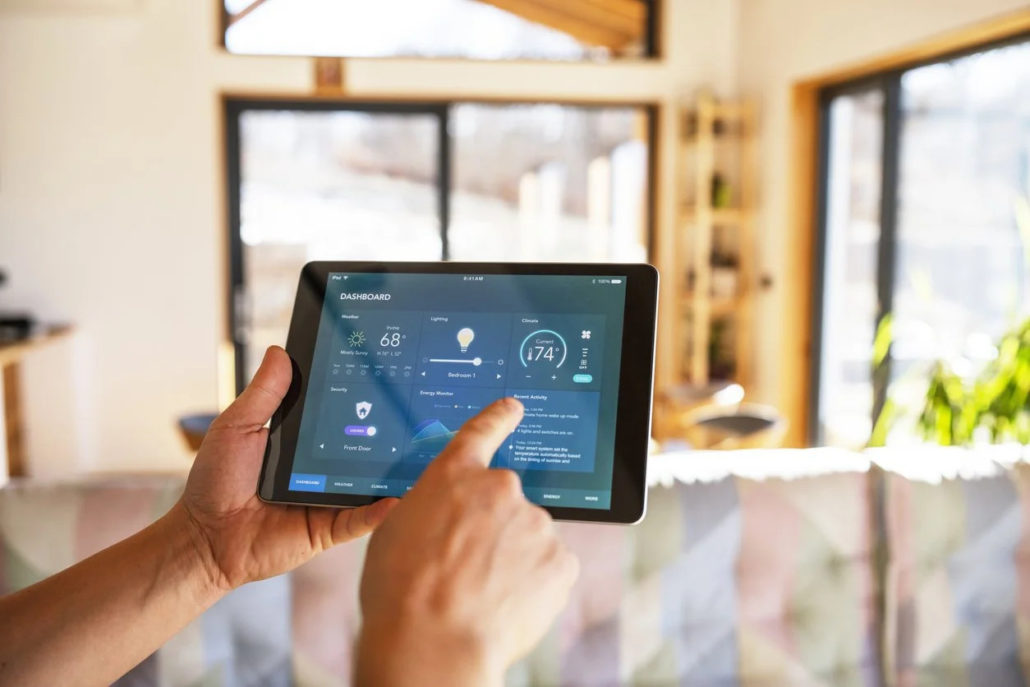
A home Assistant dashboard is the heart of your smart home, giving you a clear overview of all your devices, automations, and alerts in one place. It simplifies control, making it easy to manage lighting, climate, security, and more with just a glance.
By consolidating information and actions into a single interface, it turns a complex smart home setup into an organized, intuitive, and enjoyable experience.
Common Ways to Create a Home Assistant Dashboard
Building a Home Assistant dashboard depends on your goals, time, and technical comfort. Options range from simple setups to fully customized creations.
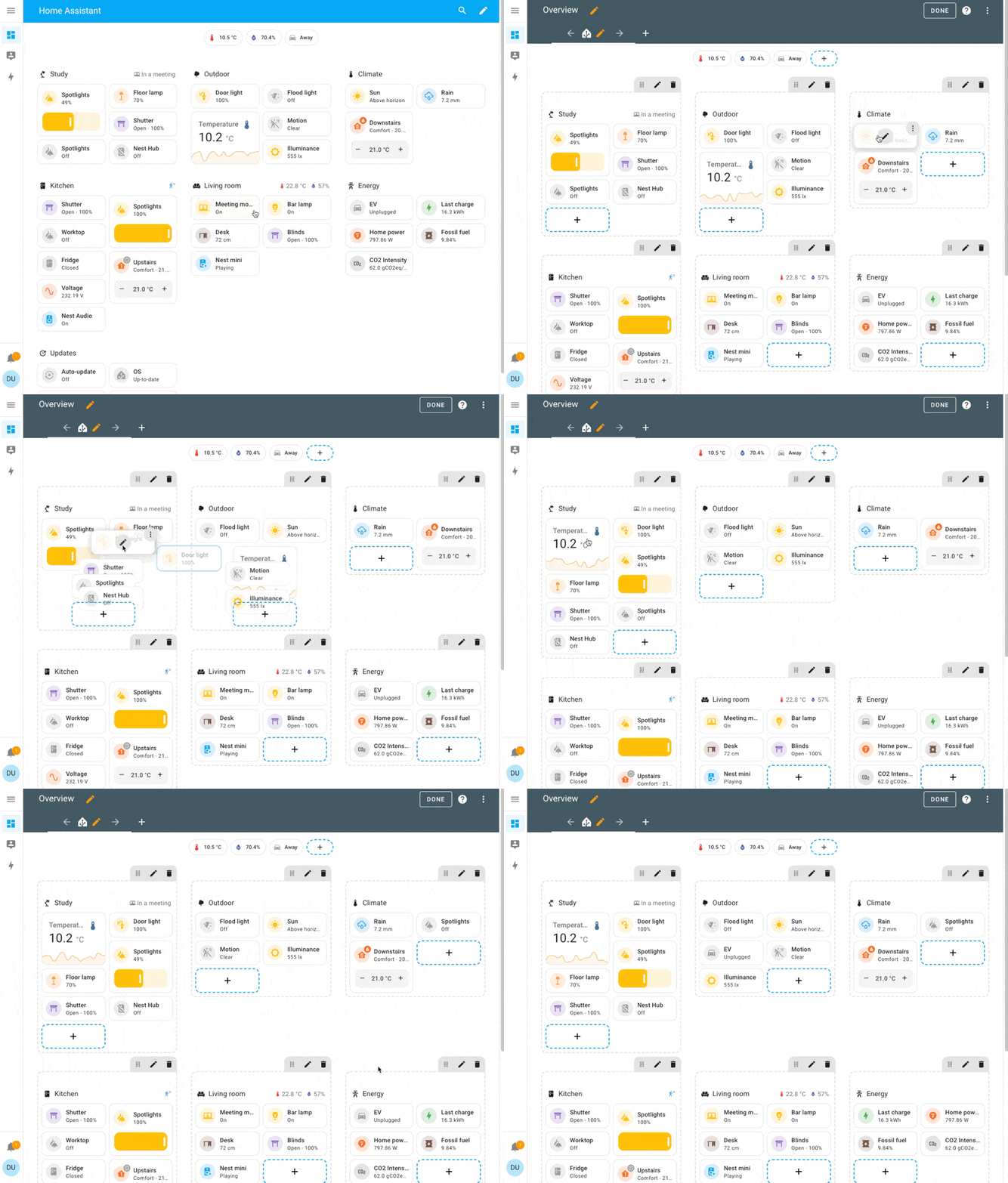
Using Built-in Lovelace UI to Customize
The Lovelace UI is the easiest way to start. Using cards, you can display sensors and controls exactly where you want. The visual editor lets you click, drag, and configure without code, while advanced users can tweak configuration files. It’s perfect for creating a functional custom Home Assistant dashboard tailored to your routines.
Home Assistant Dashboard Templates
If you prefer a ready-made approach, home assistant dashboard templates offer polished layouts you can install instantly. Customize them with your devices and colors to explore great design quickly.
Custom Home Assistant Dashboard (Advanced)
For full control, build a truly custom Home Assistant dashboard. Style cards with CSS, create conditional layouts, and use advanced cards to craft a unique interface. This approach requires more skill but produces a dashboard that fits your workflow and aesthetic perfectly, often using a home assistant dashboard app for the best experience.
Best Devices for Home Assistant Dashboards
Your Home Assistant dashboard needs the right screen. The device you choose defines your entire experience, from sleek family use to satisfying DIY builds. Here are the four main hardware paths.
Tablet Dashboards: The Sleek Family Hub
If you want a polished, ready-to-go setup, a tablet is hard to beat. An iPad Home Assistant dashboard feels smooth and responsive, while Android tablets give you more flexibility in size and price. Picking the best tablet for Home Assistant dashboard helps ensure everything – from touch controls to visual layouts – feels natural and effortless.
E-Ink Displays: The Calm Companion
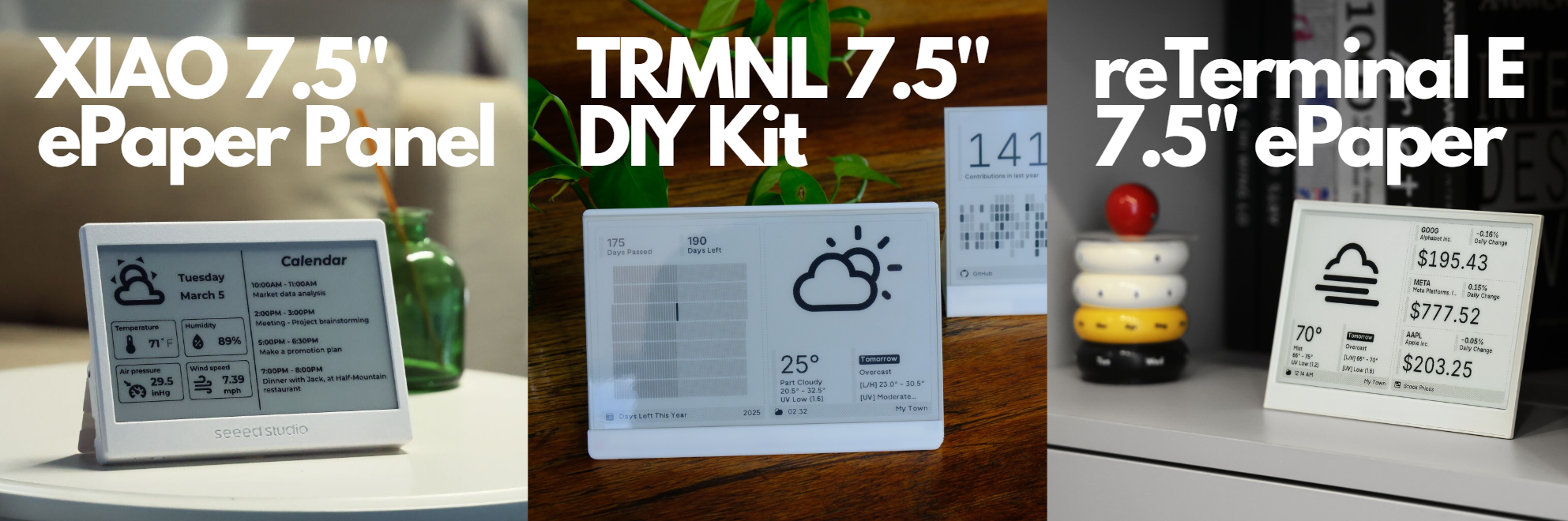
E-ink screens are perfect for subtle, glanceable information. These low-power e-ink Home Assistant setups are perfect for hallways where you only need a quick glance at the weather or home status.
Often running via ESPHome, these displays avoid glare and direct light, blending seamlessly into your home while staying fully functional. Their calm, always-on presence makes them ideal for showing essential data without distraction, keeping your smart home both informative and visually unobtrusive.
The Raspberry Pi Dashboard: The DIY Build
This is the ultimate maker’s project. A Raspberry Pi Home Assistant dashboard lets you pair this tiny computer with any screen to create a dedicated, in-wall terminal. It’s affordable and deeply customizable, offering immense satisfaction from building your own control panel from the ground up.
Dedicated Displays: Plug-and-Play Panels
Beyond tablets, displays made for dashboards offer a streamlined option. These OLED/LCD Home Assistant devices are designed for high visibility and often come with ready-to-use UI/templates. They are a great middle-ground: easier than a Pi but more purpose-built than a standard tablet.
The Best Home Assistant Dashboards: 8 Community Favorites
Let’s be honest – browsing through community projects is half the fun of Home Assistant. That’s where you find those brilliant home assistant dashboard ideas that make you think, “I want that!”
To fuel your inspiration, here’s a closer look at eight exceptional dashboards. Each one tackles the challenge of smart home control from a completely different angle.
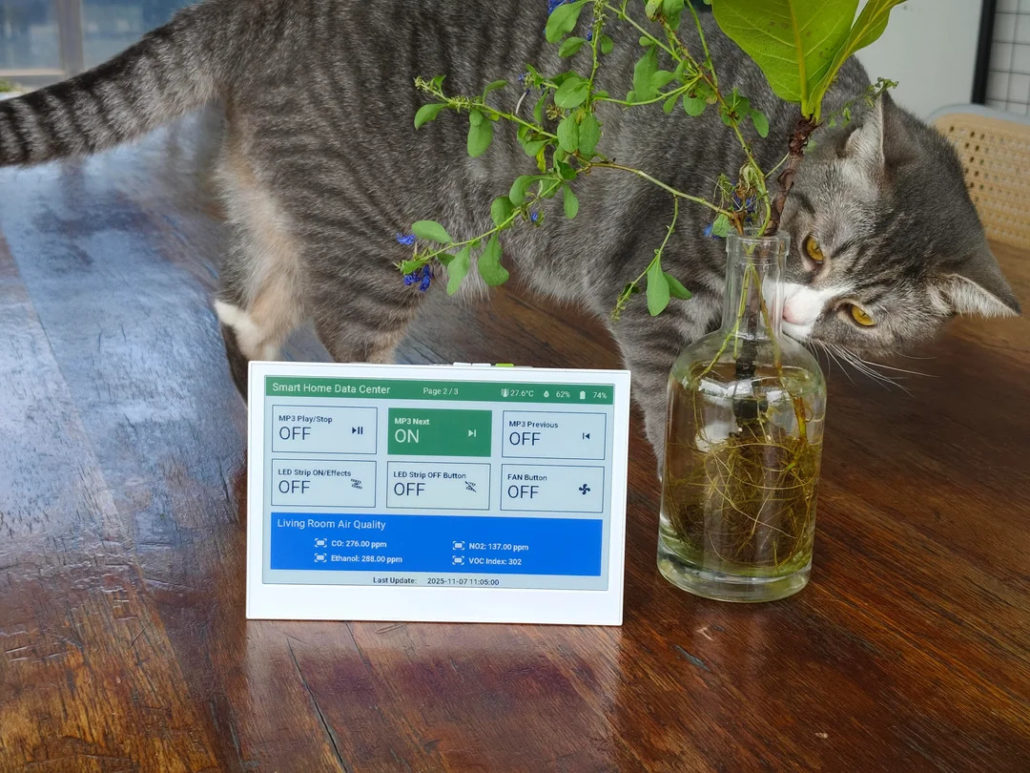
Most Innovative E-Ink Home Assistant Dashboard – Color Display Edition
- Maker: limengdu
- Category: E-Ink Dashboard
- Difficulty: ★★★☆☆
- Best for: Low-power dashboards, always-on status displays
- Intro: Built using Seeed‘s reTerminal E1002 e-ink display and ESPHome, this color E-Ink dashboard focuses on calm, glanceable design. Multiple pages organize data efficiently, and subtle color coding improves readability. The community appreciates how clear, distraction-free, and energy-efficient it is. YAML template here if you want to try it yourself.
Simple Dreams – A Calm, Minimalist Home Assistant Dashboard
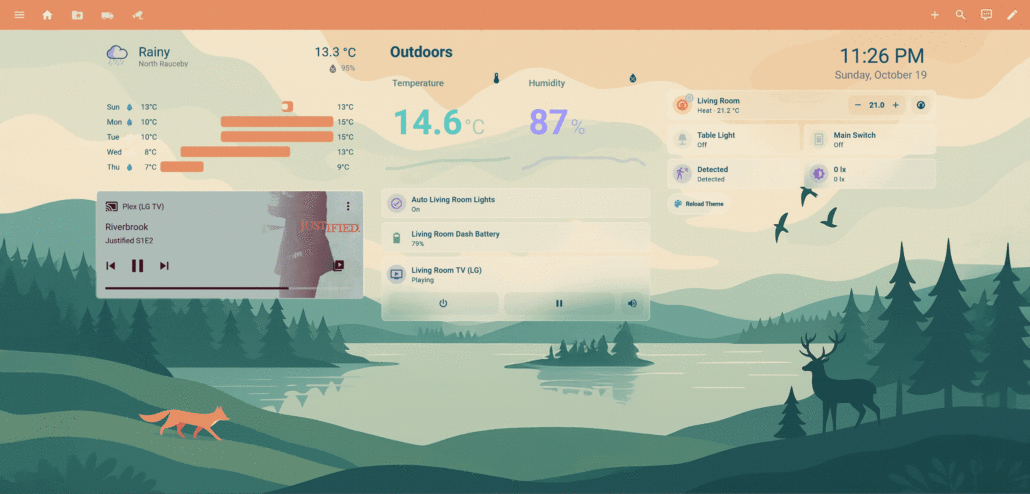
- Maker: dizzydnallov
- Category: Most Minimalist & Creative
- Difficulty: ★★★☆☆
- Best for: Users who find standard dashboards cluttered and want a “calm” interface.
- Intro: Simple Dreams is all about visual calm and efficiency. Built using standard Home Assistant Lovelace cards and YAML, the theme uses a soft, top-weighted layout to reduce visual clutter. Cards are limited and conditionally visible, encouraging a clean workflow. Users love how it nudges them toward a more coherent dashboard without feeling restrictive. With light and dark modes and swipeable sections, you can focus on key info while keeping other details just a swipe away. Apply the theme directly with the template.
DIY Wall-Mounted Home Assistant Dashboard Using Raspberry Pi
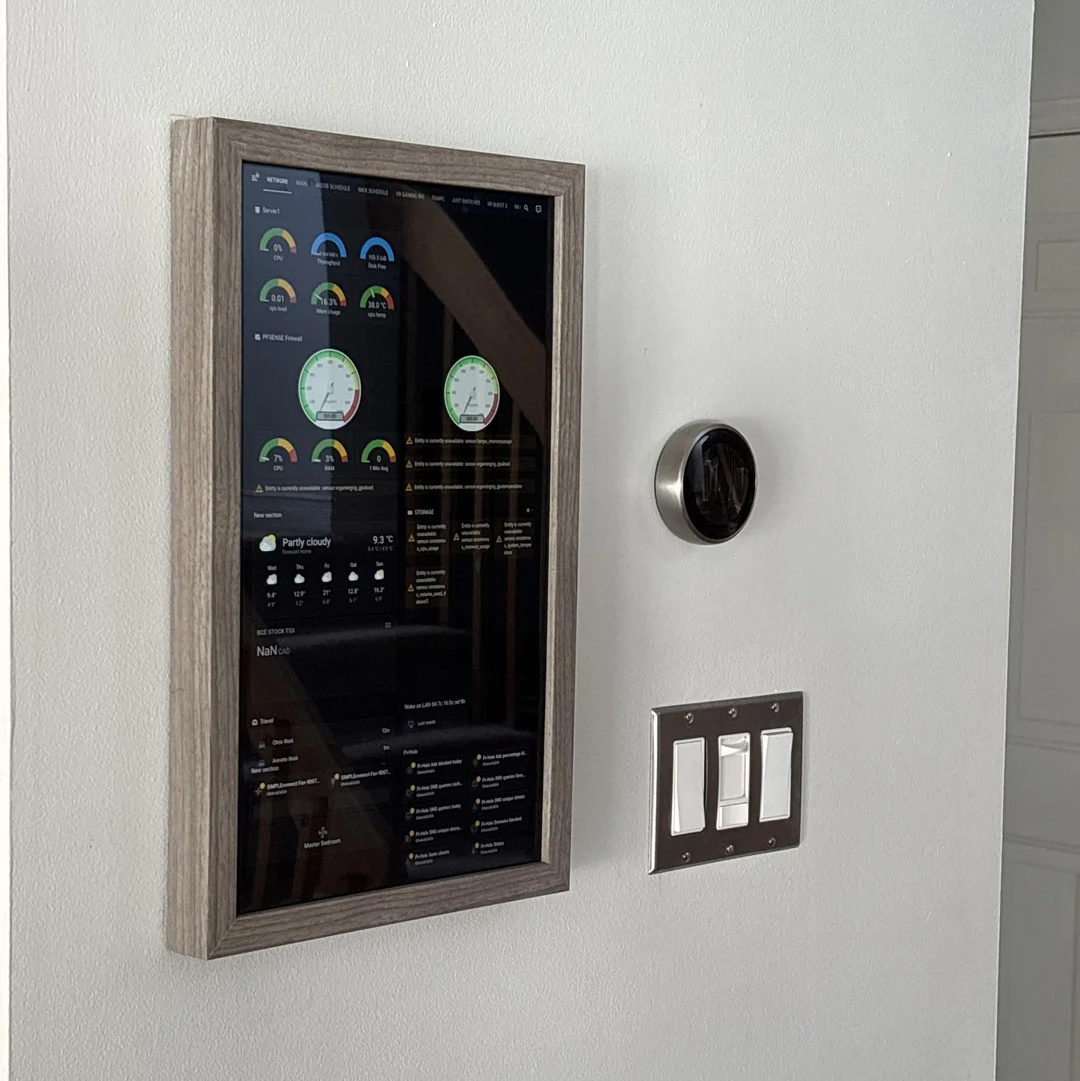
- Maker: D64017108
- Category: Full-Scale DIY Hardware
- Difficulty: ★★★★☆
- Best for: Users who want a massive, wall-mounted dedicated terminal.
- Intro: This is the ultimate maker’s raspberry pi home assistant dashboard. It combines hardware customization with intuitive layout design. The Pi runs a dedicated HA client, paired with a touchscreen and custom frame for a wall-mounted command center. Enthusiasts admire the tactile satisfaction of a fully DIY interface, from presence tracking to camera feeds and schedules. The layout is flexible, and the visual hierarchy prioritizes immediate info, making it a true custom Home Assistant dashboard that feels personal and functional.
Tablet Optimized: The iOS-Inspired iPad Pro Dashboard
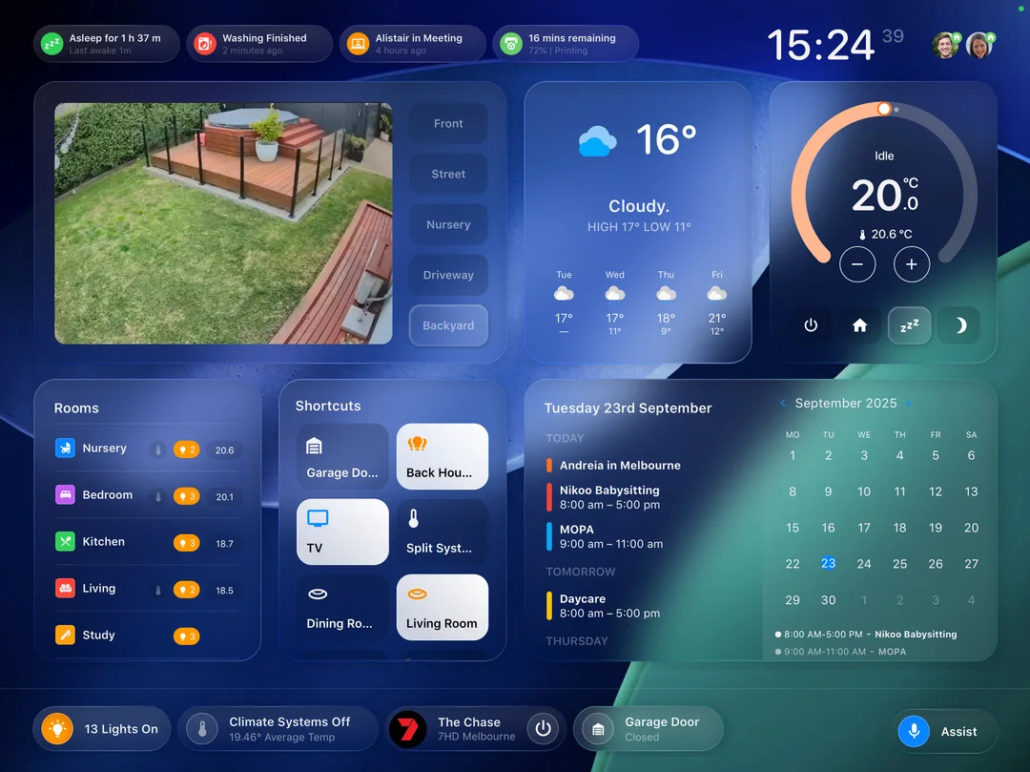
- Maker: Pivotonian
- Category: Best Tablet Dashboard
- Difficulty: ★★★★☆
- Best for: iPad dashboards, family use
- Intro: Designed for polish and usability, this iPad Home Assistant dashboard makes your smart home feel intuitive and alive. Inspired by iOS aesthetics, smooth animations and fluid transitions make interacting with it a joy. With custom:button-card templates and input_select helpers, you can swap cards for weather, media, or events depending on your needs. You’ll notice how it behaves like a true home assistant dashboard app – responsive, visually cohesive, and easy for the whole family to use. Key info stays front and center, while less-used sections remain unobtrusive. Check out the full YAML here to try it yourself.
Simplest for Beginners: The “No Add-ons” Clean Layout
- Maker: Weekly_Department912
- Category: Native UI / No-Code
- Difficulty: ★☆☆☆☆
- Best for: Quick setup without installing HACS or custom CSS.
- Intro: This dashboard is a wonderful reminder that you don’t need advanced tools to create a functional and clean interface. Built with only Home Assistant’s native stacks, it organizes info horizontally and vertically with a clean header. Many people online appreciate the simplicity and speed – no add-ons or complex YAML required. It’s perfect for anyone wanting a neat, functional interface without sacrificing clarity, and it’s a great starting point for experimenting with custom Home Assistant dashboard layouts.
Weather Dashboard: The NWS Meteorological Hub
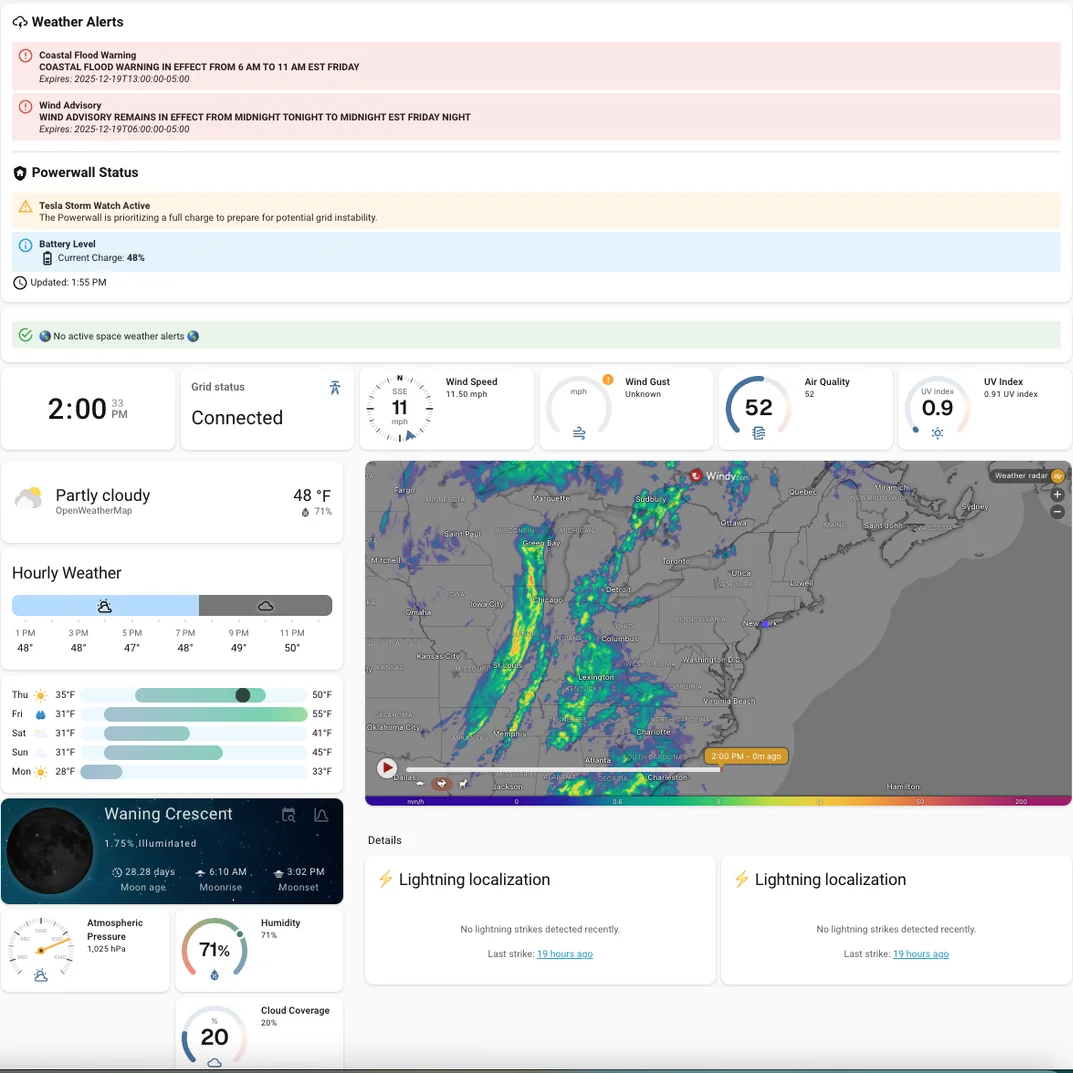
- Maker: magaman
- Category: Data-Intensive / Forecasting
- Difficulty: ★★★☆☆
- Best for: Weather geeks and outdoor planning.
- Intro: If you’re passionate about environmental data, here is a standout example of a best Home Assistant dashboard for monitoring multiple data sources at once. It consolidates everything from Powerwall storm alerts to space weather K-Index readings. The creator uses automation to scrape NOAA data into clear alerts, and smart conditional cards display UV, rain, or snow rates as needed. It’s highly appreciated for masterfully balancing a wealth of information with a clear, usable layout. Best of all, you can replicate the entire setup yourself using the shared YAML code available on GitHub.
Home assistant dashboard design: GlassHome (React-Based)
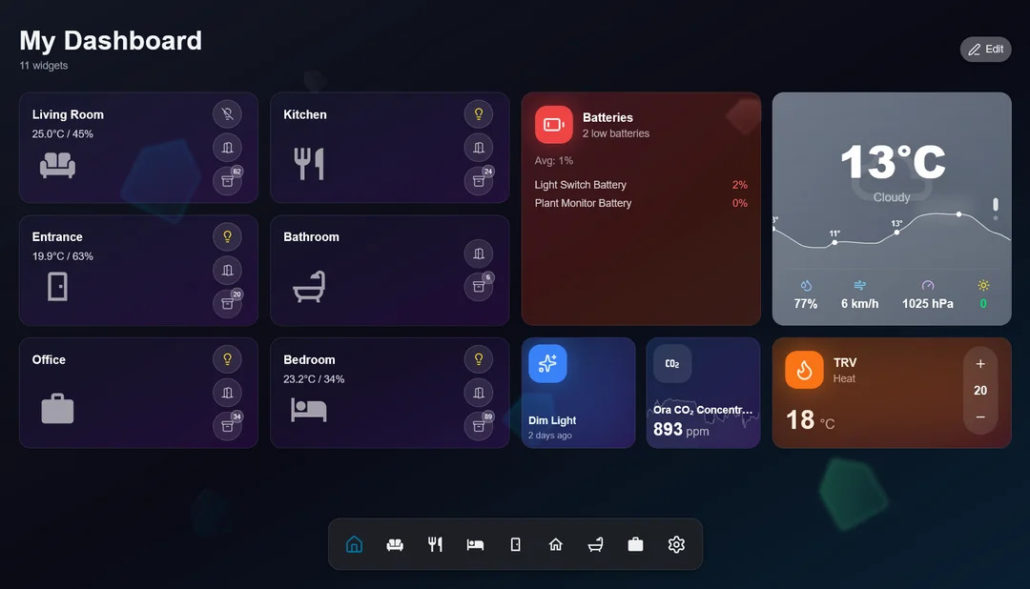
- Maker: AlcatrazTN
- Category: Full Stack / Alternative Frontend
- Difficulty: ★★★★★
- Best for: Advanced users, design-focused setups
- Intro: GlassHome reimagines the dashboard as a modern web app. Built in React, it replaces complex YAML with an intuitive, visual drag-and-drop editor. It’s particularly loved for its room-based organization, which suggests relevant widgets automatically, and its polished, responsive design that works beautifully on any screen. This approach makes it a standout choice for a sleek, professional-looking best home assistant dashboard.
Easiest All-in-One Setup: Dwains Dashboard v3
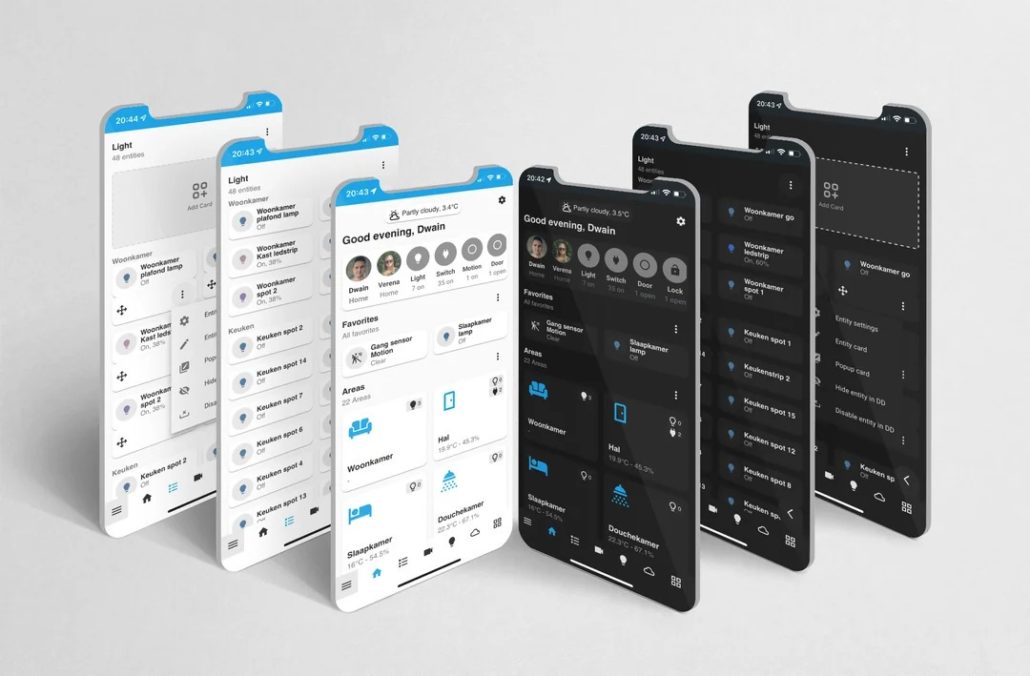
- Maker: Dwain Scheeren
- Category: All-in-One / Auto-Generated Dashboard
- Difficulty: ★★☆☆☆
- Best for: Fast setup, no-YAML dashboards
- Intro: Dwains Dashboard v3 is one of the most popular Home Assistant dashboard templates for a reason. Installed as an integration via HACS, it builds your dashboard automatically using Home Assistant areas and entities. You don’t need to touch YAML – everything is configurable through the UI. You can also swap default cards for Mushroom or other blueprints to match your style. If you want a clean, room-based layout that just works, this template is hard to beat.
How to Choose the Best Home Assistant Dashboard for Your Setup
So you’ve seen the amazing possibilities. Now, how do you pick your starting point? It’s less about finding the single “best” dashboard and more about answering three simple questions for yourself.
What screen will it live on? This is your non-negotiable starting point. The beautiful, info-dense layout you’d create for a 27-inch desktop monitor will be unusable on a 7-inch wall tablet. That tablet needs big, friendly buttons. An e-ink display demands high-contrast, simple information. Choose a design philosophy that matches your hardware.
What’s its main job? Be honest about its daily purpose. Is it a quick light switch, a detailed solar power monitor, or a family message board? A sparse, minimalist theme will frustrate a data lover, while a complex dashboard is overkill for someone who just wants to see the weather and arm the alarm.
How do you like to tinker? Match the project to your comfort zone. If you’re new, start with native tools or a simple theme. If you enjoy coding, a React-based project might be your playground. The best dashboard is one you enjoy using, not just building.
Here’s a quick cheat sheet to match your situation with a style:
| Your Goal / Setup | Recommended Dashboard Style | Key Reason |
| First Dashboard / Beginner | Simple and Clean (No Add-ons) | Stable, uses core features, minimal setup. |
| Family Tablet / Kitchen Hub | Simple and Clean (No Add-ons) | Polished, adaptive, designed for touch and glanceability. |
| Desktop Monitoring & Control | Comprehensive Weather Dashboard or GlassHome | Handles dense data or offers a modern, customizable app-like interface. |
| Discreet, Always-On Display | E-Ink Dashboard | Unobtrusive, low-power, perfect for hallways. |
| Visual Cohesion & Aesthetics | Simple Dreams Theme | Provides a complete design framework and philosophy. |
Final Thoughts: Build Your Own Best Home Assistant Dashboard
Remember, your perfect dashboard is a personal project, not a final exam. The examples we’ve explored are meant to spark your own home assistant dashboard ideas, not to be copied exactly. Start with one corner of your home. Get a single view working beautifully, then let it grow from there.
The true magic of Home Assistant isn’t just in the automation; it’s in the community. These incredible setups were shared by people just like you. When you tweak a template, solve a tricky layout, or finally get that perfect animation, consider sharing a screenshot. Your solution might be the exact home assistant dashboard design inspiration someone else is searching for. Now go build something that makes your smart home feel uniquely yours.
>> Read more
About Author
