DIY OpenDisplay Tags Guide: Creating Wireless Low-Power eInk Displays with XIAO ePaper Kit
By Lily 2 months agoIn this guide, you’ll learn how to create your own DIY OpenDisplay e‑ink tags using the XIAO EN04 ePaper DIY Kit. With compatible hardware, native OpenDisplay support, and open‑source integrations, you can build a wireless ePaper display tailored to your needs—whether for home automation, workspaces, or smart environments.
Ever walked outside only to realize it’s raining—and you forgot your coat? Wouldn’t it be convenient to check the weather on a small, wireless ePaper display right at your coat rack?
That idea is exactly what inspired our collaboration with OpenDisplay. Together, we’re making it easy for anyone to build a custom, low‑power, battery‑operated ePaper display that can show real‑time data from Home Assistant.
In this guide, you’ll learn how to create your own DIY OpenDisplay e‑ink tags using the XIAO EN04 ePaper DIY Kit. With compatible hardware, native Open =Display support, and open‑source integrations, you can build a wireless ePaper display tailored to your needs—whether for home automation, workspaces, or smart environments.
What is OpenDisplay
OpenDisplay is an open-source project that provides firmware and protocols for custom e-paper displays. Beyond the firmware, OpenDisplay offers a comprehensive suite of tools and ecosystems designed to simplify the creation and management of custom wireless Home Assistant e-paper displays. OpenDisplay has been created by some members of OpenEPaperLink (OEPL) to be able to release truly open source firmware without non-commercial restrictions.
OpenDisplay Tools Include:
- OpenDisplay Web Installer
It’s a tool that flashes OpenDisplay firmwares to any e-paper display directly from your web browser. This firmware should not be confused with the OpenEpaperLink that focuses on repurposing commercial Electronic Shelf Labels (ESLs), the OpenDisplay firmware is specifically designed for custom wireless ePaper display builds using microcontrollers like the nRF52840 and ESP32. The OpenDisplay firmware also has no non-commercial restrictions like OpenEpaperLink does.
- OpenDisplay Config Builder
It helps generate, import, export, and install system configuration parameters for e-paper displays via Bluetooth Low Energy (BLE).
- OpenDisplay BLE Tester
It’s a web-based testing tool for uploading images to OpenDisplay e-paper devices via BLE. Features include image selection, preview, grayscale dithering, and firmware information reading.
- OpenDisplay Home Assistant Integration
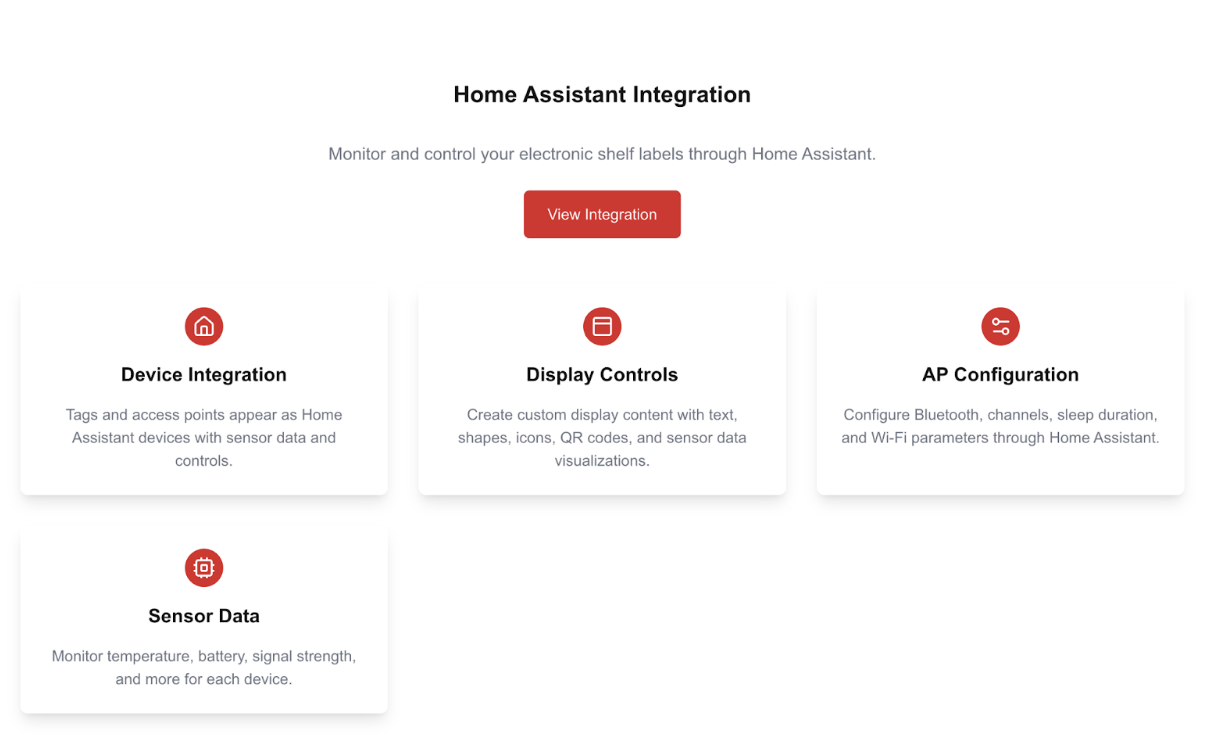
This tool integrates e-paper tags/ displays as smart devices in Home Assistant. Enable remote control, custom information display (text, graphics, icons, QR codes, sensor data, etc.), and status monitoring.
Why Use OpenDisplay for DIY Custom Wireless ePaper Display Projects?
Here are 3 top reasons why you should choose OpenDisplay firmware for creating tailor-made eInk tag projects from scratch.
- Flexible Hardware Choices
OpenDisplay firmware supports multiple MCU platforms (nRF52840, ESP32-S3, ESP32-C6, ESP32-C3), giving developers the freedom to choose hardware they’re familiar with while controlling DIY material costs.
- User-friendly Setup
No additional Access Point required. All firmware flashing, configuration, and image/text uploads can be done directly through web-based tools—no coding expertise needed.
- Open Source & Community-driven
As a free, open-source project, OpenDisplay offers comprehensive GitHub documentation and Discord community support (Join the Discord server here). Beyond simple web-based operations, it offers native Home Assistant integration. You can create automations in Home Assistant using either the low-code Visual Editor or by writing YAML code directly.
Some DIY ePaper Projects Using OpenDisplay
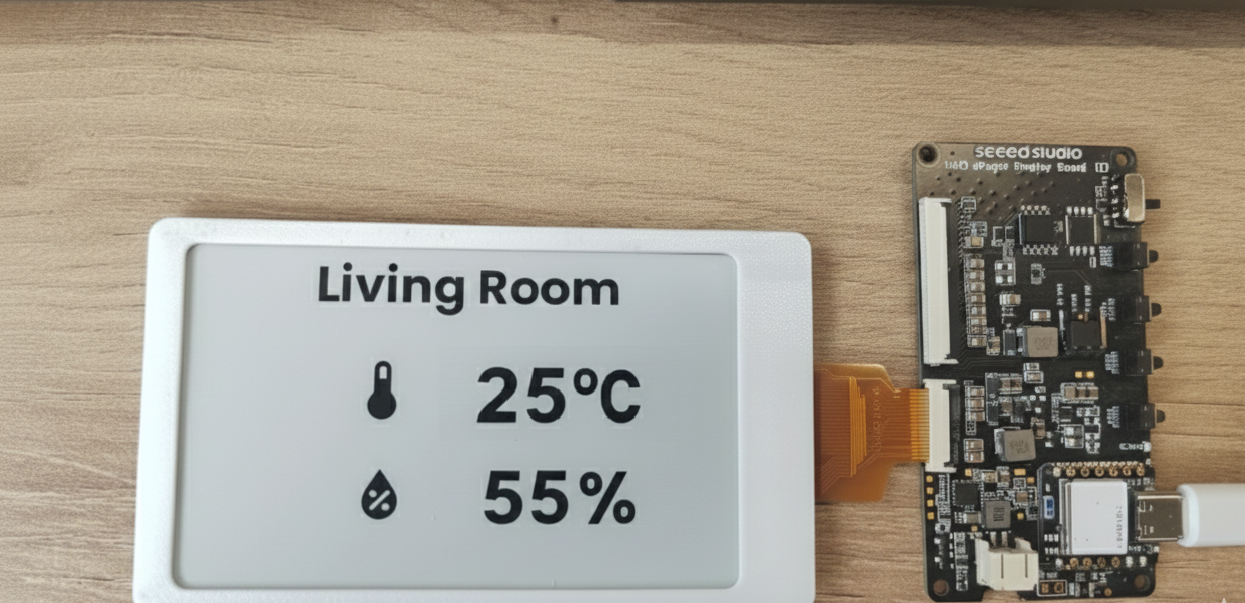
For instance, you can display the temperature and humidity sensor readings in your living room through the Visual Automation Editor in Home Assistant. You can set a Time Pattern of 30 mins to trigger the OpenDisplay Draw Custom Image action to display the indoor & outdoor temperature and humidity, and time of sunrise and sunset.
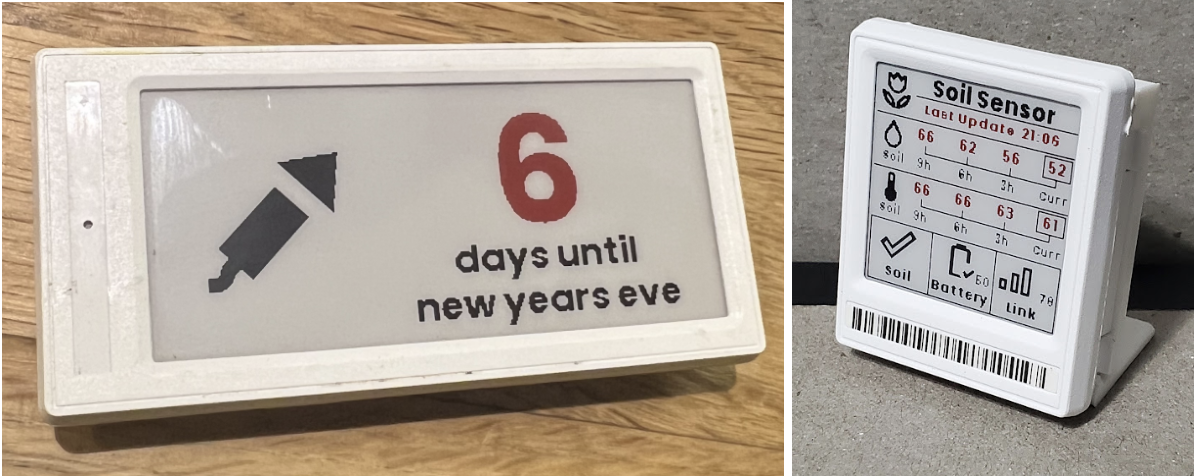
For developers who are familiar with YAML coding, you can also find rich community-contributed YAML examples (like waste collection reminders, weather displays, calendar countdowns) to quickly integrate ePaper displays into smart home environments. For example, you can customize your own New Year Countdown using a 2.9” 4 Color display or a soil sensor with trending data display with a 1.54” display.
You can explore the community-contributed automations/blueprints/projects to use with HomeAssistant and OpenEPaperLink here.
Getting Started with the XIAO EN04 ePaper DIY Kit
XIAO EN04 ePaper DIY Kit is a bundle kit of a XIAO nRF52840 Plus based ePaper dev board, which supports 24-pin and 50-pin ePaper displays, and electable ePaper displays ranging from 1.54″ to 7.5″ in multiple colors (monochrome black and white, 4 colors, 6 colors, and full color). The board also features a JST 2.0 mm battery connector with a power switch, a built-in charging IC, and comes with one reset and three user buttons.

What's Included in the Kit
- XIAO ePaper Display Board EN04
- Powered by XIAO nRF52840 Plus
- Built-in JST 2.0mm battery connector with power switch
- Integrated charging IC
- One reset button and three user-programmable buttons
- Connectors for both 24-pin and 50-pin ePaper displays
- Selectable ePaper Screens, which you can choose from displays ranging from 1.54″ to 7.5″, including:
- Monochrome (black & white)
- 4-color, 6-color or full-color displays
- Please note that, together with the OpenDisplay team, we have tested 9 displays (full compatibility list can be found here and we’re testing more and keeping the list updated)—and confirmed full native compatibility with OpenDisplay. If you choose to use other displays, we recommend doing additional research to ensure compatibility.
Native OpenDisplay Compatibility
This kit works seamlessly with:
The flexible display options let you select the best screen for your application, offering maximum customization for your OpenDisplay ePaper tag projects.
Step-by-Step: Create Your ePaper Display Tag with OpenDisplay
List of Prerequisites:
- Home Assistant
- Bluetooth Proxy (which we recommended to use an XIAO W5500 Ethernet Adapter V1.2)
Step 1: Hardware Assembly
Connect your chosen ePaper display to the EN04 board and attach the battery.
Step 2: Install OpenDisplay firmware Using OpenDisplay Web Flasher
Simply drag and drop the firmware file to your board via the web-based installer.
Step 3: Configure OpenDisplay
Use the web interface to configure your device settings.
Step 4: Upload Content via Web Display Tool
Upload images or simple text directly through the web tool to preview on your display.
Step 5: Home Assistant Integration
Integrate your custom ePaper display with Home Assistant for automation and dynamic content updates following the steps below:
- Install the OpenDisplay HA Integration through HACS/manual
- The display should be auto-discovered when in BLE range
- Click add
Step 6: Create Custom Apps in Home Assistant (Optional)
Explore advanced customization by writing your own apps using Drawcustom such as a Christmas Countdown and a Living Room Temperature and Humidity Monitoring.
📖 For a detailed step-by-step tutorial, follow this comprehensive guide by Tomasz from the OpenDisplay community.
Customize Your OpenDisplay Tags Today
Ready to start your custom ePaper tag project? Get the XIAO EN04 ePaper DIY Kit today and join the growing OpenDisplay community!
Vote for Your Preferred ePaper Display for the OpenDisplay Kit
Beyond the XIAO EN04 ePaper DIY Kit, we’re partnering with the OpenDisplay team to launch a joint OpenDisplay Kit tailored specifically for the OpenDisplay project. This special edition kit will feature exclusive packaging and include:
- XIAO EN04 ePaper Dev Board with pre-flashed OpenDisplay firmware
- An ePaper display (chosen by the community—that’s you!)
- 2000mAh battery for extended runtime
- Custom casing STL file for 3D printing
Now, we want your input to finalize the ePaper display for this kit. Cast your vote below and help shape what goes into the OpenDisplay Kit!
Didn’t find your preferred display? Comment to let us know!

FAQs
Q: Which ePaper screen is the best for OpenDisplay firmware applications?
A: We highly recommend these two e-ink screens for OpenDisplay applications:
- 4.26″ B/W Display – A budget-friendly option with incredibly fast refresh rates, ideal for applications requiring frequent updates. With a 2000mAh battery and 5-minute refresh intervals, theoretical battery life is approximately 6 months.
- 7.3″ Spectra Full Color Display – Perfect for applications prioritizing visual appeal over frequent updates. Offers rich color support for eye-catching displays.
Q: How long does the battery last?
A: The kit does not include a battery. Battery life highly depends on the display type and usage scenario, particularly the content being shown.
Q: Why doesn’t the kit include a battery?
A: The XIAO EN04 ePaper Dev Board in this kit features a standard JST 2.0mm battery connector, allowing you to easily source compatible batteries locally or choose one that best fits your project needs.
We’ve excluded the battery to:
- Reduce shipping costs and complexity – Batteries significantly increase shipping fees and customs restrictions
- Improve availability – Faster delivery without hazardous material handling delays
- Lower the barrier to entry – Keep the kit affordable and accessible for developers worldwide
- Provide flexibility – Select the battery capacity that matches your specific use case
This approach makes it easier and more cost-effective for you to start building your own OpenDisplay tag or display projects.
Q: Is a license required for the DIY Kit, and can the kit be used without a license for custom programming?
A: No license required!
OpenDisplay is a FREE open-source project that enables BLE-based ePaper tags to function as low-power smart displays. The OpenDisplay firmware is designed specifically for custom hardware builds using microcontrollers like the nRF52840 and ESP32.
For this kit, it connects to your network via the nRF52840 microcontroller and integrates with Home Assistant for automation and custom layouts. You’re free to program and customize it however you like—no licensing fees or restrictions. The firmware is licensed under GPL v3
Q: Does the kit include a case?
A: No, but free 3D-print designs will be available on Printables, Maker World, and Thingiverse, such as this one by Tomasz for the 7.3’’ Full Color Display with the XIAO EN04 Board.
Q: I already own or bought a Seeed ePaper Screen. Can I use it too?
A: Likely yes. XIAO ESP32-based screens are also supported (check the compatibility list here), and there are presets for most Seeed products. However, the battery life will be not as good as XIAO nRF-based screens, and they will be less responsive if powered by battery due to hardware limitations. They work great in USB-powered applications and have feature parity with NRF-based screens in this use case.
About Author

Lily
Nature lover, baker, cook, DIYer, bug hunter in daily life, and wanna code. Love writing. Words are my natural expression.
I’d like to see a 7.5 four-color display with 800×480 resolution. For example, GDEM075F52.
I use a 2-color display, but I miss additional colors to highlight important information.