From Standard Device to Branded Product: A Seeed Fusion Light Customization Case Study
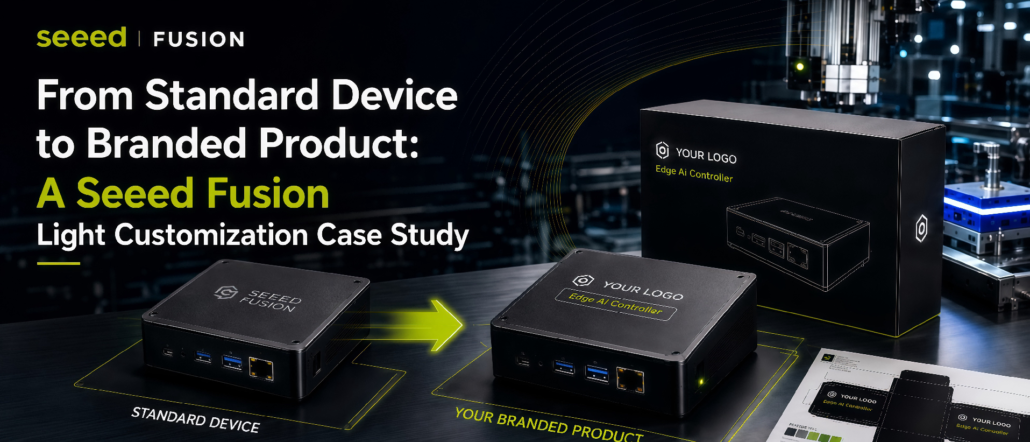
A standard device can become a branded product with the right customization.
In this case, we helped a Europe-based customer add their logo and product name to an existing Seeed device and its packaging, while keeping the original device unchanged.
* Note: Customer logo, brand name, and project details have been anonymized for privacy.
📋Customer Requirement
The customer provided their logo and product name, aiming to turn a standard Seeed device into a branded product ready for deployment.
Fusion supported the customization from device logo printing and packaging artwork to sample confirmation and final production.
🟠Step 1: Confirming the Logo Placement and Artwork
Before sample making, we first confirmed three key details: where the logo should be placed, how the logo file should be prepared, and which printing method should be used.
The logo position was checked based on the device structure, surface material, ports, edges, and other production constraints. After the printable area was defined, the customer’s logo file and product name were adjusted for size, color, spacing, and alignment.
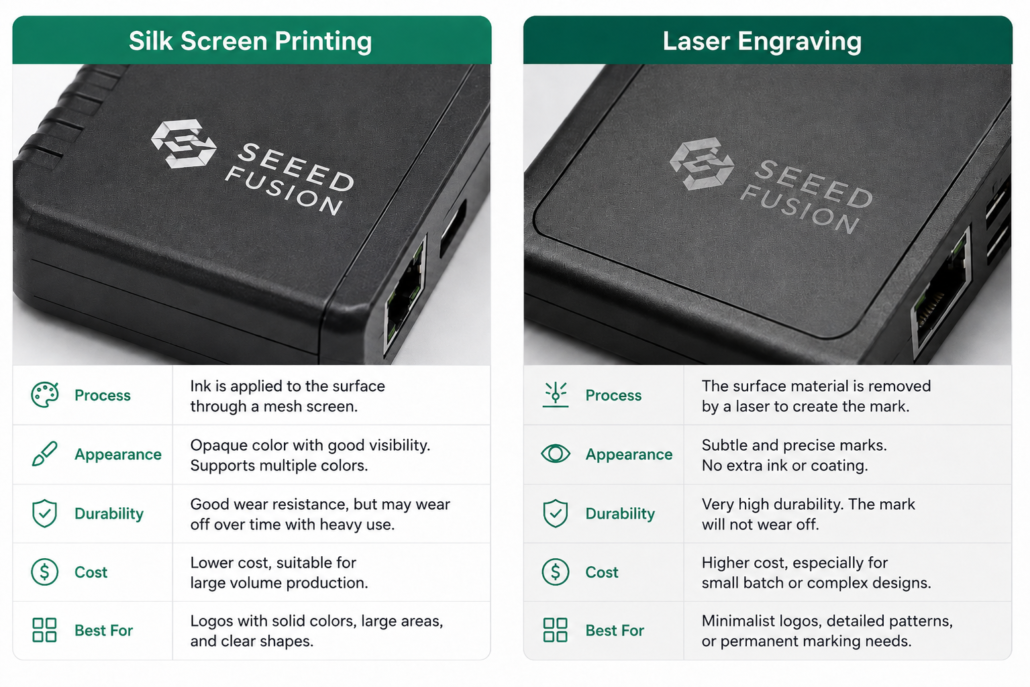
For this project, silk-screen printing was selected to create a clear and visible brand mark on the device surface.
⭕️What’s the difference between silk-screen printing and laser engraving?
Silk-screen printing is better for colorful and highly visible branding, while laser engraving creates a more durable and premium mark directly on the product surface.
Step 2: Packaging Customization📦
In addition to the device itself, the customer also requested branded packaging to make the product feel more complete and ready for their own customers.
The packaging artwork was adjusted to include the customer’s logo, product name, and related product information, while fitting the existing packaging structure.
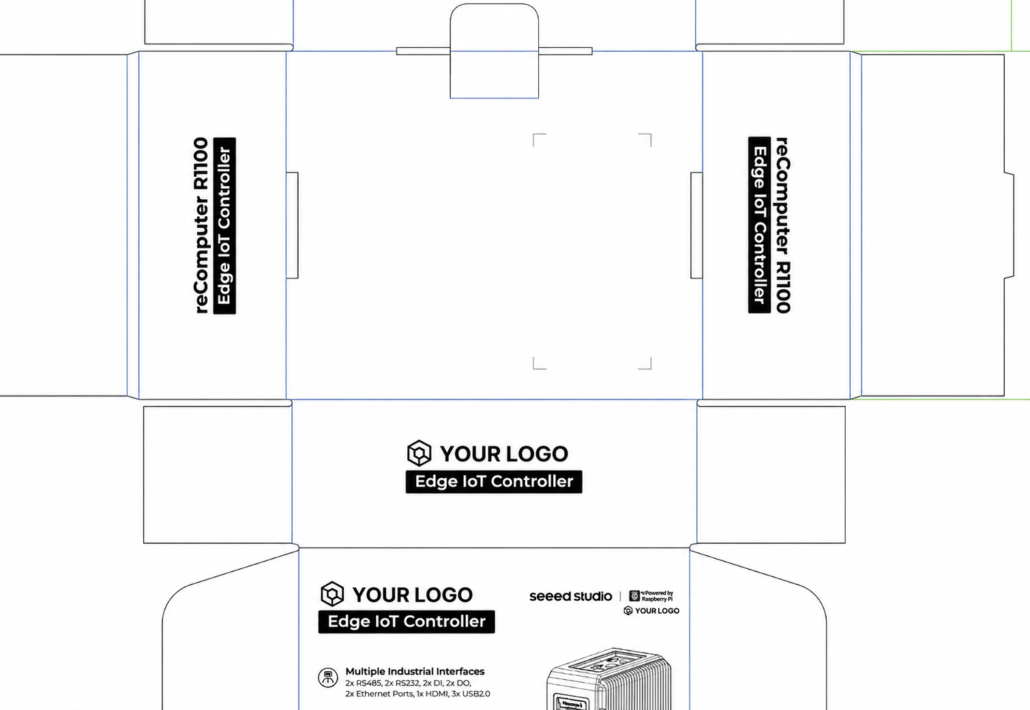
For light customization projects, packaging is often an important part of the final user experience, especially when the product needs to be delivered, displayed, or deployed under the customer’s own brand.
Step 3: Sample Confirmation✅
After the device logo and packaging artwork were prepared, Seeed Fusion produced physical samples of both the customized device and packaging, then shipped them to the Europe-based customer for confirmation.
This allowed the customer to review the real product experience before batch production, including the logo effect, packaging layout, and overall brand presentation.
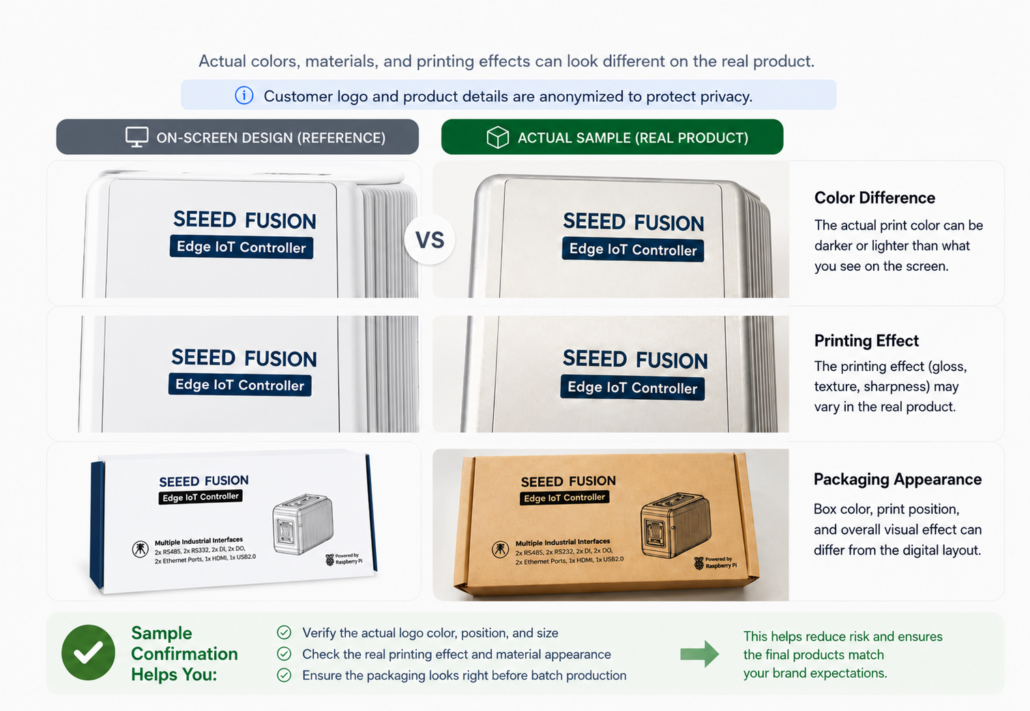
After reviewing the sample, the customer confirmed that the logo effect, packaging layout, and overall presentation met their expectations. The project then moved into batch production.
Step 4: Small-Batch Production and Repeat Order
Once the samples were approved, the project moved into an initial small-batch production of 10 units.
The confirmed logo placement, artwork, packaging design, and production requirements were used as the standard for this first batch, helping ensure consistency with the approved sample.
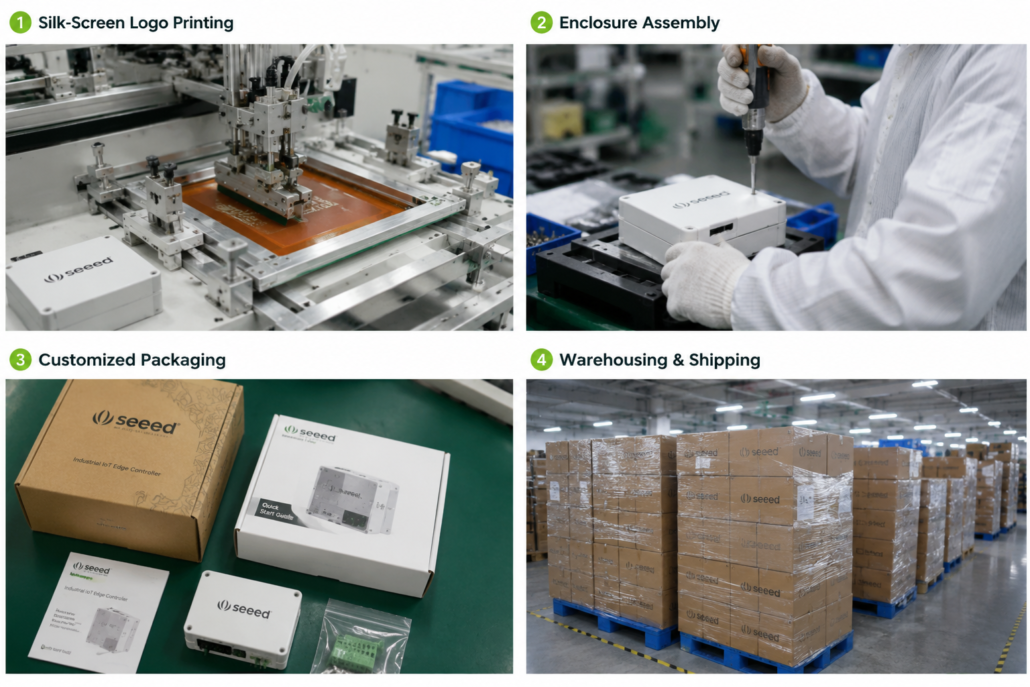
Only one month later, the customer placed a repeat order for 500 units. Since the logo artwork, packaging files, and production setup had already been completed and approved, no additional NRE fee was required for the repeat order.
For the customer, this workflow made it easier to start with a small production run, validate the branded product, and then scale up with lower setup cost.
🤠Why This Case Matters
This is a common Seeed Fusion light customization case: turning a proven Seeed device into a branded product with logo and packaging customization.
For teams considering white-label hardware, it shows a practical path from small-batch validation to larger repeat orders. Once the artwork and production setup are confirmed, future orders can move faster without additional NRE fees.
🎁Want to Customize Hardware for Your Brand?
Whether you need logo branding, customized packaging, firmware flashing, or accessory adjustments, Seeed Fusion can help turn existing Seeed hardware into your branded product.
If you have any other questions, feel free to contact us at [email protected]
About Author
