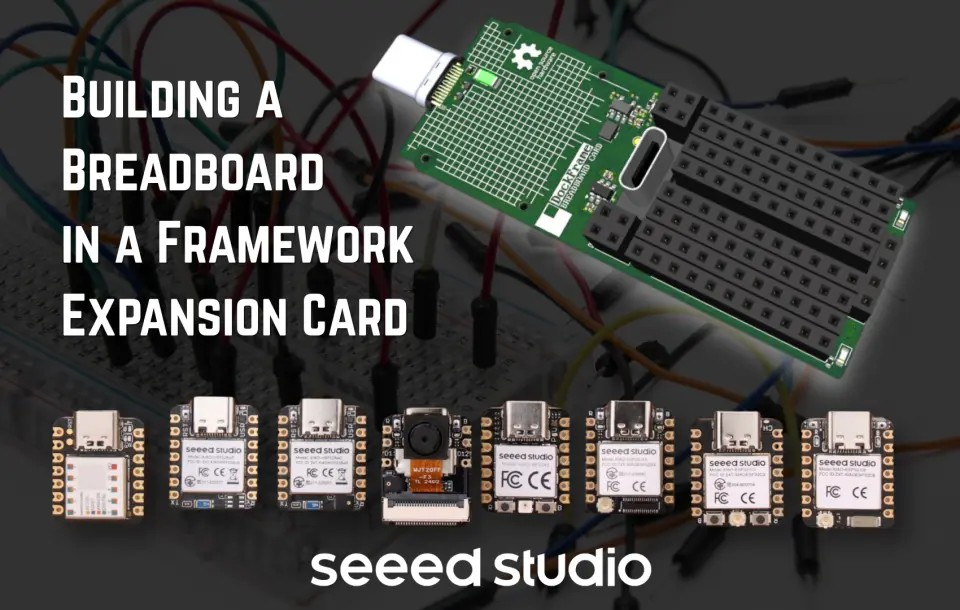
The DockFrame BreadBoard Card is designed to work with the whole Seeed Studio XIAO family. Image: DockFrame / HW Media Lab LLC.
Most dev boards follow the same life cycle. You plug one into a corner of the desk with a tangle of USB cables and jumper wires, forget about it for a week, then eventually pack it away so the desk can be a desk again.
The team at HW Media Lab wanted a dev board that skips that cycle entirely.DockFrame is their modular USB-C hub built around theFramework Expansion Card format, designed for makers, engineers, and educators. It hosts standard Framework Expansion Cards — though you don’t need a Framework laptop to use it — plus a set of Tool Cards that turn the dock’s slots into bench instruments: a multimeter, a programmable power supply, a USB mini hub, and the BreadBoard Card, powered by ourSeeed Studio XIAO ESP32-C5.
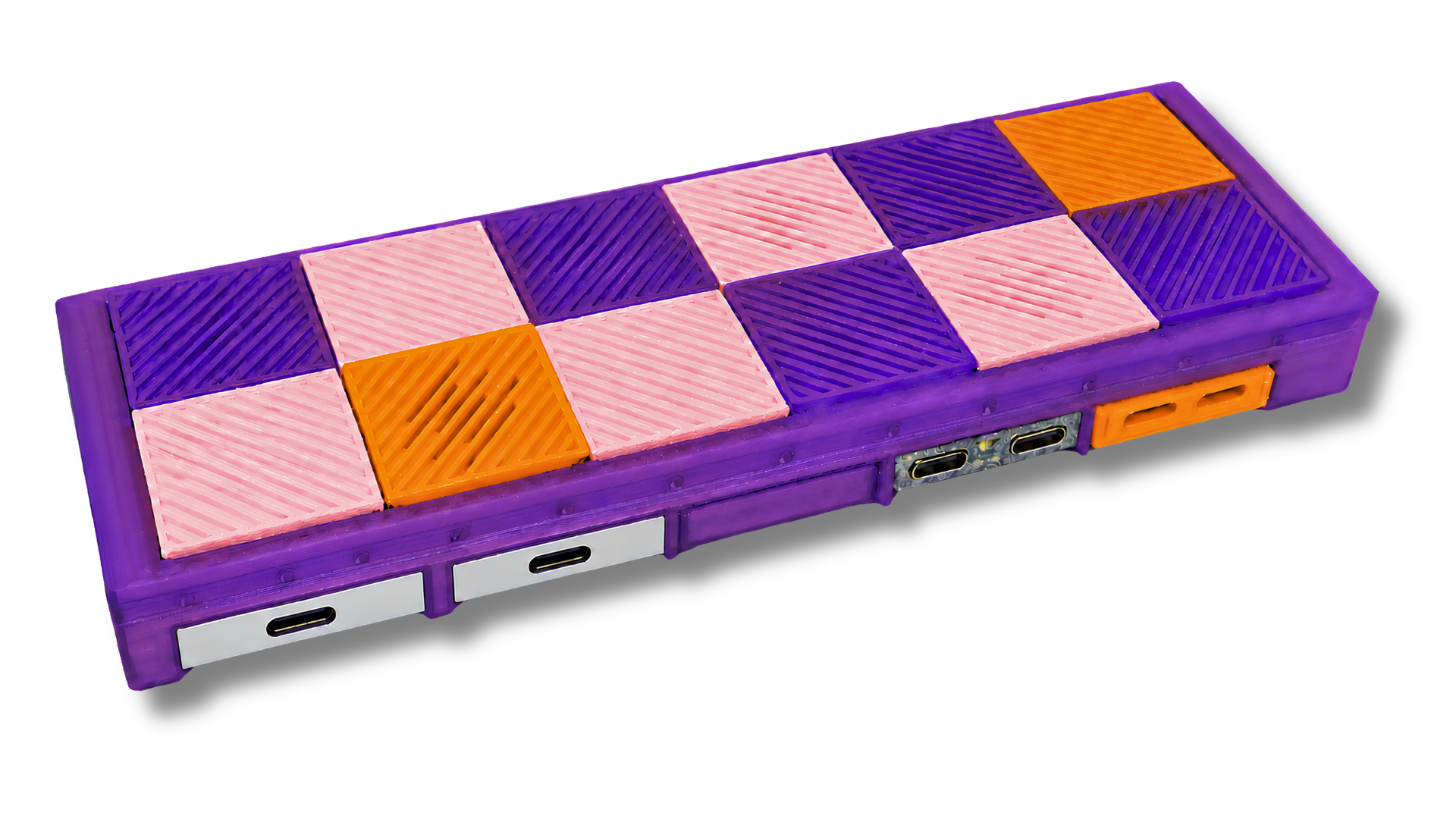
A DockFrame prototype with interchangeable top tiles and Expansion Cards installed. Image: DockFrame / HW Media Lab LLC.
The BreadBoard Card is the one that turns DockFrame into a development platform. Slide it into a slot and you have a XIAO module on breadboard-friendly headers, protected power rails, and a pass-through USB-C port — sitting in the same dock that already powers your laptop. HW Media Lab’s design goal was a card you reach for when you don’t yet know what you’re building.
DockFrame is now live onCrowd Supply, with funding open until December 10, 2026. The BreadBoard Card ships with a XIAO ESP32-C5 included, and the full hardware, firmware, and enclosure files will be released as open source when the campaign ends.
Hardware Overview
The BreadBoard Card is deliberately simple: a three-sheet schematic and around 55 unique parts. The design effort went into protection and flexibility rather than complexity.
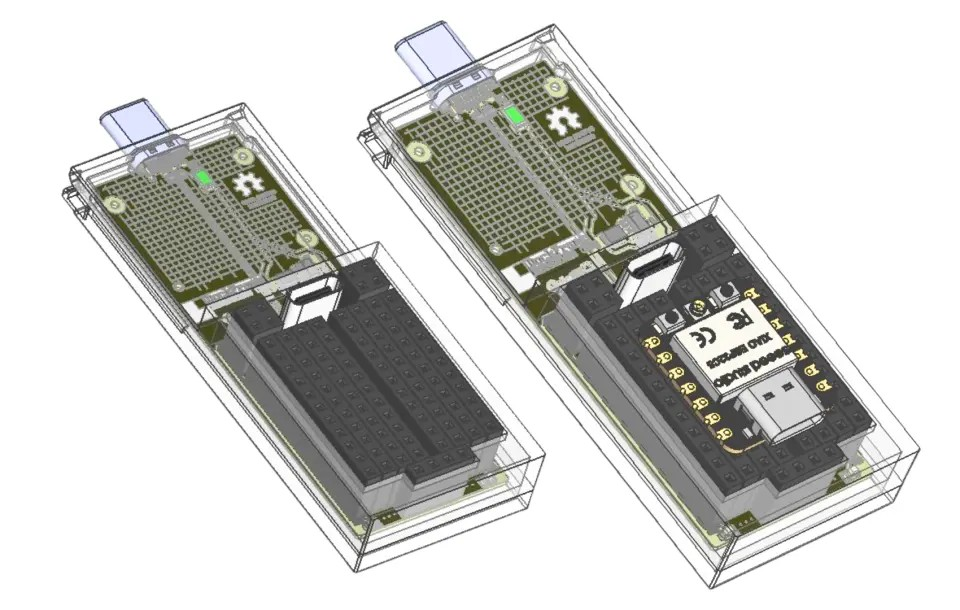
Socketed XIAO mount — two 2.54 mm socket strips instead of a soldered footprint, so the module is removable and swappable
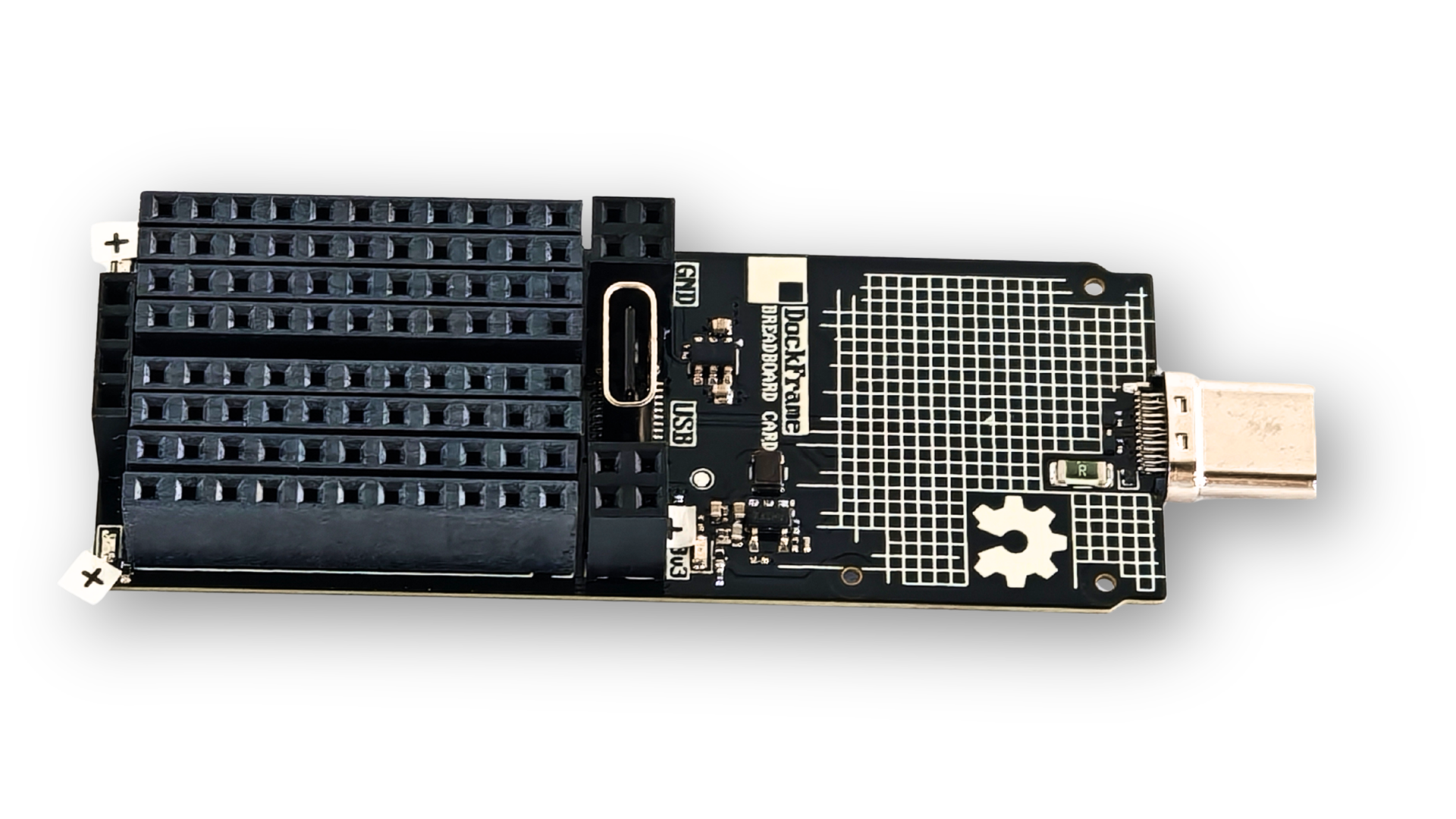
Breadboard-friendly headers — extra pin positions on each side expose protected 5 V, 3.3 V, GND, and an auxiliary header
USB-C plug — mates with the DockFrame hub, with ESD protection on the data lines
USB-C pass-through port — a downstream port for plugging in the device you’re prototyping against
Protected power on both rails — current-limited load switches tripping at around 1.65 A, a resettable fuse, and red fault LEDs
On-board buck regulator — generating the 3.3 V rail from the dock’s 5 V supply
That protection matters more than it might seem. With breadboard pins exposed to the world, a dropped jumper wire or a reversed LED is inevitable. On a regular dev board that’s a minor annoyance; on a dock, it could take down every other device connected to it. Current limiting on both rails means a short trips the switch on the card, lights the fault LED, and leaves the rest of the dock running.
The BreadBoard Card, with its breadboard-friendly headers, USB-C pass-through port, and USB-C plug for the dock. Image: DockFrame / HW Media Lab LLC.
How It Works
Plug the BreadBoard Card into a DockFrame slot, and the XIAO enumerates as a USB serial device through the hub — exactly as it would with a direct cable to your computer. From there, you program it with whichever toolchain you already use.
The card itself is invisible to your firmware. It’s a power harness and USB conduit with sockets, not a runtime, so nothing about your code changes because it lives in a dock. The recommended starting point is the Arduino IDE with the Espressif ESP32 board package (version 3.3.5 or later) and the XIAO_ESP32C5 target — the standard blink sketch compiles unmodified. ESP-IDF, MicroPython, Zephyr, and Rust via the esp-rs project all work too.
To wire up a circuit, run jumpers from the protected headers on either side of the socket to a solderless breadboard. The USB-C pass-through lets you connect a peripheral directly to the XIAO’s USB lines — a USB-A device via an adapter, for example — while the card keeps both power rails protected.
Why XIAO?
HW Media Lab could have soldered a bare ESP32 chip footprint straight onto the card. They chose not to, and their reasoning is the strongest case for the XIAO form factor we’ve seen from a hardware team.
Most XIAO carrier boards solder the module down, which saves a fraction of a millimeter in height but locks the design to one microcontroller for life. DockFrame sockets it instead. Because every XIAO module shares the same compact outline, the same castellated pad layout, and the same top-edge USB-C port, the BreadBoard Card works with the entire lineup without a single change to its design. A team building a Matter sensor can drop in a XIAO ESP32-C6; someone running TinyML can use a XIAO ESP32-S3 Sense; a ZMK macropad builder can reach for a XIAO nRF52840.
The BreadBoard Card's socketed mount, shown empty and with a XIAO module seated. Image: DockFrame / HW Media Lab LLC.
There’s a practical bonus too: a socketed module is a recoverable one. Bricked firmware or a damaged GPIO means pulling the XIAO out, fixing it on the bench, and slotting it back in.
When early supporters asked why the team picked XIAO over a bare chip, the answer came down to breadth and longevity: no other module family offers this range, continued investment, and pin compatibility across chip vendors. Socketing the XIAO, as they put it, means “a free upgrade path every time Seeed ships a new module.”
Why the XIAO ESP32-C5 Specifically
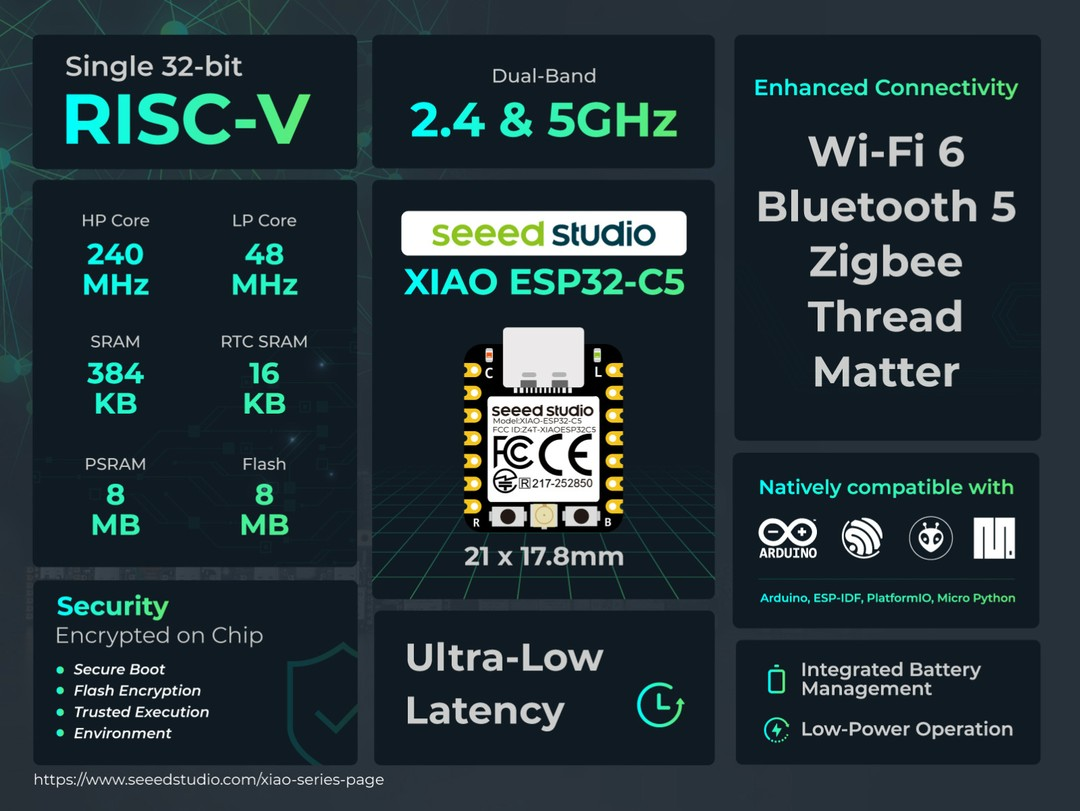
For the module that ships in the box, HW Media Lab chose theXIAO ESP32-C5 — the first ESP32 in the XIAO line with dual-band Wi-Fi 6, alongside Bluetooth LE and IEEE 802.15.4 for Thread, Zigbee, and Matter. That radio stack changes what the BreadBoard Card is: less a classic microcontroller dev board, more a wireless prototyping platform that happens to sit in a dock slot. A Matter device under the desk, a Thread test rig, or a 5 GHz Wi-Fi experiment all fit naturally.
The XIAO ESP32-C5 brings dual-band Wi-Fi 6, Bluetooth, Zigbee, Thread, and Matter to a 21 × 17.8 mm module.
The team also highlights the C5 as an affordable way into RISC-V development. Its single-core RISC-V processor runs at 240 MHz with 8 MB of PSRAM and 8 MB of flash, and with JTAG broken out on the underside of the module, you can step through your own RISC-V instructions on real silicon rather than a simulator.
Built With the Community
The BreadBoard Card exists because people asked for it. In DockFrame’s early-access feedback, a microcontroller dev card was the third most-requested Tool Card, behind only the multimeter and power supply — requested by Matter developers, ham radio operators exploring 802.15.4, students, and engineers who’d had enough of cable-draped desks.
Openness runs through the whole project. HW Media Lab develops DockFrame in public onDiscord, documents every board ontheir blog, and will release the PCB schematics and layouts, firmware, browser apps, and printable enclosure files under open-source licenses once the campaign closes.
Back DockFrame on Crowd Supply
The BreadBoard Card is available on its own (XIAO ESP32-C5 included) or as part of the DockFrame Maker Kit and Full Kit, alongside the Multimeter and Power Supply Cards. Shipping is free worldwide.
If you’ve ever wanted a dev board that’s always ready but never in the way, this is worth a look. Read HW Media Lab’sfull engineering write-up of the BreadBoard Card for the deep technical detail, then head to the campaign page to back the project.
Hey community, we’re curating a monthly newsletter centering around the beloved Seeed Studio XIAO. If you want to stay up-to-date with:
🤖️ Cool Projects from the Community to get inspiration and tutorials 📰 Product Updates: firmware update, new product spoiler 📖 Wiki Updates: new wikis + wiki contribution 📣 News: events, contests, and other community stuff