Zigbee Button for Home Assistant: Two $10 Options, Simple or Customizable?
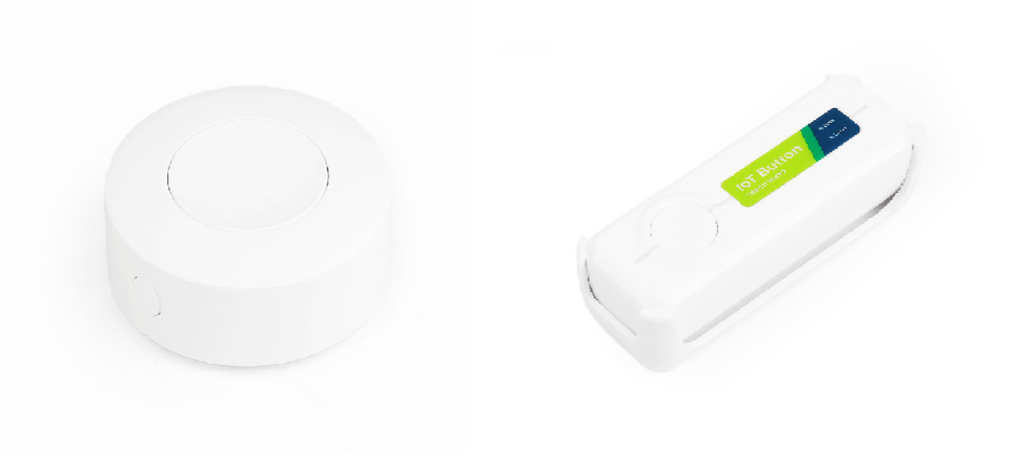
A physical button still earns its place in a smart home. No app to open. No voice command to phrase. Press once and an automation runs. At $10 from Seeed Studio, the SONOFF SNZB-01P and Seeed Studio IoT Button V2 approach that job from opposite directions. SONOFF offers a compact purpose-built Zigbee button. Seeed wraps the concept around a programmable ESP32-C6 platform. At the time of writing, Seeed lists them at $9.90 and $10.90 respectively.
What Is a Zigbee Button and How Does It Work with Home Assistant?
A Zigbee button is a wireless input device. Unlike a mains switch, it doesn’t interrupt power to a lamp or appliance. Instead, pressing it sends an event into the Zigbee network. In a typical Home Assistant setup, the path is button → Zigbee coordinator → ZHA → automation → target device or service. Home Assistant’s Zigbee Home Automation integration creates the network once a compatible coordinator is configured. After that, it accepts compatible Zigbee devices.
What happens after the press?
Suppose a single press toggles a desk lamp. Home Assistant receives the button event through ZHA, evaluates the associated automation, and calls the required action. A double press could activate a scene. A hold might shut down lights across several rooms. The controlled equipment doesn’t even need to use Zigbee. It only needs an integration Home Assistant can address.
That separation is what makes a Zigbee smart button multipurpose. One physical control gets converted into an automation input instead of a dedicated electrical switch.
Before pairing, the essential pieces are:
- A running Home Assistant instance
- A compatible Zigbee coordinator
- ZHA configured with that coordinator
- The button placed within usable Zigbee coverage
Radio planning deserves some attention too. The Connectivity Standards Alliance documents 16 Zigbee channels in the 2.4 GHz band. Several are positioned in such a way that they reduce overlap with common Wi-Fi channels. Apart from that, Home Assistant recommends considering RF interference and network coverage when deploying ZHA. Suppose a button behaves erratically. In that case, network conditions may be the culprit and not the hardware itself.
SONOFF SNZB-01P Zigbee Button: The Go-To Button for Home Assistant
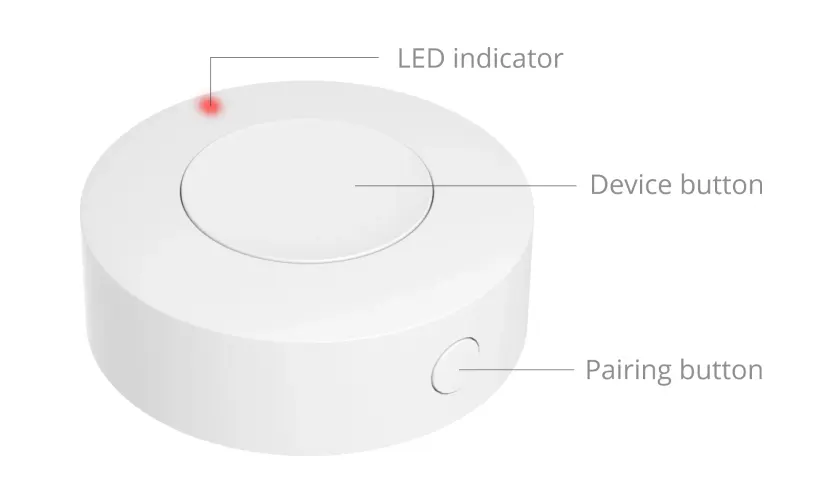
The SONOFF SNZB-01P Zigbee Wireless Switch takes the appliance-like route. Its EFR32MG22 MCU communicates over Zigbee 3.0, a CR2477 coin cell supplies power, and the enclosure measures only 45 x 45 x 17.7 mm. Three interaction patterns are available. Single press, double press, and long press. SONOFF claims up to five years of battery life under its laboratory test conditions. Note that actual service life depends on use and environment.
Where the SONOFF approach makes sense
There isn’t much to maintain. Pair it, associate its press events with automations, and place it where a physical command is useful. Think bedside lighting, a doorbell trigger, an all-off routine near the exit, blinds, fans, or a scene selector. For those jobs, three actions are plenty.
The Home Assistant community does reveal one integration nuance worth knowing. Some SNZB-01P users have encountered press actions represented through ZHA events or configurations where a community blueprint was more convenient than ordinary device triggers. A Home Assistant Community SNZB-01P blueprint maps press, double-press, and hold behavior. Consider that as community experience, not official compatibility documentation.
Seeed IoT Button V2: A Customizable Zigbee Button for Home Assistant
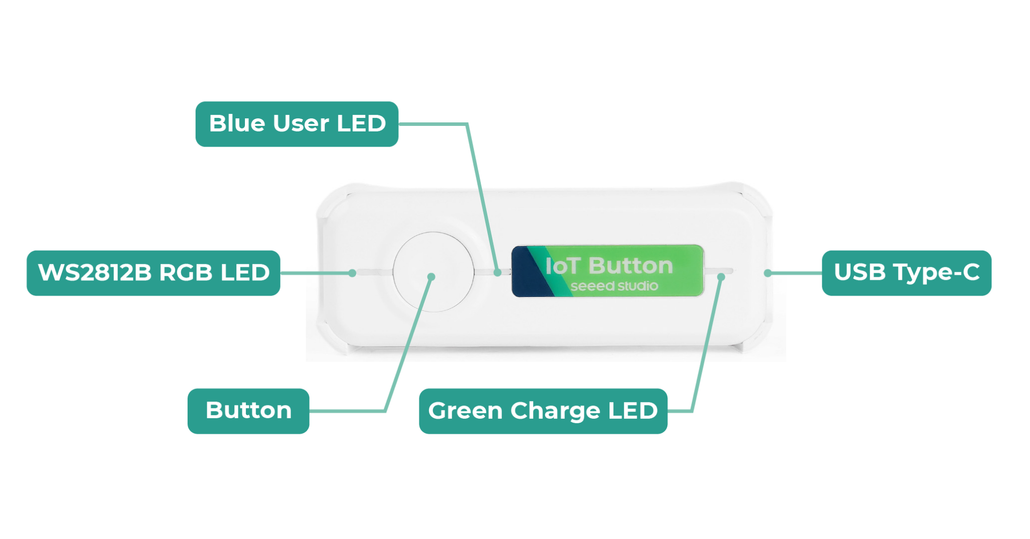
The Seeed Studio IoT Button V2 is much closer to a development platform inside a finished enclosure. It uses an ESP32-C6 with 4 MB of flash, supports 2.4 GHz Wi-Fi and Zigbee 3.0, carries a WS2812B RGB LED, charges over USB-C, and runs from a 3.6 V rechargeable 18650 Li-ion battery. V2 also adds ADC-based battery monitoring. Its dimensions are 92 x 32 x 25 mm.
V2 ships with Zigbee firmware, though Seeed permits either Zigbee or ESPHome firmware on the hardware. That’s an important difference. Someone who wants a Zigbee button for Home Assistant can use the factory path. A maker can later reflash the same device for a different architecture. The Getting Started with Seeed Studio IoT Button guide documents both routes.
More than three button events
Seeed’s current Zigbee firmware recognizes single, double, and triple clicks, as well as a short long-press lasting 1-5 seconds. Holding beyond five seconds performs a Zigbee factory reset. Internally, four Zigbee endpoints divide the behavior. Endpoint 10 tracks physical pressed/released state. On the other hand, endpoints 11-13 represent single-click, double-click, and short-long-press virtual switches. Battery voltage and percentage are reported through Zigbee. Meanwhile, a red indicator is used below the documented 20% battery threshold.
Connecting IoT Button V2 to Home Assistant
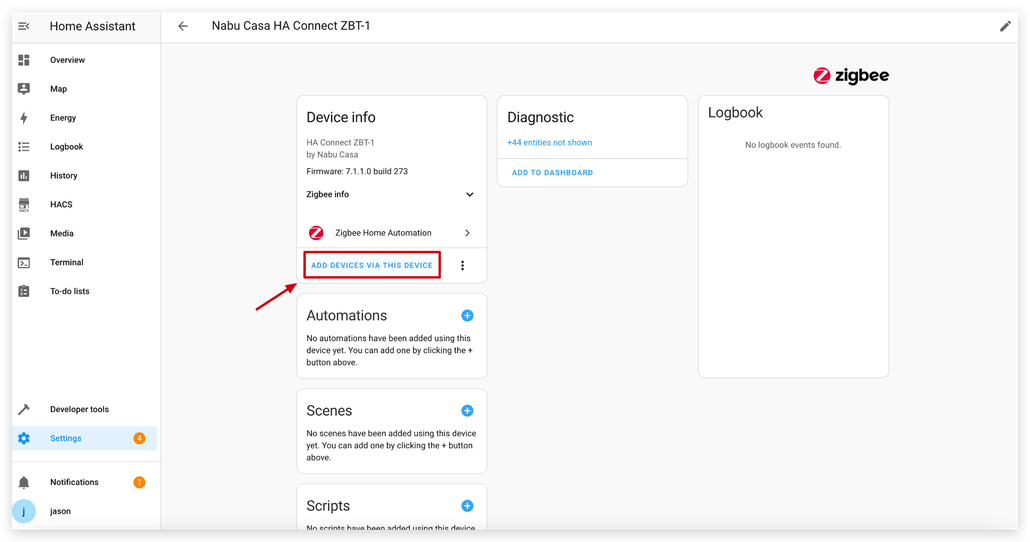
For the context of the standard Zigbee route, configure ZHA with a coordinator, select Add Device, and wake the button. Suppose normal discovery fails. Then, Seeed documents holding the button for more than five seconds to force reset/pairing mode. Once connected, Home Assistant exposes the device and its available actions for automations. Note that the complete procedure is available in Seeed’s IoT Button V2 Zigbee and Home Assistant guide.
The more interesting path begins when factory behavior isn’t enough. Seeed documents custom Zigbee firmware development in Arduino IDE, including ESP32-C6 board support, Zigbee End Device mode, a Zigbee-specific 4 MB partition scheme, and access to its RGB feedback behavior. For prototypes, accessibility controls, lab interfaces, or unusual automation inputs, that firmware access creates possibilities the closed SONOFF unit isn’t designed to pursue.
SONOFF SNZB-01P vs Seeed IoT Button V2
Both devices can perform the same basic role, but their hardware philosophies are different.
| Feature | SONOFF SNZB-01P | Seeed Studio IoT Button V2 |
| Seeed price | $9.90 | $10.90 |
| Main controller | EFR32MG22 | ESP32-C6, 4 MB flash |
| Wireless | Zigbee 3.0 | Zigbee 3.0 + 2.4 GHz Wi-Fi hardware |
| Standard interactions | Single, double, long press | Single, double, triple, short long-press |
| Power source | CR2477 coin cell | 3.6 V 18650 rechargeable Li-ion |
| Charging | Replace battery | USB-C |
| Dimensions | 45 x 45 x 17.7 mm | 92 x 32 x 25 mm |
| Battery monitoring | Low-battery notification documented | ADC voltage and percentage reporting on V2 |
| Firmware approach | Purpose-built appliance | Zigbee, ESPHome, custom Arduino Zigbee |
| Best match | Straightforward scene control | Makers and custom automation development |
Choose the SONOFF SNZB-01P when size, long coin-cell service life, and three familiar commands cover the need.
Choose the Seeed Studio IoT Button V2 when rechargeable power, richer telemetry, extra event logic, or firmware access has engineering value. The purchase prices are almost identical. What you’re choosing is an appliance versus a hackable platform.
FAQ
Can a Zigbee button control a Wi-Fi or Matter device in Home Assistant?
Yes. Provided Home Assistant already integrates the target device. The button supplies the trigger through Zigbee. The resulting automation can call another entity, scene, script, or service. The input protocol and target-device protocol don’t have to match.
Does Seeed Studio IoT Button V2 require ESPHome?
No. V2 ships with Zigbee firmware and can connect through ZHA. ESPHome is an alternative for Wi-Fi integration. Seeed permits advanced users to flash either firmware onto the hardware.
Why might a Zigbee button not show an ordinary switch entity?
Buttons might show momentary events rather than persistent on and off states. Depending on the device and integration, Home Assistant may expose device triggers, event entities, or zha_event data instead. Generally speaking, community users inspect those events when building button automations that aren’t immediately represented in the user interface.
Will a Zigbee button still operate if the internet goes down?
The Zigbee-to-ZHA portion of the system runs through the local coordinator and Home Assistant and doesn’t demand a cloud round trip. Consequently, automation can remain functional locally, But the condition is that Home Assistant and its target devices should be available. Actions that depend on an external cloud service can still fail when internet access disappears.
>> Read more
About Author
