From a Button Press to Better Service: A Community-Built Smart Restaurant Prototype
How Team Sync used Wio Terminal and Firebase to turn everyday restaurant requests into a connected service workflow—and what the project tells us about building useful intelligent hardware.
Have you ever finished a meal and then spent several minutes trying to catch a waiter’s attention?
In a busy restaurant, a request for water, the bill, or assistance can easily be missed. Customers are left waiting, while staff must constantly scan multiple tables and remember competing tasks.
The problem is not always a lack of service. Often, it is a lack of a clear communication channel.
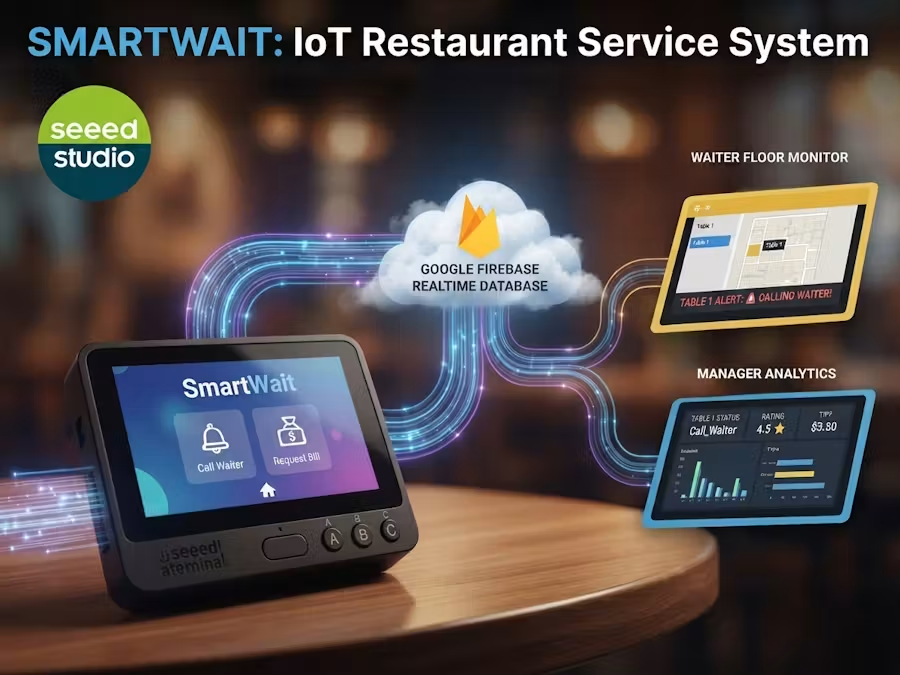
A community project called SmartServe explores how a compact IoT device can make these requests visible. Created by Team Sync—Muhammed Shibin P, Shamil Ibrahim, Gautham, and Bechan Biju—the prototype connects a table-side Seeed Studio Wio Terminal to realtime dashboards for restaurant staff and managers.
Making service requests visible
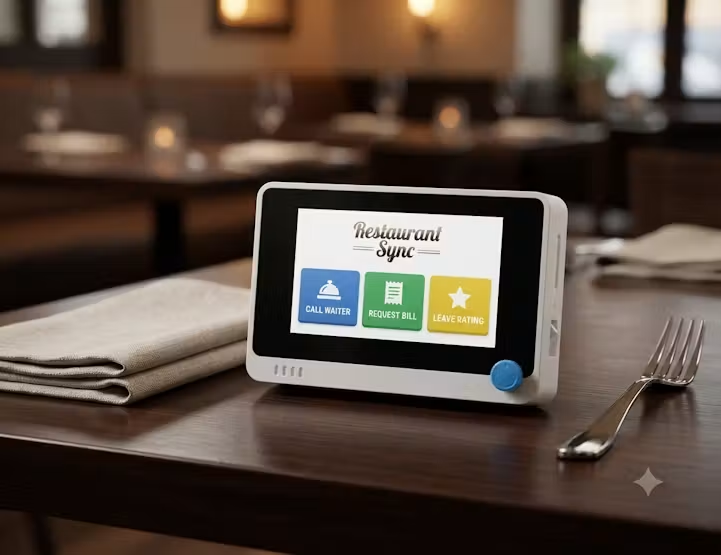
With SmartServe, customers interact with a Wio Terminal placed at the table. Its screen and physical controls provide several options, including:
- Calling a waiter
- Requesting water, other items, or the bill
- Rating the service
- Selecting a tip preference
When a customer makes a selection, the Wio Terminal sends the request over Wi-Fi to a Google Firebase Realtime Database.
A waiter-facing web dashboard displays active requests using visual and audio alerts. A separate manager dashboard presents information such as request status, customer ratings, and tip records.
The result is a simple service loop:
Customer request → Wio Terminal → Firebase → staff dashboard → acknowledgement
Instead of relying only on eye contact or hand gestures, the system turns an informal request into a visible task that staff can respond to.
Why Wio Terminal works well for the prototype
Building an early hardware prototype usually requires a processor, display, controls, connectivity, and an enclosure. Combining these parts individually can take time before the core idea can even be tested.
The Wio Terminal integrates a microcontroller, a 2.4-inch LCD, three user buttons, a five-way switch, Wi-Fi and Bluetooth connectivity, sensors, and expansion interfaces in one compact device.
For SmartServe, its display, physical inputs, and Wi-Fi connection allow Team Sync to create a table-side interface without first designing custom hardware.
This is where integrated development hardware provides real value: it helps makers move quickly from an idea to something people can interact with and evaluate.
More than a connected button
SmartServe is not simply a remote call button. Its design connects three different parts of a service experience:
- Interaction: Customers can express what they need.
- Coordination: Staff can see and acknowledge requests.
- Observation: Managers can review service activity and feedback.
This creates a foundation for understanding where delays happen and how a service process could be improved.
The same pattern could also be applied beyond restaurants—for example, hotel service requests, retail assistance, campus facilities, clinics, or factory support systems.
What this project can teach us about AI hardware
SmartServe does not currently run an AI model, but it demonstrates an important foundation for useful AI hardware: converting physical-world interactions into structured, actionable data.
Once a reliable service loop exists, future versions could potentially use accumulated data to identify recurring requests, estimate peak service periods, or help staff prioritize time-sensitive tasks. Local intelligence could also support features that remain useful when connectivity is limited.
However, AI should not be added simply because it is available. The first step is to understand the real problem, build a reliable interaction, and determine where intelligence can provide measurable value.
This is often how practical AI hardware begins—not with a model looking for an application, but with a real-world workflow that could work better.
From prototype to real deployment
SmartServe successfully demonstrates its basic concept, but it should be understood as a community prototype rather than a production-ready restaurant system.
A real deployment would still need to address:
- User authentication and database permissions
- Support for multiple tables and service zones
- Wi-Fi interruptions and failed requests
- Data privacy and retention
- Device charging, cleaning, and maintenance
- Secure integration with real payment services
The project tutorial uses Firebase test mode to simplify development. This is useful for prototyping, but Google notes that test mode permits broad database access. A production version would require properly configured authentication and security rules.
Recognizing these limitations is part of good hardware development. A prototype does not need to solve everything; its first job is to make the central idea testable.
A small interaction with wider possibilities
SmartServe begins with a familiar moment: a customer trying to get someone’s attention.
By connecting a physical interface, a realtime database, and role-specific dashboards, Team Sync transformed that moment into a working service workflow. The project shows how accessible hardware can help makers explore practical improvements to everyday environments—and provide the foundation for more intelligent systems in the future.
Explore the complete SmartServe project on Hackster.io for its build instructions, code, dashboards, and demonstration.
Community Project Note: SmartServe is an independent project created by Team Sync and is shared here with attribution. It is not an official Seeed Studio product or a commercial restaurant solution.
About Author
