Moving Everything Intact: From Orin Nano Dev Kit to reComputer Jetson
The Familiar Dilemma: Prototype Done—Now What?
Almost every Jetson project follows the same path:
You start on the Jetson Orin Nano Super Dev Kit, set up JetPack, CUDA, TensorRT, and ROS, and configure your network, Docker containers, and system service scripts. A few months later, your prototype is up and running. Now, it’s time to deploy it to the production line, a robot, or an edge computer—so you switch to the Seeed reComputer.
That’s when the brutal question hits: What happens to the environment you carefully built on the Dev Kit?
- Option 1: Reflash with official BSP and reinstall everything. Days of repetitive manual labor, highly prone to missed dependencies and version drift.
- Option 2: Migrate /home only. Your code is safe, but /usr , /ect , system services, and global configurations are left behind.
Now, Seeed offers a third option—and we’ve already paved the path and cleared the traps for you.
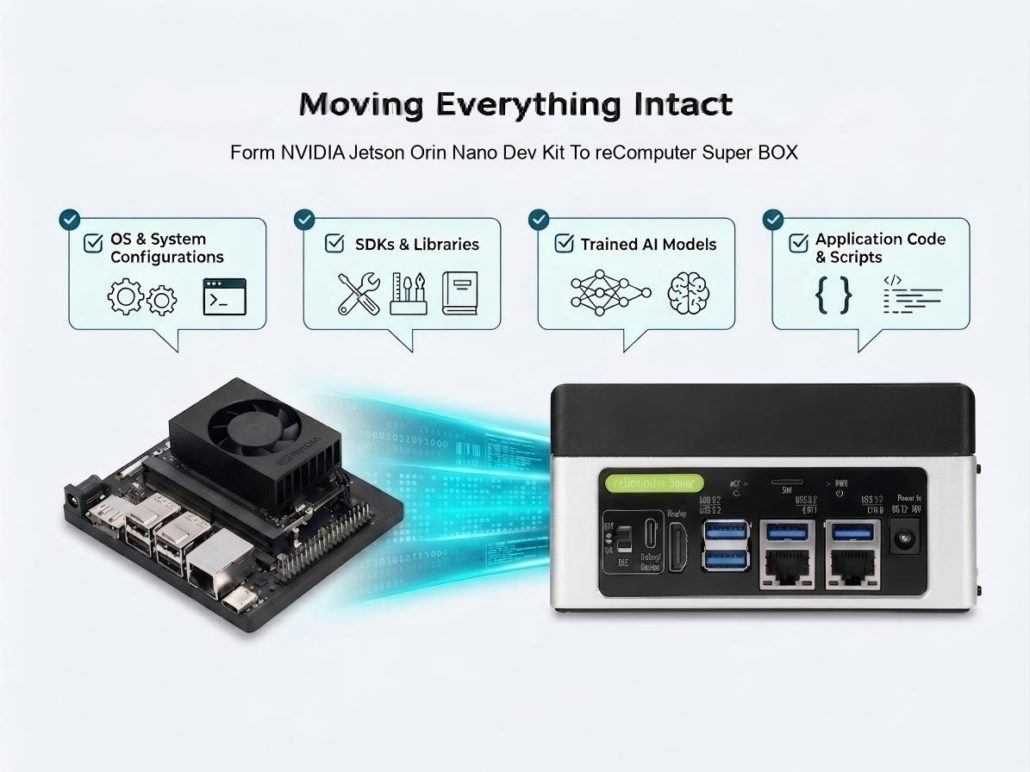
Hybrid BSP: Full-Disk Cloning + Precision Board-Level Firmware Replacement
The all-new Seeed tutorial, Make DIY BSP from Orin Nano Dev Kit to reComputer Classic / Super, demonstrates a complete Hybrid BSP workflow:
- Complete App & OS Preservation: Back up the NVMe root filesystem from your Dev Kit as-is — /home, /usr, CUDA, and everything you’ve installed remain 100% intact.
- Precision QSPI Replacement: Carrier board differences (such as HDMI pinmux and camera overlays) are stored within the QSPI boot firmware. The guide walks you through regenerating the QSPI image using reComputer’s board configuration, then combining it with the Dev Kit’s app layer into a fresh flash package.
The Result: Power it on after flashing, and you’re back in your familiar system—only now running on reComputer hardware. In testing,nvcc –version verified CUDA 12.6 immediately after flashing, with USB, Ethernet, Wi-Fi, and HDMI display output all functioning perfectly.
One Tutorial, Dual Target Support
This workflow covers two major target board configurations simultaneously:
Both share the exact same core concept. The tutorial uses clear tabbed navigation to highlight every difference, so you can easily follow along step-by-step.
| Target | Spec | Image | Feature |
| reComputer Classic J3011 | Orin Nano 8GB | HDMI out, Dual Mipi-CSI cameras | |
| reComputer Super J3011 | Orin Nano 8GB | Dua 1GbE, HDMI out, Four Mipi-CSI cameras |
Prefer a Faster Route? Shortcuts Prepared
Don’t want to generate the QSPI firmware yourself? Seeed has uploaded fully hardware-verified pre-built QSPI firmware images for you:
For target boards using reComputer Classic/Super with Module SKU 0005 running L4T 36.4.3—simply run wget to download and skip the trickiest setup steps.
Paired with the phased validation commands outlined in the tutorial, every step provides a clear “Pass/Fail” feedback signal—eliminating the guesswork and black-box troubleshooting.
Worried About Bricking Your Setup? Seeed Has a Fail-Safe Built In
The tutorial was designed from day one with a dual-track safety net:
- The Aggressive Route: Hybrid BSP full-disk migration, keeping your environment 100% intact.
- The Safe Fallback (Plan A): Flash the official reComputer BSP, then restore
/homefrom your backup. This leaves you with the cleanest board-level firmware and a reliable safety net to fall back on at any time.
The guide also comes packed with “fail-safe” features: a comparison table of common mistakes, notes on which flash logs look like errors but are actually normal, and a post-flash validation checklist. The traps you might hit—and the ones you haven’t even thought of—are already mapped out for you.
Let AI Help You Flash: hybrid-bsp-dk-to-recomputer Skill
Even cooler, this tutorial is no longer just “documentation.”
The community repository Seeed-Jetson-DevelopTool has just merged (Feat/hybrid bsp skill)—the entire Hybrid BSP workflow has been packaged into an AI Agent skill called hybrid-bsp-dk-to-recomputer, supporting three major platforms: Claude Code, OpenClaw, and Codex.
This means you can have an AI coding agent guide you through the migration step-by-step:
- Automated Parameter Matching: Before starting, it asks for your target board, module SKU, and L4T version to match parameters automatically.
- Stage-by-Stage Verification: It evaluates each phase with an
[OK]or[STOP]verdict and automatically queries a failure decision tree if an error occurs. - Idempotent Protection: Key steps include idempotency guards, ensuring re-running commands will never overwrite your existing backups.
Humans read the Wiki; AI executes the Skill—one single set of hardware-verified knowledge, two ways to use it.
Try It Now
- Full Tutorial: Make DIY BSP from Orin Nano DevKit to reComputer Classic / Super
- AI Skill Source Code & Discussion: Feat/hybrid bsp skill
- Related Products: reComputer Classic J3011 , reComputer Super J3011(powered by NVIDIA Jetson Orin Nano module)
- Validation Baseline: JetPack 6.2 / L4T 36.4.3 on Orin Nano 8GB —hardware flashing and boot verification fully passed.
Moving from Dev Kit to production product shouldn’t mean a “forced environment format.” Bring your entire Dev Kit setup seamlessly into reComputer.
About Author
