JetPack 7.2: What’s New, Performance, Migration, and AI Deployment on NVIDIA Jetson
A practical guide to JetPack 7.2, from the new software foundation and agentic AI workflows to memory optimization, LLM inference, DeepStream, robotics, and production deployment.
Version note: NVIDIA’s current JetPack release is JetPack 7.2.1 with Jetson Linux 39.2.1. This article focuses specifically on JetPack 7.2 with Jetson Linux 39.2, including the software baseline, benchmarks, migration guidance, and Seeed Studio resources built around that release.
Explore the Seeed Studio JetPack 7.2 Resource Hub
Introduction
A JetPack release used to be relatively easy to summarize: a newer Linux base, newer CUDA, updated libraries, and better hardware support.
JetPack 7.2 is more interesting than that.
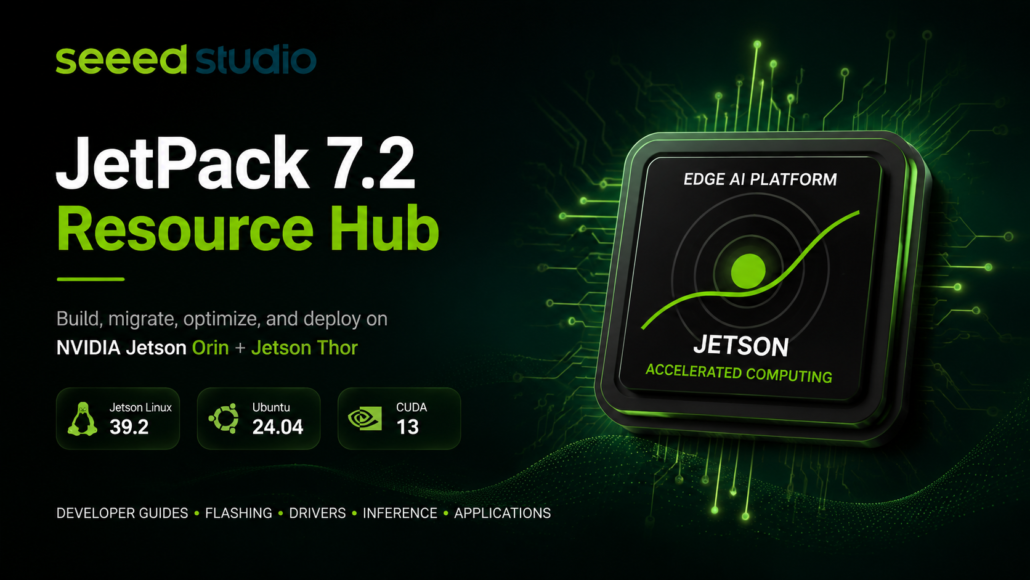
The release moves NVIDIA Jetson Orin and Jetson Thor onto a common software foundation built around Jetson Linux 39.2, Ubuntu 24.04, Linux kernel 6.8, and CUDA 13.2.1. It also brings new workflows for agentic AI, memory optimization, production Linux customization, and multi-workload GPU execution.
For developers, the practical question is therefore not simply:
“What new features are included in JetPack 7.2?”
It is:
“What changes in my development and deployment workflow if I move from JetPack 6.x to JetPack 7.2?”
That question matters because the upgrade crosses several software boundaries at once:
- Jetson Linux moves from the 36.x generation to 39.2.
- Ubuntu moves from 22.04-era JetPack 6.x environments to Ubuntu 24.04.
- The Linux kernel moves to 6.8.
- CUDA moves to the 13.x generation.
- TensorRT and DeepStream move to newer runtime baselines.
- Existing drivers, CUDA applications, TensorRT engines, plugins, and system integrations may need to be rebuilt.
At the same time, the upgrade opens the door to new capabilities such as NVIDIA Jetson Agent Skills, NemoClaw, official Yocto support, MAXN_SUPER on supported Jetson AGX Orin 32GB configurations, and MIG technology preview on Jetson Thor T5000.
This guide looks at JetPack 7.2 from that practical perspective.
1. JetPack 7.2 at a Glance
JetPack 7.2 is built around the following software baseline:
| Component | JetPack 7.2 |
| Jetson Linux | 39.2 |
| Kernel | Linux 6.8 |
| Root filesystem | Ubuntu 24.04 |
| CUDA | 13.2.1 |
| cuDNN | 9.20.0 |
| TensorRT | 10.16.2 |
| DeepStream | 9.1 |
| Vulkan | 1.4 |
| VPI | 4.1.3 |
| PVA | 2.9.1 |
| Holoscan | 3.9.0 |
| NVIDIA Container Toolkit | 1.19 |
| Supported platforms | Jetson Orin family and Jetson Thor |
These versions are taken from NVIDIA’s official JetPack 7.2 archive.
NVIDIA JetPack 7.2 Release Page
The most important point is that JetPack 7.2 is not simply a collection of library updates. It establishes a newer common software foundation across Jetson Orin and Thor.
2. JetPack 6.2 vs. JetPack 7.2: What Actually Changed?
At a high level:
| Area | JetPack 6.2 | JetPack 7.2 |
| Jetson Linux | 36.4.3 | 39.2 |
| Ubuntu | 22.04 | 24.04 |
| Kernel | 5.15 generation | 6.8 |
| CUDA | 12.6 | 13.2.1 |
| TensorRT | 10.x generation | 10.16.2 |
| Jetson platform scope | Orin | Orin + Thor |
| Agentic AI | Early ecosystem | NemoClaw + Jetson Agent Skills |
| Production Linux | Existing BSP workflows | Official Yocto support |
| Orin performance | Standard modes | MAXN_SUPER on supported AGX Orin 32GB |
| Thor GPU partitioning | — | MIG technology preview |
The significance is less about any single version number and more about the resulting software lifecycle.
A JetPack 6.x application that depends on custom kernel modules, device trees, CUDA binaries, TensorRT engines, camera drivers, or GStreamer plugins should be treated as a migration project rather than a routine package upgrade. Seeed’s JetPack 7.2 documentation explicitly recommends rebuilding these components against the new software baseline.
3. JetPack 7.2 Is a Platform Migration, Not Just an Update
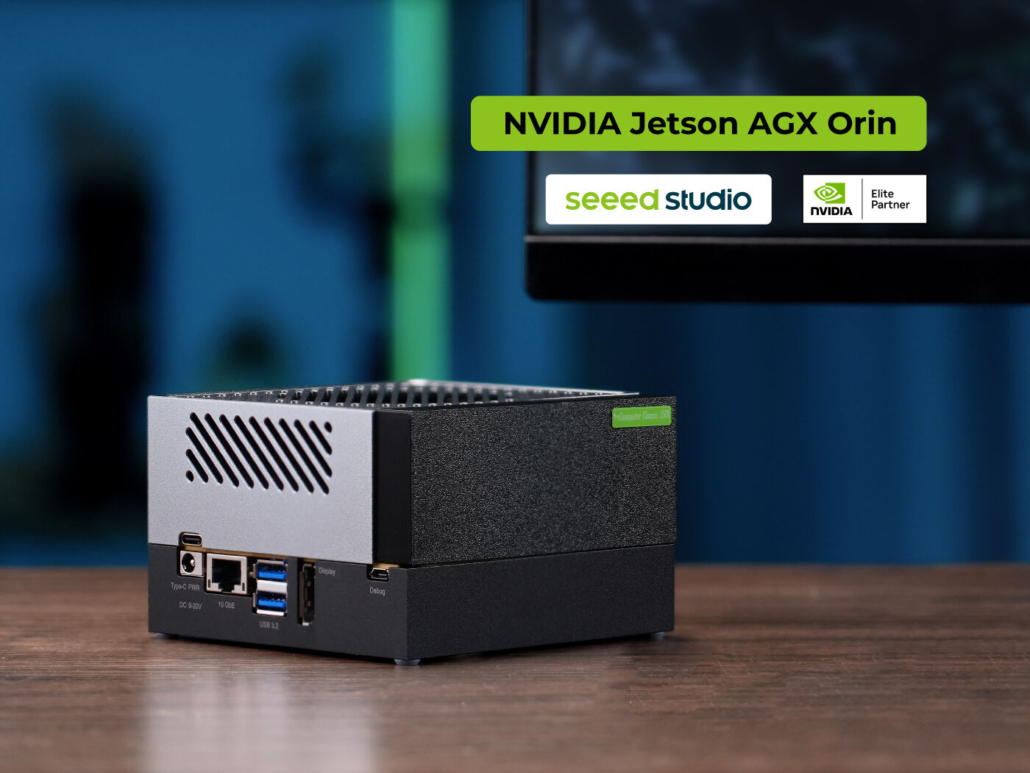
The most important migration changes are underneath the application.
Ubuntu 24.04
Moving to Ubuntu 24.04 means reviewing:
- system packages;
- repositories;
- Python environments;
- system services;
- container dependencies;
- build scripts;
- installation instructions.
Linux 6.8
A newer kernel affects custom hardware integration.
Projects using:
- Wi-Fi modules;
- CSI or GMSL cameras;
- CAN;
- Ethernet;
- PCIe;
- USB;
- custom carrier boards;
- out-of-tree kernel modules
should rebuild and validate those components against Jetson Linux 39.2.
CUDA 13.x
CUDA applications compiled against the previous JetPack environment should not simply be copied to the new system.
Rebuild them against the JetPack 7.2 toolchain and validate:
- CUDA compatibility;
- dependencies;
- compiler configuration;
- architecture flags;
- runtime behavior.
TensorRT engines
Serialized TensorRT engines are particularly important.
Do not assume a TensorRT engine generated under JetPack 6.x can be reused under JetPack 7.2.
For JetPack 7.2 deployments, rebuild the engine against the target TensorRT stack.
This same principle applies to custom TensorRT plugins and other binary components.
4. The Agentic AI Layer: Jetson Agent Skills
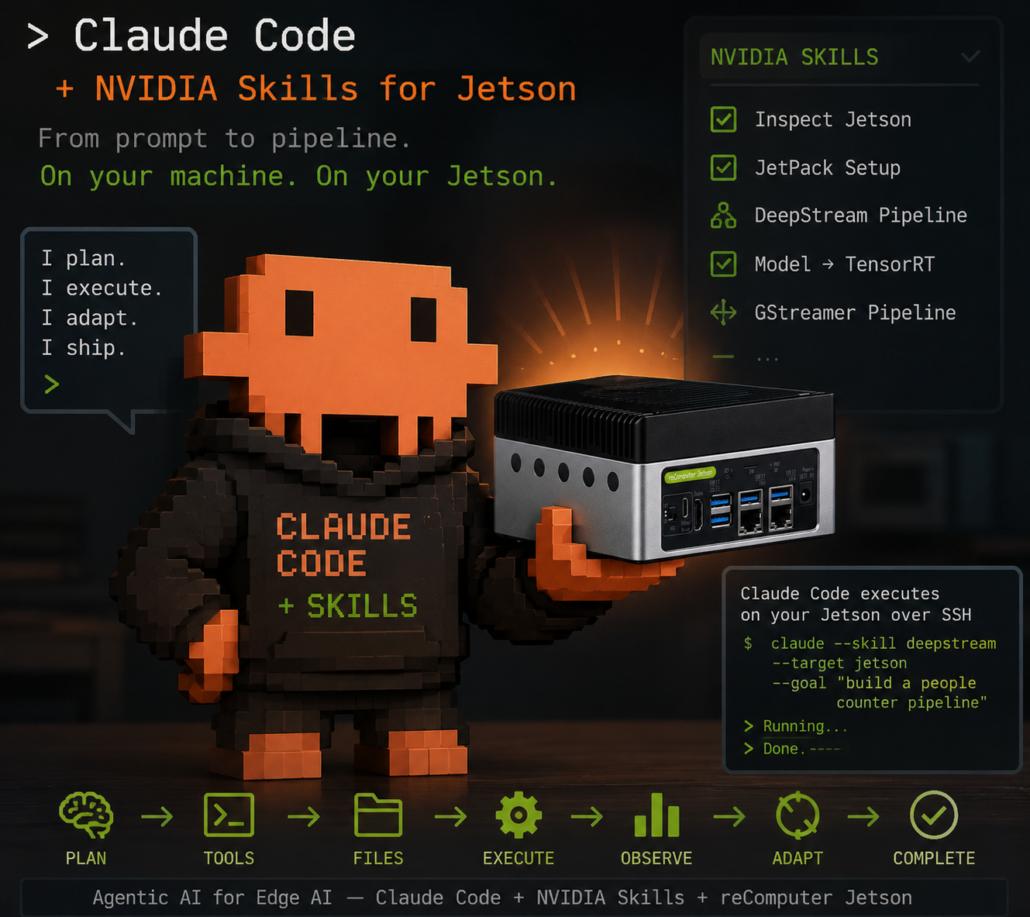
One of the most distinctive additions in JetPack 7.2 is the introduction of NVIDIA’s Jetson Agent Skills.
The idea is straightforward: instead of asking a general-purpose coding agent to understand every Jetson-specific configuration detail from scratch, Jetson-specific knowledge and procedures can be packaged into reusable workflows.
NVIDIA describes three major categories:
- Jetson Linux customization;
- memory optimization;
- model benchmarking and diagnostics.
There are also workflows around DeepStream and vision applications.
This creates an interesting shift in the development workflow.
Previously:
Documentation
    ↓
Developer
    ↓
Manual configuration
    ↓
Build
    ↓
Flash
    ↓
Test
    ↓
Debug
With agent-assisted workflows:
Developer intent
       ↓
Coding Agent
       ↓
Jetson-specific Skills
       ↓
Configuration / Build / Benchmark
       ↓
Validation
The important word here is workflow.
Agent Skills do not magically make hardware development autonomous. They provide structured, repeatable instructions that an agent can execute against Jetson-specific tasks.
NVIDIA Jetson Device Skills on GitHub
NVIDIA Jetson BSP Skills on GitHub
For Seeed developers, this is particularly relevant because Jetson deployment often involves hardware-specific details that general coding agents do not automatically know.
Seeed: Rapid Prototyping on Jetson with NVIDIA Skills
5. NemoClaw: Bringing Agentic Workflows to the Edge
JetPack 7.2 also provides native support for installing NVIDIA NemoClaw with a single command.
NemoClaw is an open-source stack designed to add privacy and security controls around OpenClaw-based assistants and agentic workflows. NVIDIA positions it as a way to bring agentic AI into robotics, industrial automation, vision, and other edge applications.
This becomes especially interesting when an agent can move beyond answering questions and interact with physical systems.
A simplified architecture looks like:
User
  ↓
Agent
  ↓
Reasoning / Planning
  ↓
Tools
  ↓
Jetson
  ↓
Vision / Sensors
  ↓
Robot / Actuator
Seeed has already demonstrated this direction with a Jetson Thor + reBot Arm B601 workflow.
Seeed: Control reBot Arm B601 with NemoClaw on Jetson Thor
The important takeaway is not that every robot should immediately be controlled by an autonomous agent.
It is that JetPack 7.2 makes the software path from AI reasoning → tools → perception → physical execution substantially easier to prototype.
6. The Hidden Upgrade: Memory Efficiency
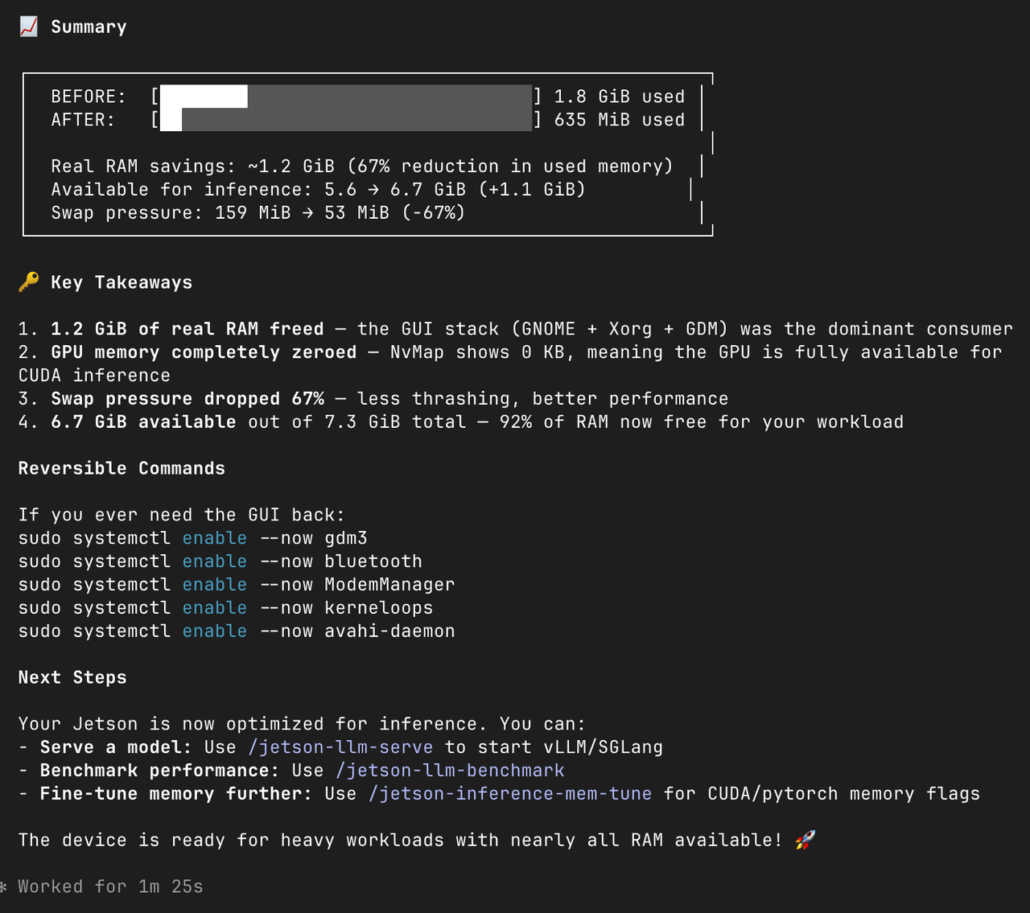
For edge AI, memory can be more important than raw compute.
A Jetson system does not have a separate pool of memory for every application layer. The available DRAM is shared across:
- operating system services;
- GPU workloads;
- camera and multimedia components;
- model weights;
- TensorRT engines;
- runtime workspaces;
- KV cache;
- robotics middleware;
- application services.
That means reducing system overhead can directly increase the memory available for AI workloads.
Seeed’s JetPack 7.2 memory research highlights this point: JetPack 7.2 does not add physical DRAM or automatically shrink every model. The improvement comes from the software baseline and the ability to systematically optimize how memory is allocated.
Seeed JetPack 7.2 Memory Optimization
Seeed JetPack 7.2 Memory Optimization Deep Dive
A useful way to think about the problem is:
Physical DRAM
│
├── OS + services
├── GPU / CUDA runtime
├── Camera / multimedia
├── Model weights
├── TensorRT workspace
├── KV cache
├── Robotics middleware
└── Application memory
Every megabyte removed from unnecessary overhead becomes potential headroom for the workload that actually matters.
7. Seeed’s JetPack 6.2 vs. JetPack 7.2 LLM Test
Seeed compared JetPack 6.2 and JetPack 7.2 using a Qwen3.5-27B Q4_K_M workload on a 32GB-class Jetson AGX Orin configuration.
The published results were:
| Metric | JetPack 6.2 | JetPack 7.2 | Observed change |
| Memory after model load | 24.6 GB / 30 GB | 14.7 GB / 30 GB | ~40% lower |
| GPU frequency during inference | 930 MHz | 1.36 GHz | Higher boost frequency |
| Prompt processing | 18.2 tokens/s | 25.8 tokens/s | ~41.8% higher |
| Token generation | 4.3 tokens/s | 5.5 tokens/s | ~27.9% higher |
The most practical result is memory headroom.
In this test configuration, the JetPack 7.2 run retained roughly 10 GB more memory headroom after model loading. That matters when an LLM has to coexist with camera processing, robotics middleware, databases, APIs, or other edge services.
These numbers should be interpreted as results from Seeed’s published test configuration, not as universal performance guarantees for every Jetson device or workload.
Seeed JetPack 7.2 Deep Dive & Benchmark
8. Think About LLM Memory as a Budget
A useful LLM deployment model is:
Available DRAM
    -
System footprint
    -
Inference runtime
    -
Model weights
    -
KV cache
    -
Application services
    =
Actual headroom
This is why a smaller system footprint can have an outsized impact on an edge LLM application.
Seeed’s Orin Nano 8GB observations found a historical JetPack 6.2 state using roughly 1.4 GiB at boot compared with slightly more than 800 MiB in one JetPack 7.2 configuration—around 600 MiB of difference in that particular image and service configuration.
That does not mean every JetPack 7.2 system will automatically save exactly 600 MiB.
Desktop services, containers, camera paths, carrier-board BSP settings, and measurement timing all affect the result.
The correct workflow is:
Measure → identify → optimize → measure again.
9. TensorRT Edge-LLM: Rebuilding the Inference Stack
JetPack 7.2 also creates a newer baseline for optimized LLM inference.
Seeed’s TensorRT Edge-LLM guide documents JetPack 7.2 workflows for Jetson Orin and Thor, including engine generation and benchmarking. For the documented Orin path, the workflow uses CUDA 13.2 and supports FP16, INT8, and INT4 runtime paths.
Seeed: Deploy TensorRT Edge-LLM on JetPack 7.2
One migration rule is particularly important:
Rebuild your inference engines for JetPack 7.2.
Do not treat serialized engines as portable application files across JetPack generations.
A typical workflow becomes:
Model
  ↓
Export
  ↓
JetPack 7.2-compatible build
  ↓
TensorRT Edge-LLM
  ↓
Engine generation
  ↓
Target Jetson
  ↓
Benchmark
For production work, benchmark more than tokens per second.
Track:
- engine build memory;
- engine load memory;
- time to first token;
- prompt processing throughput;
- decode throughput;
- GPU frequency;
- power mode;
- temperature;
- board power.
10. DeepStream 9.1: A New Video Analytics Baseline
JetPack 7.2 also changes the baseline for video analytics.
For JetPack 7.2, DeepStream 9.1 is the relevant Jetson release. Seeed’s documentation identifies DeepStream 9.1 as the first DeepStream release whose Jetson platform table explicitly targets JetPack 7.2 GA / Jetson Linux 39.2.
Seeed: DeepStream on JetPack 7.2
The baseline includes:
- DeepStream 9.1;
- Jetson Linux 39.2;
- CUDA 13.2;
- TensorRT 10.16.1.7 within the DeepStream 9.1 package baseline;
- cuDNN 9.20.0.46;
- GStreamer 1.24.2;
- OpenCV 4.8.0.
Notice that the TensorRT version here is the DeepStream 9.1 package baseline, rather than the top-level JetPack 7.2 TensorRT package version. Keeping these version contexts separate avoids confusing the two software baselines.
DeepStream 9.1 also introduces a stronger agent-assisted development workflow, including coding-agent capabilities and agentic skills for pipeline construction, debugging, multi-camera tracking, calibration, and inference configuration.
11. From Development Image to Production Image: Yocto
For a prototype, Ubuntu-based JetPack is often the fastest way to get started.
For a production device, the requirements can be different.
You may want:
- a smaller system image;
- controlled package versions;
- reproducible builds;
- a fixed boot configuration;
- custom services;
- predictable update behavior;
- a defined hardware configuration.
JetPack 7.2 adds official Yocto Project support, providing another route to custom Linux distributions for Jetson. NVIDIA specifically positions this capability around customized production systems and software efficiency.
Seeed: Build and Flash a Yocto Image for Seeed Jetson Carrier Boards
For Seeed hardware, the practical workflow is:
Hardware configuration
       ↓
Yocto metadata
       ↓
BSP + kernel + drivers
       ↓
Custom root filesystem
       ↓
Production image
       ↓
Flash
       ↓
Validation
Yocto is not necessarily the best choice for every prototype.
It becomes increasingly valuable when you need to control the entire software image and maintain it over a fleet.
12. MAXN_SUPER: More Performance from Supported AGX Orin 32GB Configurations
JetPack 7.2 introduces MAXN_SUPER for supported Jetson AGX Orin 32GB configurations.
NVIDIA reports an increase in headline AI performance from 200 TOPS to 241 TOPS, alongside higher GPU frequencies and a higher power envelope.
NVIDIA: JetPack 7.2 Technical Overview
This is an example of why JetPack updates can change the value of existing hardware.
The hardware itself has not suddenly gained more physical compute units. Instead, the newer software and power configuration can expose additional performance within supported operating conditions.
Actual application performance will still depend on:
- workload;
- model;
- precision;
- power mode;
- thermal conditions;
- memory behavior;
- software optimization.
So the useful question is not:
“Does MAXN_SUPER make every application 20% faster?”
It is:
“Does my workload benefit enough from the higher performance envelope to justify the additional power and thermal requirements?”
13. MIG on Jetson Thor
JetPack 7.2 introduces Multi-Instance GPU (MIG) support on Jetson Thor T5000 as a technology preview.
MIG allows the GPU to be partitioned into isolated instances so that different workloads can share the same SoC with more predictable resource allocation. NVIDIA describes this as particularly relevant to mixed-criticality workloads in robotics, industrial automation, and physical AI.
A conceptual architecture looks like:
Jetson Thor
│
├── MIG Instance A
│     ├── Perception
│     └── Control
│
└── MIG Instance B
      ├── Generative AI
      └── Visualization
This is especially interesting for robots because modern systems increasingly combine:
- real-time control;
- perception;
- sensor fusion;
- planning;
- generative AI;
- safety monitoring.
The value of GPU partitioning is therefore not simply “more performance.”
It is more predictable sharing of compute resources.
Because MIG on Jetson Thor is a technology preview in JetPack 7.2, production designs should validate the exact supported configuration and workload behavior before relying on it.
14. Camera and Multimedia: An Area to Validate Carefully
Camera support is one of the areas where a JetPack migration should never be treated as a simple software replacement.
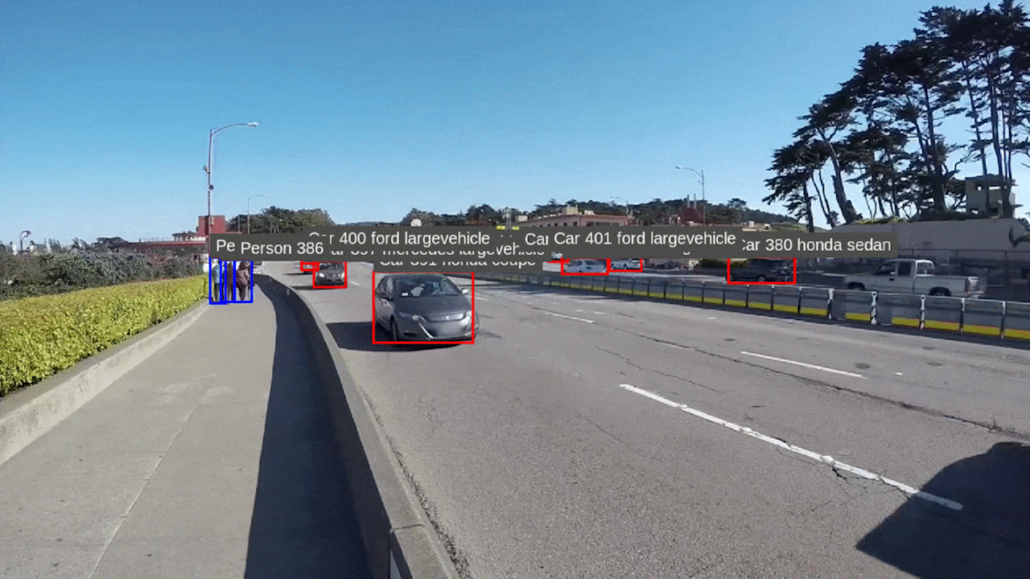
A Jetson application may depend on:
- CSI;
- GMSL;
- Argus;
- V4L2;
- GStreamer;
- ISP configuration;
- device trees;
- sensor drivers;
- camera synchronization;
- hardware codecs.
With the move to Jetson Linux 39.2 and Linux kernel 6.8, these components should be explicitly revalidated.
For a production camera system, test:
- camera enumeration;
- sensor initialization;
- resolution and frame rate;
- exposure and ISP behavior;
- multi-camera synchronization;
- hardware encoding/decoding;
- zero-copy paths;
- long-duration stability.
Do not assume that a camera pipeline working under JetPack 6.x will behave identically after migration.
Seeed’s JetPack 7.2 Resource Hub collects the current camera, wireless, and multimedia migration material as it becomes available.
Seeed JetPack 7.2 Resource Hub
16. Real-World Application: Industrial Vision
One useful way to evaluate a platform release is to stop looking at individual SDK features and build an actual application.
Seeed’s Industrial Vision Monitoring workflow demonstrates a JetPack 7.2 application using:
- USB camera input;
- YOLO-based detection;
- PPE detection;
- VLM-based scene understanding;
- browser-based visualization.
The workflow has been validated on Seeed industrial Jetson platforms running JetPack 7.2 / L4T 39.2.
Demo Results
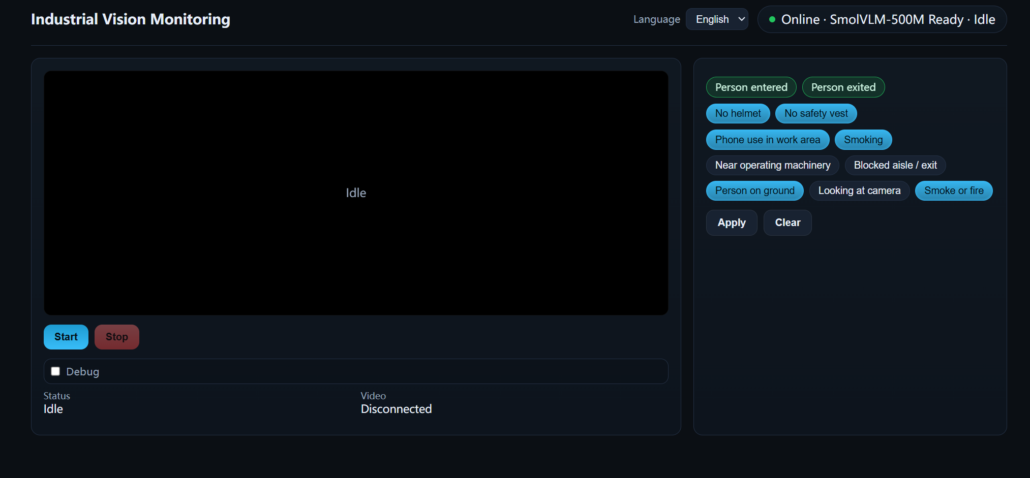
Idle UI before the camera stream starts.
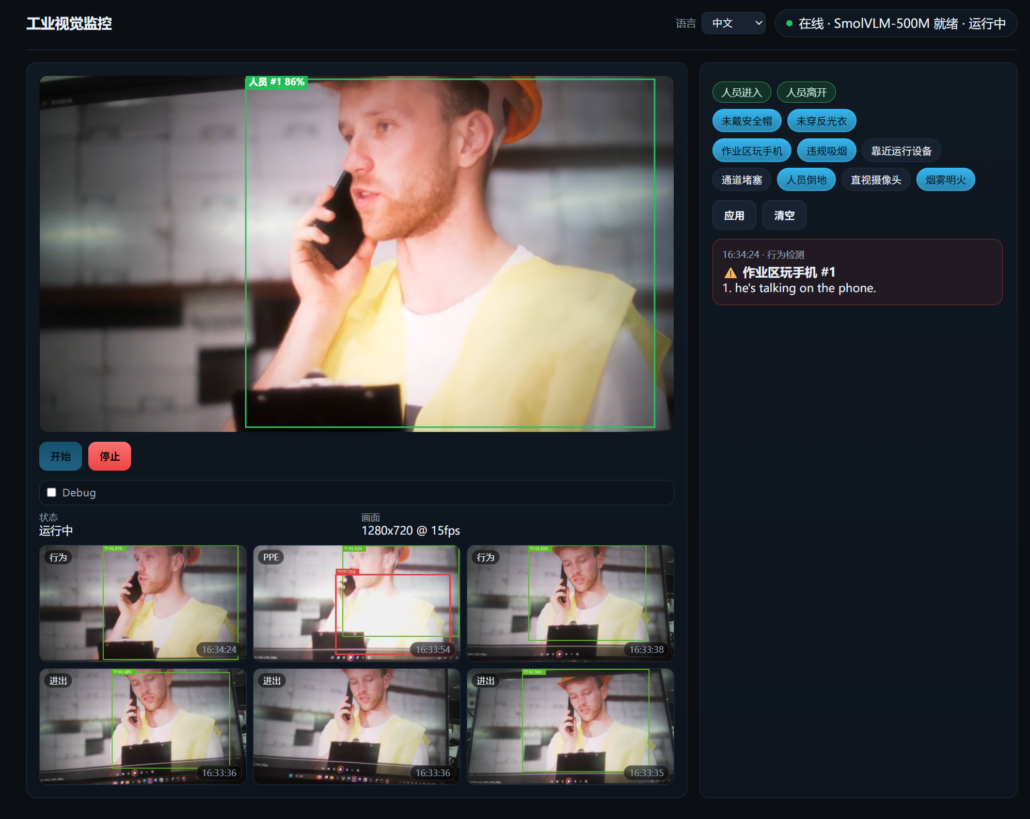
VLM behavior alert — phone use in the work area.
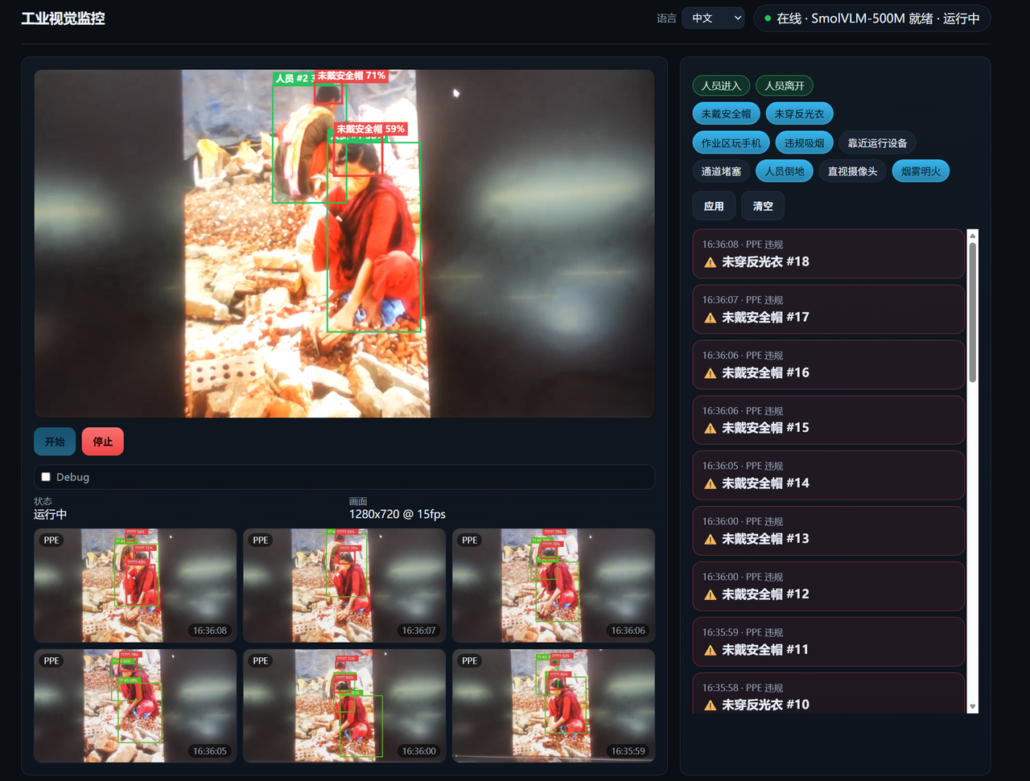
YOLO PPE alert — missing safety helmet.
Seeed: Industrial Vision Monitoring on JetPack 7.2
The architecture illustrates an important trend:
Camera
  ↓
Jetson
  ↓
Real-time detection
  ↓
Event / PPE / object filtering
  ↓
Higher-level visual reasoning
  ↓
Human-readable alert
This is where the JetPack 7.2 improvements begin to connect.
The value is not just better inference speed.
It is the ability to combine vision + LLM/VLM + edge services + hardware interfaces within one deployable system.
16. Physical AI: GR00T N1.7 on JetPack 7.2
The same idea extends to robotics.
Seeed has published a JetPack 7.2 workflow for deploying the full-size GR00T N1.7 model stack on Jetson AGX Orin.
The workflow covers multiple TensorRT engines across the GR00T pipeline, including:
- ViT;
- LLM;
- vision-language attention;
- state encoder;
- action encoder;
- DiT action expert;
- action decoder.
Seeed: Deploy Full-Weight GR00T N1.7 with TensorRT on JetPack 7.2 and AGX Orin
For reproducibility, developers should follow the environment and pinned repository state documented by Seeed rather than assuming that every version of PyTorch, Transformers, or other dependencies will remain interchangeable.
This is another example of why JetPack should be considered an AI deployment foundation, not just an operating-system image.
17. How Should You Upgrade to JetPack 7.2?
The safest way to approach JetPack 7.2 is to treat it as a controlled migration.
Step 1: Confirm Hardware Support
First confirm:
- Jetson module;
- carrier board;
- BSP;
- camera configuration;
- peripherals;
- required drivers.
Do not assume that because a module belongs to the Jetson family, every carrier configuration has an identical JetPack 7.2 image.
Step 2: Back Up the System
Back up:
- application source;
- configuration;
- containers;
- persistent volumes;
- calibration data;
- device-tree source;
- custom kernel modules;
- credentials and deployment configuration.
Step 3: Choose the Installation Strategy
For a new development system or a major migration, Seeed recommends a full flash as the default path.
Image-based OTA is appropriate only when the exact source and target image, board configuration, partition layout, and rollback procedure have been validated.
A cross-major apt upgrade should not be treated as a JetPack 6.x → 7.2 migration mechanism.
Seeed: Flash and OTA to JetPack 7.2
Step 4: Rebuild Dependencies
Rebuild:
- kernel modules;
- CUDA applications;
- TensorRT engines;
- TensorRT plugins;
- GStreamer plugins;
- camera drivers;
- custom Python/C++ extensions.
Step 5: Validate the Hardware
Check:
- boot;
- Ethernet;
- Wi-Fi;
- USB;
- PCIe;
- CAN;
- cameras;
- storage;
- thermal behavior;
- power modes.
Step 6: Benchmark the Actual Application
Record:
- latency;
- throughput;
- memory;
- GPU frequency;
- power;
- temperature;
- dropped frames;
- application stability.
Only after this should you optimize the workload further.
18. Who Should Upgrade to JetPack 7.2?
New Jetson Orin projects
Strong candidate.
If your required drivers, BSP, cameras, and applications already support JetPack 7.2, starting on the newer baseline avoids building new systems on an older software generation.
LLM and generative AI applications
Strong candidate.
The combination of CUDA 13.x, updated TensorRT, memory optimization workflows, Agent Skills, and newer inference stacks makes JetPack 7.2 particularly interesting for memory-constrained generative AI.
Robotics and physical AI
Strong candidate.
NemoClaw, Jetson Agent Skills, GR00T workflows, improved memory efficiency, and the newer platform architecture all align well with robotics workloads.
Existing JetPack 6.x production systems
Evaluate carefully.
If your system is stable and highly customized, the engineering cost of migration may be significant.
Upgrade when you have a clear reason:
- newer AI models;
- memory constraints;
- new software dependencies;
- new Jetson platform support;
- new deployment architecture;
- long-term software lifecycle requirements.
19. A Simple JetPack 7.2 Decision Tree
Do you need a new Jetson project?
        |
       Yes
        ↓
Does your BSP / camera / driver stack support JP7.2?
        |
   ┌────┴────┐
   Yes       No
    ↓         ↓
 Start      Validate
 JP7.2      hardware stack
    |
    ↓
Do you need LLM / robotics / vision workloads?
    |
   Yes
    ↓
Measure memory + inference + thermal behavior
    |
    ↓
Optimize
    |
    ↓
Validate
    |
    ↓
Deploy
For an existing JetPack 6.x product:
Existing JP6.x product
        ↓
Inventory dependencies
        ↓
Backup
        ↓
Flash JP7.2 test device
        ↓
Rebuild
        ↓
Peripheral validation
        ↓
AI workload validation
        ↓
Long-duration test
        ↓
Production decision
20. What JetPack 7.2 Really Changes
The easiest way to misunderstand JetPack 7.2 is to reduce it to:
Ubuntu 24.04 + CUDA 13 + newer libraries.
The more useful way to see it is as a shift in the Jetson development stack.
Platform
Jetson Orin and Thor move toward a common software foundation.
AI
The software stack is increasingly designed around generative AI and agentic workflows.
Memory
System-level memory optimization becomes a first-class deployment concern.
Agents
Jetson-specific knowledge can be exposed through reusable agent workflows.
Inference
TensorRT and Edge-LLM workflows provide newer paths for optimized local inference.
Video
DeepStream 9.1 establishes the relevant JetPack 7.2 video analytics baseline.
Production
Yocto provides a path toward reproducible, customized Linux images.
Robotics
NemoClaw, GR00T, vision, middleware, and hardware interfaces can be combined into increasingly capable physical AI systems.
That is why JetPack 7.2 is better understood as a software foundation for the next generation of edge AI applications rather than simply another SDK update.
21. JetPack 7.2 Resources
If you are working with JetPack 7.2, these resources are the best places to start.
NVIDIA
NVIDIA JetPack 7.2 Download & Archive
NVIDIA Technical Blog: JetPack 7.2
Seeed Studio
Seeed JetPack 7.2 Resource Hub
Seeed Memory Optimization Deep Dive
Seeed DeepStream 9.1 on JetPack 7.2
Seeed NemoClaw + reBot Arm Demo
Conclusion
JetPack 7.2 is a significant step in the evolution of NVIDIA Jetson as an edge AI platform.
Its importance does not come from one benchmark number or one new SDK.
It comes from the combination of changes:
Ubuntu 24.04 + Linux 6.8 + CUDA 13.2 + updated TensorRT + DeepStream 9.1 + Agent Skills + NemoClaw + memory optimization + Yocto + new platform capabilities.
For developers, the immediate benefit is a newer foundation for AI workloads.
For robotics teams, it creates a stronger path toward agentic and physical AI.
For product teams, it provides more tools for turning a development board into a reproducible deployment platform.
And for existing Jetson users, it creates a clear choice:
stay on a stable, validated software stack—or invest in migration to unlock the capabilities of the next generation of edge AI.
The right way to make that decision is not to look at the release notes alone.
Build. Measure. Validate. Then deploy.
👥 Join Our Embodied AI Community
If you’re interested in:
Physical AI | Edge Computing | Agentic Robotics | Open-Source Robotic Arm | LeRobot | Robot Teleoperation | Robot Vision | VLA
Join our Embodied AI Community to connect, collaborate, and explore with developers worldwide.
Connect with us:
About Author
