A Major Update to XIAO Ecosystem: Introducing the All-in-One XIAO Development Hub

We’re excited to introduce the new Seeed Studio XIAO all-in-one development hub — a major update to the XIAO ecosystem that brings product selector, essential development tools, hardware and software resources, community projects, and an open roadmap into one centralized hub.

Seeed Studio XIAO has always been about making powerful hardware accessible in a remarkably small form factor. But building a great project takes more than a great development board. You need the right hardware, the right tools, reliable documentation, inspiration from other makers, and a way to help shape what comes next.
Today, we’re taking an important step forward. We’re excited to introduce the new Seeed Studio XIAO all-in-one development hub — a major update to the XIAO ecosystem that brings product selector, essential development tools, hardware and software resources, community projects, and an open roadmap into one centralized hub.
What's New?

The XIAO Development Hub brings two major updates — Product Selector and XIAO Playground — creating a more connected experience across the entire development journey.

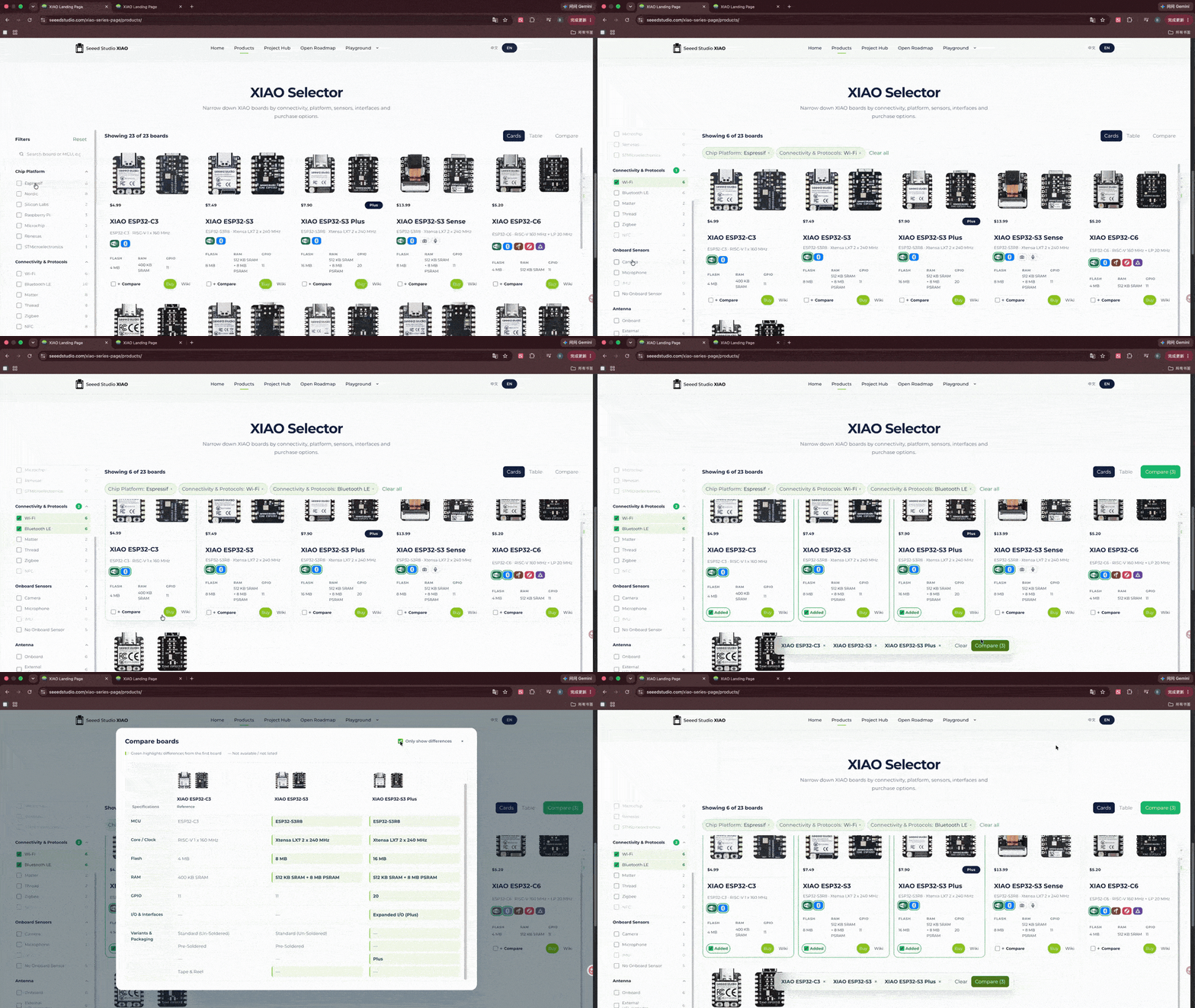
  1. XIAO Product Selector: Find the right XIAO board for your application by filtering key specifications and comparing different models side by side.
  2. XIAO Playground: Four essential parts of your development journey in one place:
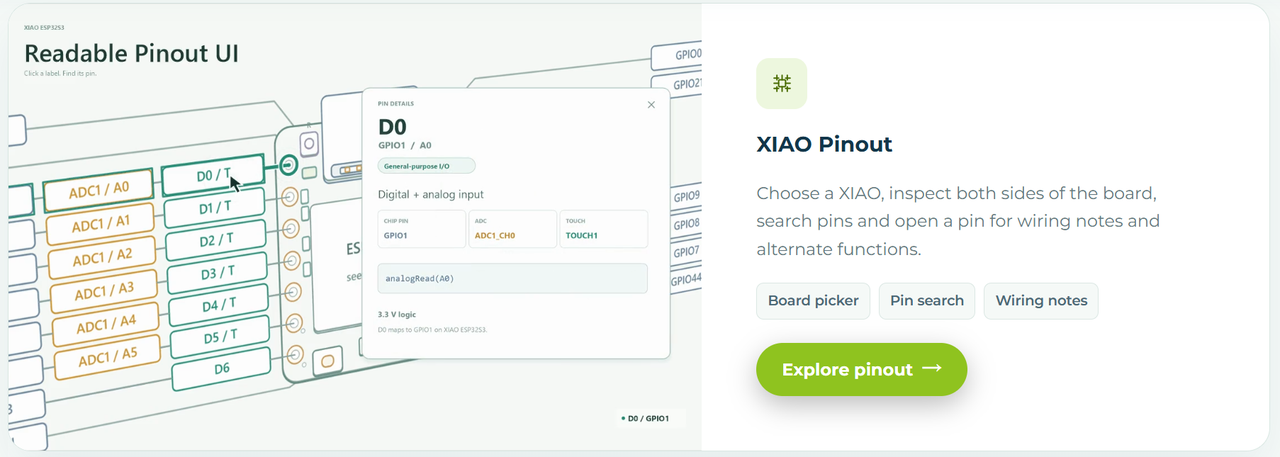
  • XIAO Pinout Viewer: Explores pin functions and wiring notes.
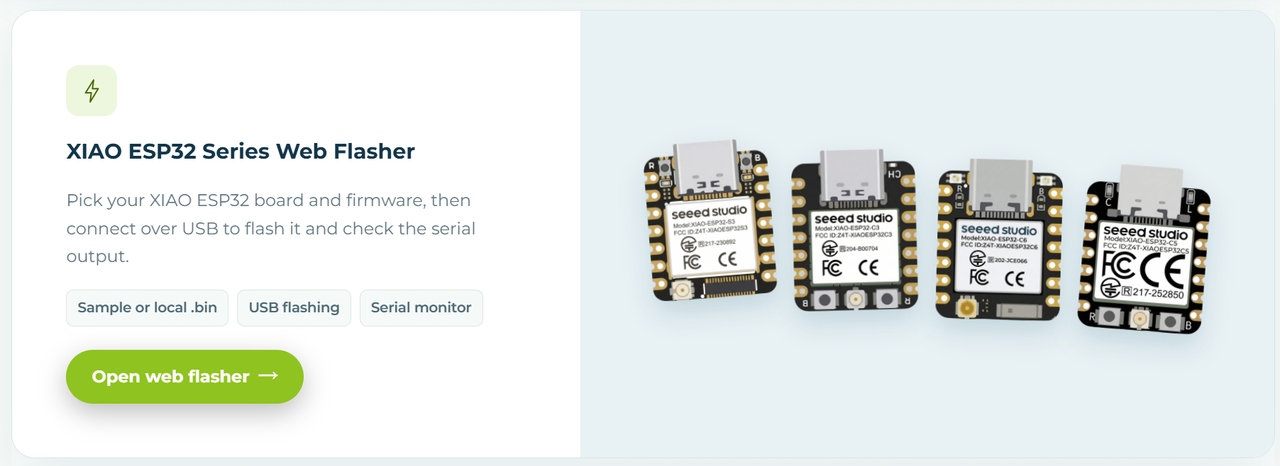
  • XIAO ESP Flasher: Flash firmware directly from your browser.
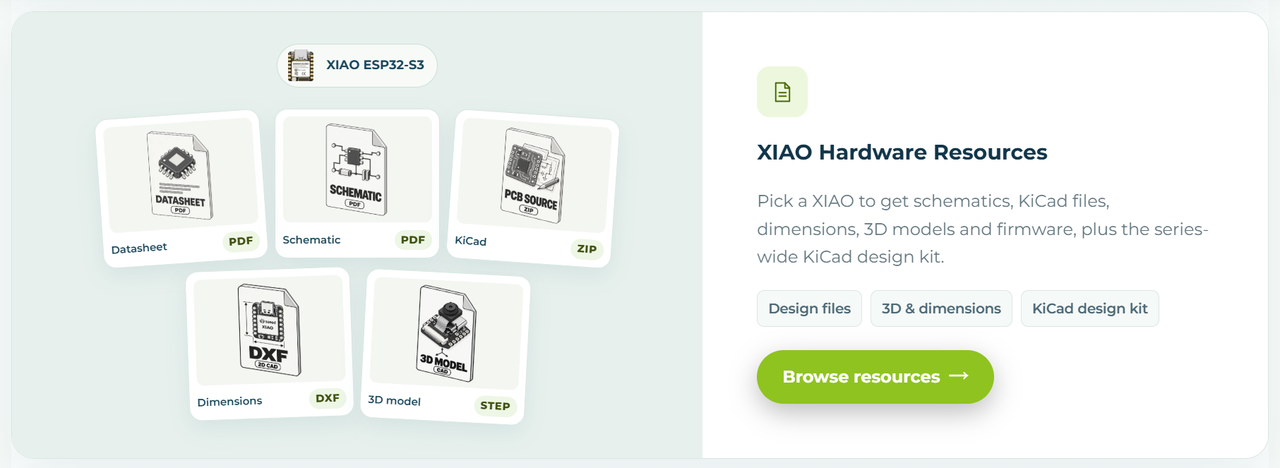
  • Hardware Resources: Access hardware design files and documentation.
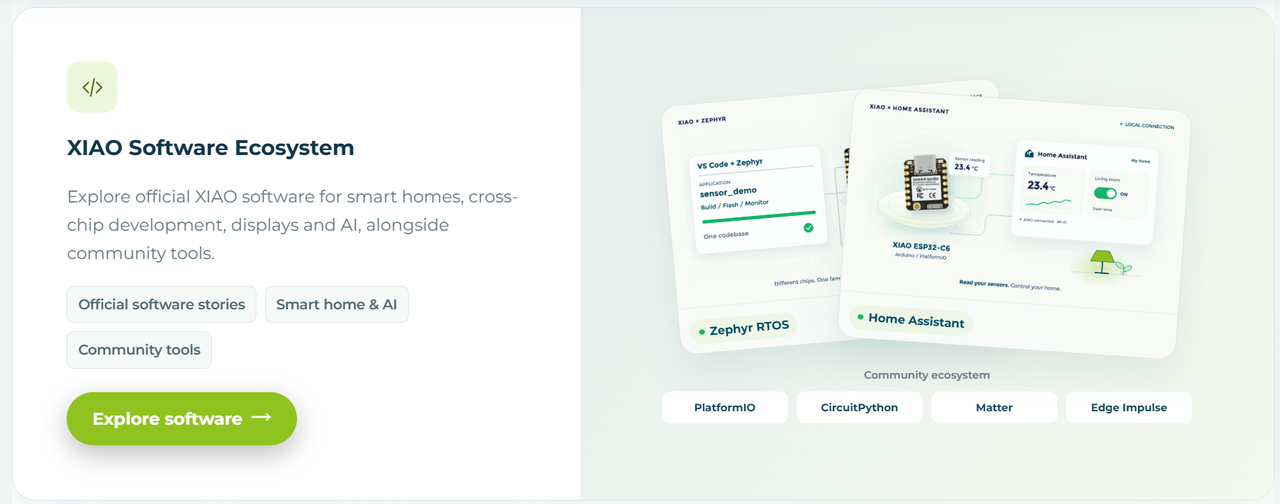
  • Software Ecosystem: Discover official software and community-supported development tools.

1. XIAO Product Selector: Find and Compare the Right XIAO

With multiple XIAO boards offering different processors, wireless capabilities, memory configurations, onboard sensors, and power profiles, finding the right board for your project isn’t always straightforward.
The new XIAO Product Selector makes it easier to find the right match. You can:
  • Filter by the specifications that matter. Narrow down the XIAO lineup based on chip platforms, wireless connectivity & protocols, on-board sensors, antenna options, and devlopment platforms. Instead of browsing every product individually, you can focus on the boards that match your project needs.
  • Compare different XIAO boards side by side. Once you’ve shortlisted your options, compare their specifications to understand the differences and trade-offs. This makes it easier to evaluate multiple boards and decide which one is the best fit for your application.

2. XIAO Playground: Four Essential Parts of XIAO Development

Choosing the right board is just the beginning. Once you’ve selected your XIAO, you’ll need to understand its pins, flash firmware, access hardware design files, and find the right software tools. The new XIAO Playground brings four essential parts of the development process together in one place.

2.1 XIAO Pinout Viewer: Know Your Pins Before You Wire It

Pin assignments are easy to overlook when starting a project, and frustrating to revisit when a connection doesn’t behave as expected. XIAO Pinout Viewer lets you explore both sides of your XIAO board through an interactive interface, helping you identify the connections you need for GPIO, communication interfaces, and other supported functions.
Before connecting a sensor, assigning a communication interface, or adapting a reference circuit, you can look up the relevant information in one place rather than piecing it together from static diagrams and separate documentation.

2.2 XIAO ESP Flasher: Flash Firmware Right from Your Browser

Getting your XIAO ESP32 board up and running shouldn’t require a complicated setup. With the XIAO ESP Flasher, you can select your XIAO ESP32 board and firmware, flash it directly over USB from your browser, and monitor serial output to see how your device behaves, in one workflow.

More XIAO series support is on the way.

2.4 Hardware Resources: Access Technical References in One Place

Building with XIAO often involves more than the development board itself. You may need schematics, design files, technical documentation, or other hardware references to understand how a board works and how to integrate it into your design.
The Hardware Resources section brings essential hardware-related materials together, making it easier to find the information you need for prototyping, customization, and product development. Use these materials as references when planning a PCB layout, designing mechanical structures around the board, or evaluating how XIAO could fit into a custom product.

2.5 Software Ecosystem: Find the Development Workflow That Fits

From official software projects to community-supported development tools, the Software Ecosystem brings together the resources you need to build with XIAO. Explore official integrations, libraries, firmware, and AI tools, or discover compatible programming languages, frameworks, RTOS options, and hardware design tools.

Your All-in-One Hub to Build with XIAO

Beyond selecting a board and finding development resources, the hub also connects you with the wider community. Visit the Project Hub to browse projects built with XIAO, discover new applications, and get inspiration for your next idea. Have an idea for a future XIAO board or feature? Head to the Open Roadmap to share feedback and help shape the direction of future XIAO development.
We’re continuing to develop XIAO as an ecosystem shaped by both technology and the people who use it. This new XIAO dev hub is an important step in making that ecosystem easier to explore, more useful to build with, and more open to community participation.

Spot a Bug, Get a Gift! 🎁

Last but not least, a major update deserves a community-powered polish! If you spot a bug, a broken link, a display issue, or anything that doesn’t seem to work as expected, let us know!
Here’s how it works:
  1. Explore the new XIAO hub. Browse the page, try out its features, and see what you discover.
  2. Report a bug. Head over to our dedicated feedback section in GitHub Discussion and describe the issue you’ve found. Screenshots and steps to reproduce the issue are always helpful.
  3. Get rewarded! Once your report is reviewed and approved, we’ll send you a coupon that you can redeem for XIAO merchandise.

About Author

Leave a Reply

Your email address will not be published. Required fields are marked *

Calendar

October 2026
M T W T F S S
 1234
567891011
12131415161718
19202122232425
262728293031