10 Best E Ink Calendar Ideas for DIY Makers
A digital calendar is useful only when people actually look at it. That is why an e-ink calendar is an interesting project, as it can display schedules, weather, tasks, and reminders in a fixed location without behaving like another bright screen that demands attention.
Below, we have rounded up ten of the best community-built e-ink calendars. Some use Google Calendar as the data source, while others combine schedules with weather, to-do lists, family information, or custom dashboards.
Why E Ink Calendars Are So Popular
Screens compete for attention, but a calendar shouldn’t have to. This is the appeal behind an e-ink calendar. It holds an image with almost no power draw, so it can sit on a wall or desk for months without ever feeling like “another device” you have to manage.
- Runs for weeks or months on a single charge, since power is only used when the display actually changes
- Reads like paper in bright rooms or direct sunlight, with no glare or backlight to fight
- Stays glanceable without being distracting, unlike a phone/tablet screen competing for your attention
- Keeps showing the last update even if power is lost, so nothing goes blank overnight
- Pairs easily with Google Calendar or Home Assistant
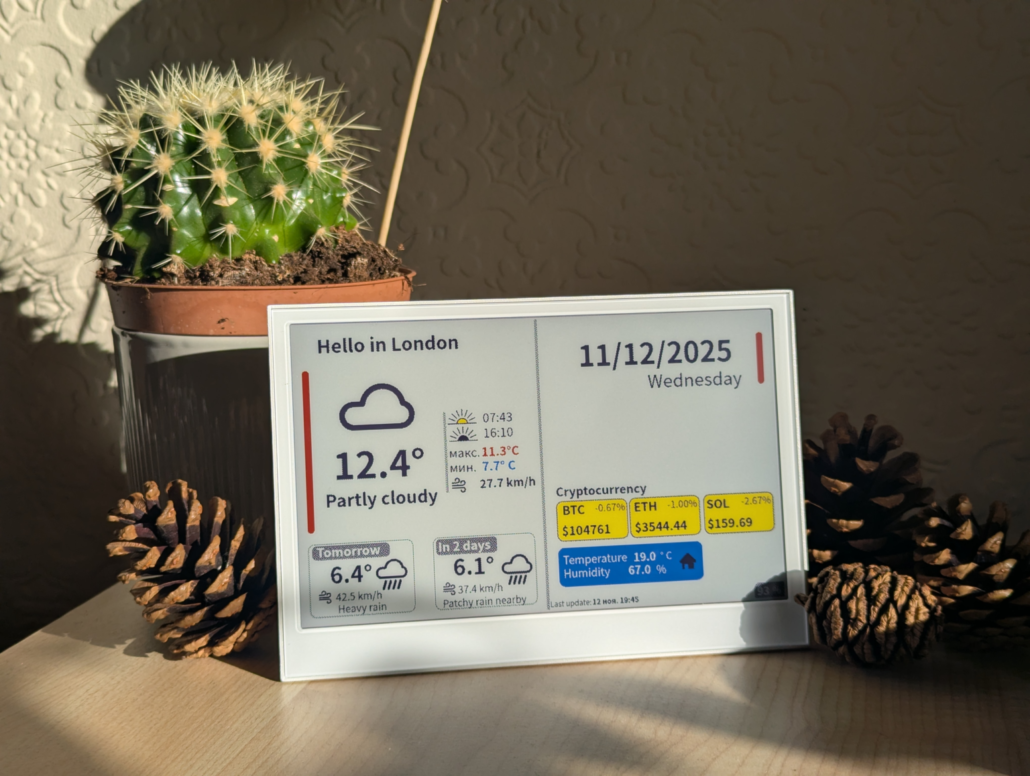
All these are the reasons e-ink calendars keep showing up in maker projects. So, let’s now look at the top 10 projects you can give a try:
Color E Ink Calendar using SenseCraft HMI and Arduino
- Maker: CNX Software (Jean-Luc Aufranc)
- Category: No-Code Dashboard
- Device: XIAO ePaper Display Board EE02 | XIAO ESP32-S3 Plus, 13.3″ Spectra 6 E Ink
- Difficulty: ★★☆☆☆
- Best for: Beginners who want a no-code calendar canvas
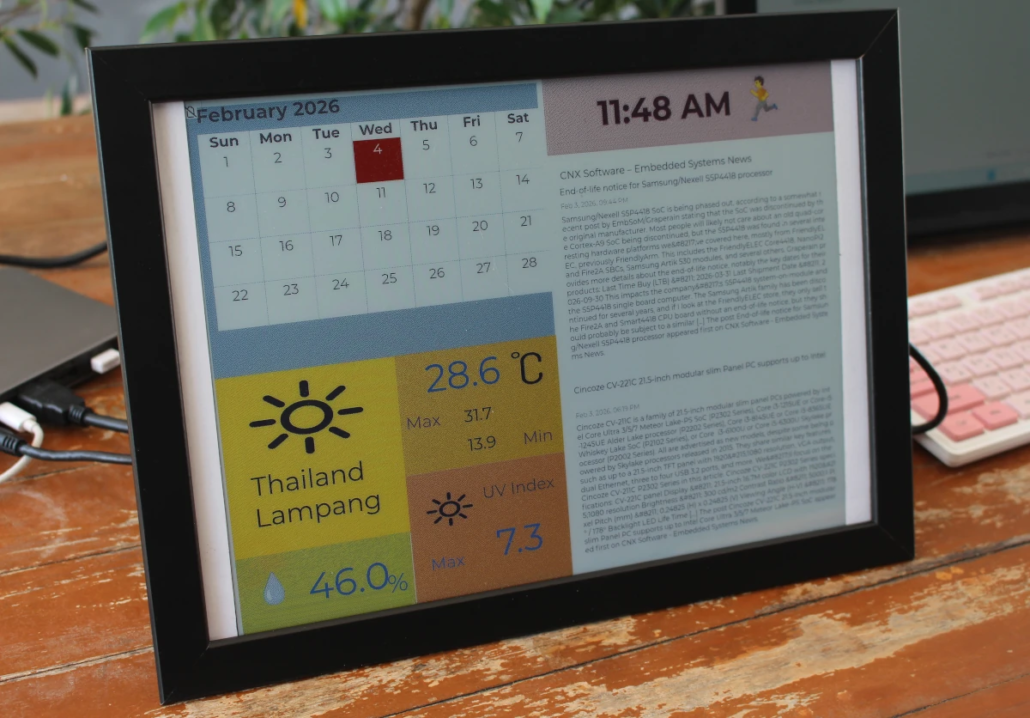
- Intro: Designed using Seeed’s XIAO ePaper DIY Kit EE02 (13.3″ Spectra 6, 1600×1200). Through SenseCraft HMI’s drag-and-drop canvas, the designer combined a calendar widget, weather data, time, and an RSS feed into one dashboard, then mounted the bare board in a $2.15 IKEA FISKBO photo frame. Advanced users can also write code with the Arduino IDE.
13.3″ Spectra 6 DIY E Ink Calendar
- Maker: Dima PIG
- Category: Personal Dashboard / Calendar
- Device: 13.3″ Spectra™ 6 E Ink / ePaper Display with 1200×1600 Pixels
- Difficulty: ★★☆☆☆
- Best for: A single hub for date, weather, and schedule in one glance
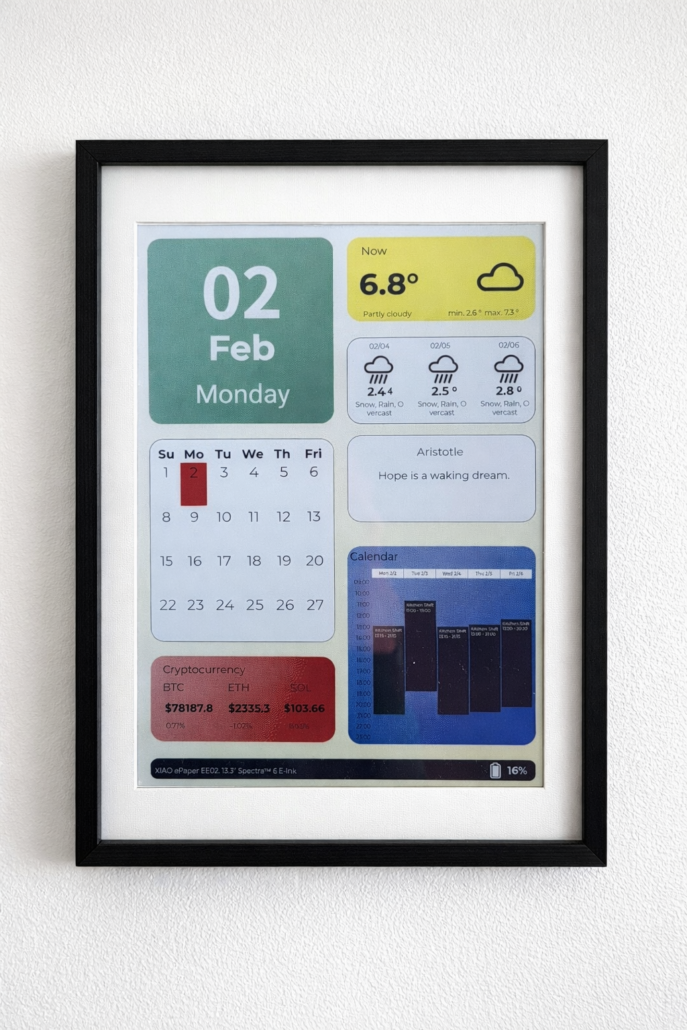
- Intro: Designed as an “E Ink Simple Dashboard” that can display weather forecast, current date, daily quotes, monthly calendar, cryptocurrency prices, and weekly schedule with appointments. Google Calendar, the quote module, and the tracked crypto assets can all be swapped out for custom content. It needs a free weather API key from weather.visualcrossing.com to run.
Baby Development E Ink Calendar Using ESP32
- Maker: Slight_Safe8745, r/ESP32
- Category: Personal Timeline / E Ink Calendar
- Device: Spectra 6 E Ink Display + ESP32-C6
- Difficulty: ★★★★☆
- Best for: Tracking a pregnancy with a daily visual update
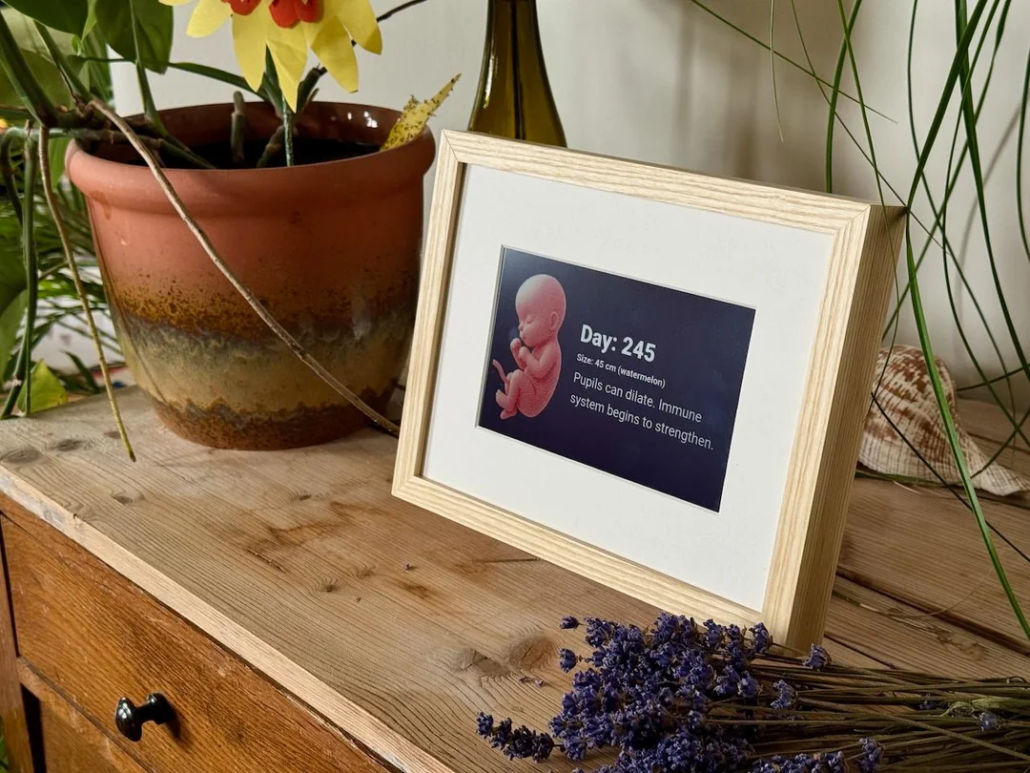
- Intro: Built with a Spectra 6 E Ink display and ESP32-C6, this custom calendar tracks a baby’s development throughout pregnancy. It updates daily with the current pregnancy day, approximate size, development facts, and a growth-stage illustration. The project is housed in a custom picture frame with a laser-cut back cover and a 3D-printed battery case.
Open-Source TRMNL E Ink Calendar
- Maker: Michael Klements, The DIY Life (also on YouTube)
- Category: Open-Source Smart Display
- Device: Seeed Studio XIAO ESP32-S3, Seeed 7.5″ Monochrome ePaper Display (800×480), and the ePaper Breakout Board for XIAO V2
- Difficulty: ★★★☆☆
- Best for: Makers who want the DIY version of the TRMNL calendar/task-list experience
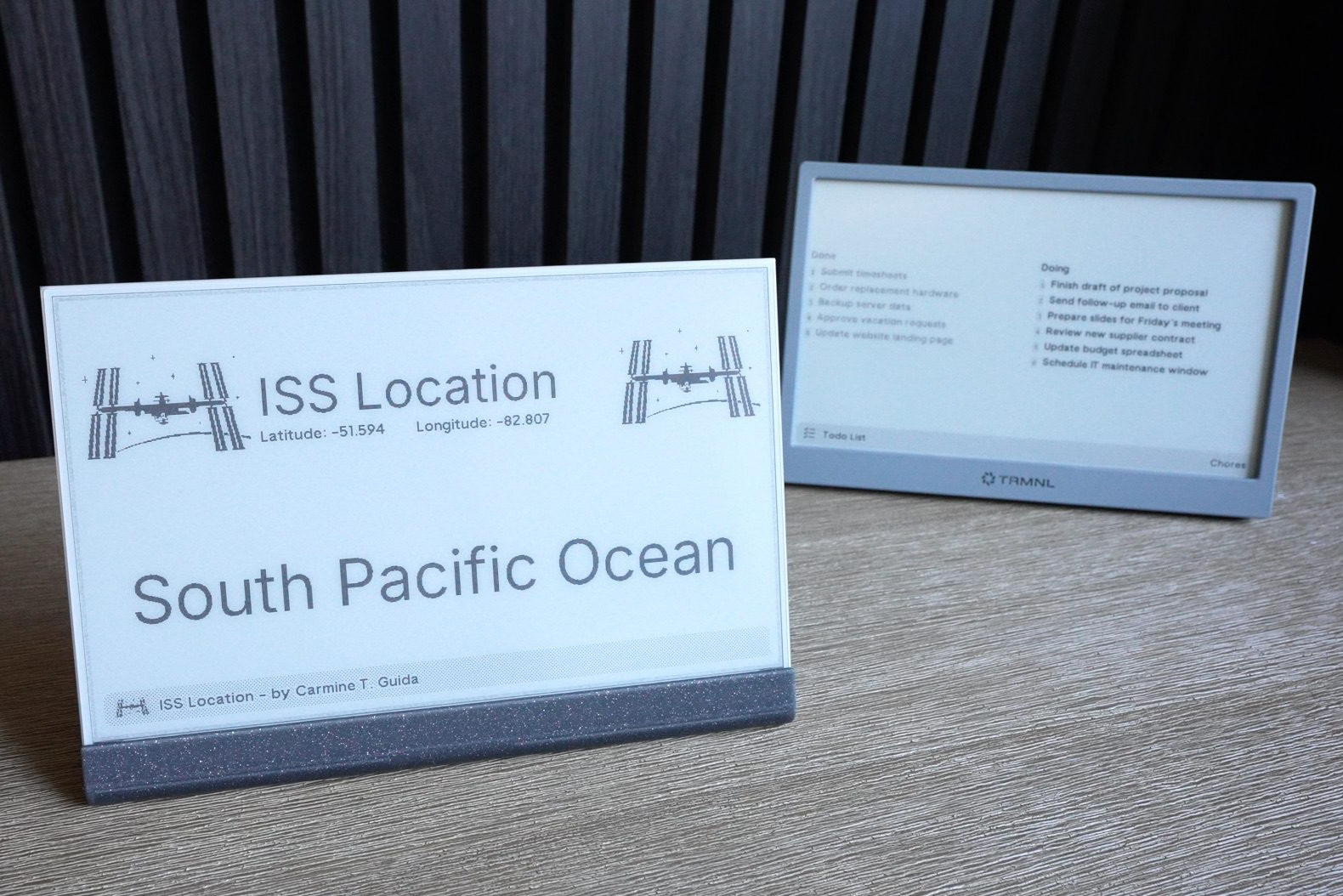
- Intro: TRMNL is an open-source e-ink display with powerful plugin support, allowing it to connect with hundreds of apps. Since it’s fully open source, Michael Klements rebuilt it using Seeed’s XIAO ESP32-S3, 7.5″ monochrome ePaper display, and matching driver board, for about $55 in parts. After flashing TRMNL’s firmware, the DIY version runs the same calendar, to-do, and weather plugins as the retail device. It also lasts months on a single charge. He topped it off with his own 3D-printed enclosure. TRMNL DIY Kit is also available now: TRMNL 7.5″ (OG) DIY Kit
Vincent van Gogh E Ink Calendar
- Maker: meilily, SenseCraft HMI
- Category: Art-Inspired Calendar / Digital Signage
- Device: reTerminal E1004 13.3″ Full-color ePaper Display
- Difficulty: ★★☆☆☆
- Best for: Combining artwork and simple calendar planning
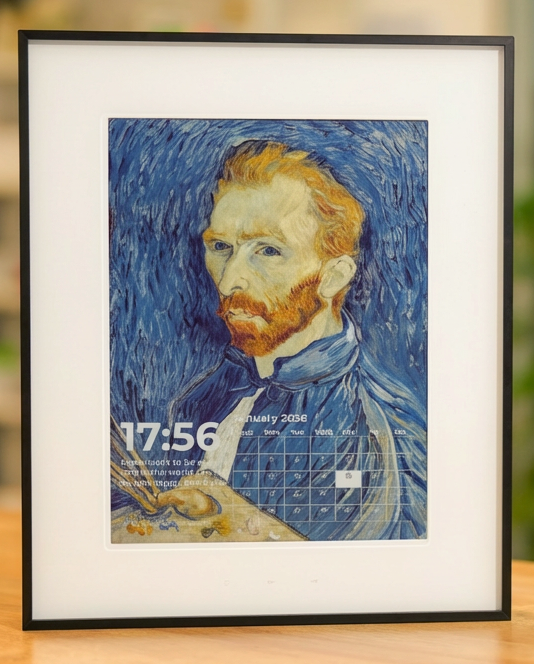
- Intro: Built for the reTerminal E1004, this e-ink calendar uses a portrait of Vincent van Gogh as its visual background, which combines art with everyday planning. A dual-pane layout displays a daily ZenQuotes quote and current time on the left, while a minimalist 30-day calendar occupies the right side.
Raspberry Pi E Ink Family Calendar
- Maker: Reinder, r/raspberry pi
- Category: Family Calendar / Smart Home Display
- Device: Raspberry Pi Zero WH + tri-color E Ink display
- Difficulty: ★★★★☆
- Best for: Shared family schedules and interactive household displays
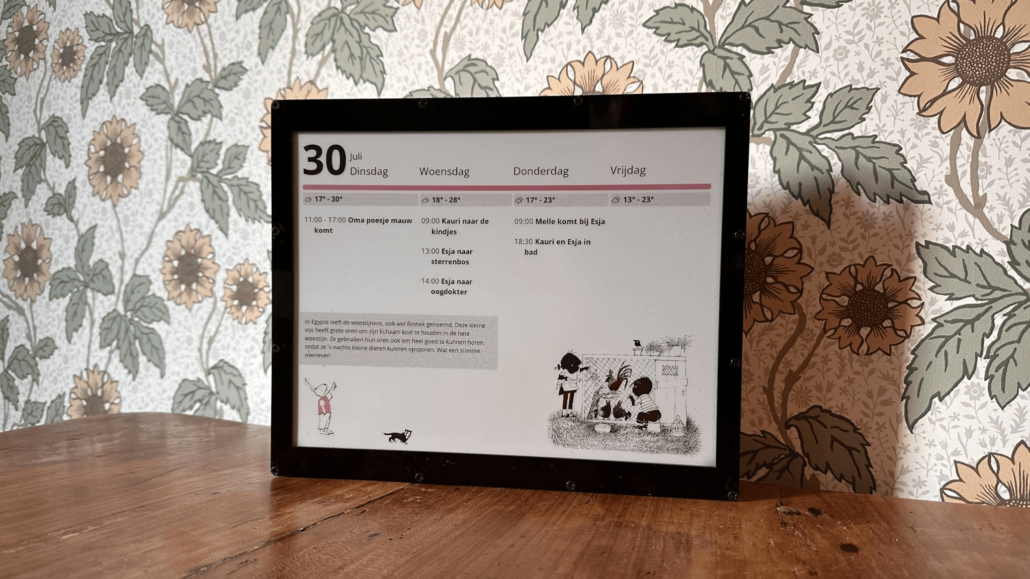
- Intro: Built with a Raspberry Pi Zero WH, this family calendar displays appointments from a shared Google Calendar alongside weather forecasts and a four-day schedule overview. It also adds daily background images and interactive characters. It can also display messages sent through a custom Telegram chatbot, while Open-Meteo provides the weather data. The display updates hourly and whenever the content changes.
Simple Multi-Screen Calendar
- Maker: Dima PIG, SenseCraft HMI
- Category: Multi-Screen Dashboard / E-Ink Calendar
- Device: reTerminal E1001, XIAO EE04 DIY Kit, or TRMNL OG DIY Kit
- Difficulty: ★★★☆☆
- Best for: Combining calendars, tasks, weather, and financial data in one dashboard
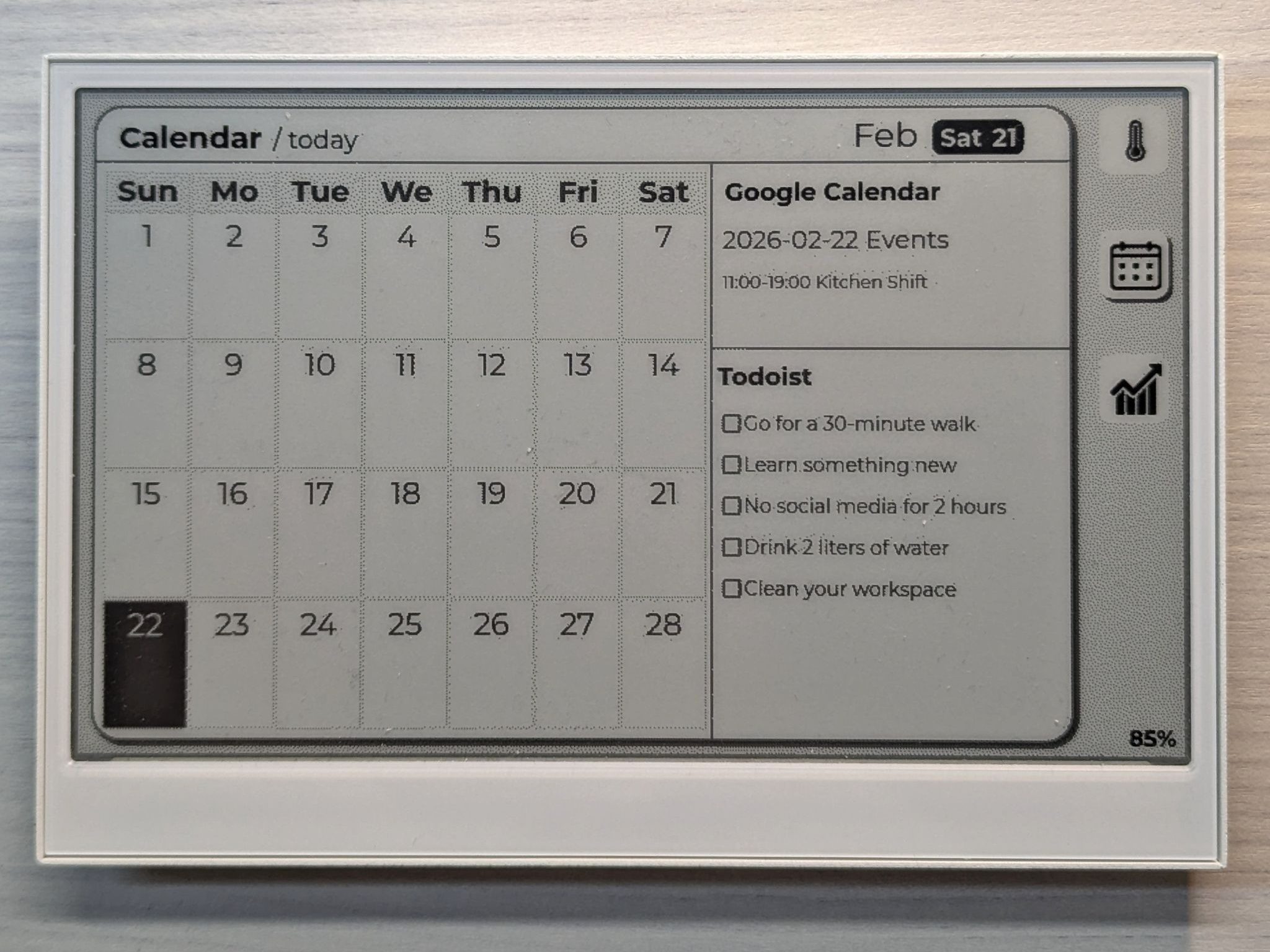
- Intro: Built as a multi-screen dashboard, this project combines a monthly calendar with Google Calendar events and Todoist tasks, alongside separate screens for weather forecasts and cryptocurrency prices. The layout uses a large active information window, navigation buttons, and battery status indicators.
F1 E Ink Calendar — InkyCloud-F1
- Maker: Rhiz3K, GitHub — free public instance at f1.inkycloud.click
- Category: Software / BMP Image Service
- Device: LaskaKit and SVERIO PaperBoard panels
- Difficulty: ★★☆☆☆ (using the public instance) to ★★★★☆ (self-hosting)
- Best for: F1 fans who want race dates on their wall without writing any code
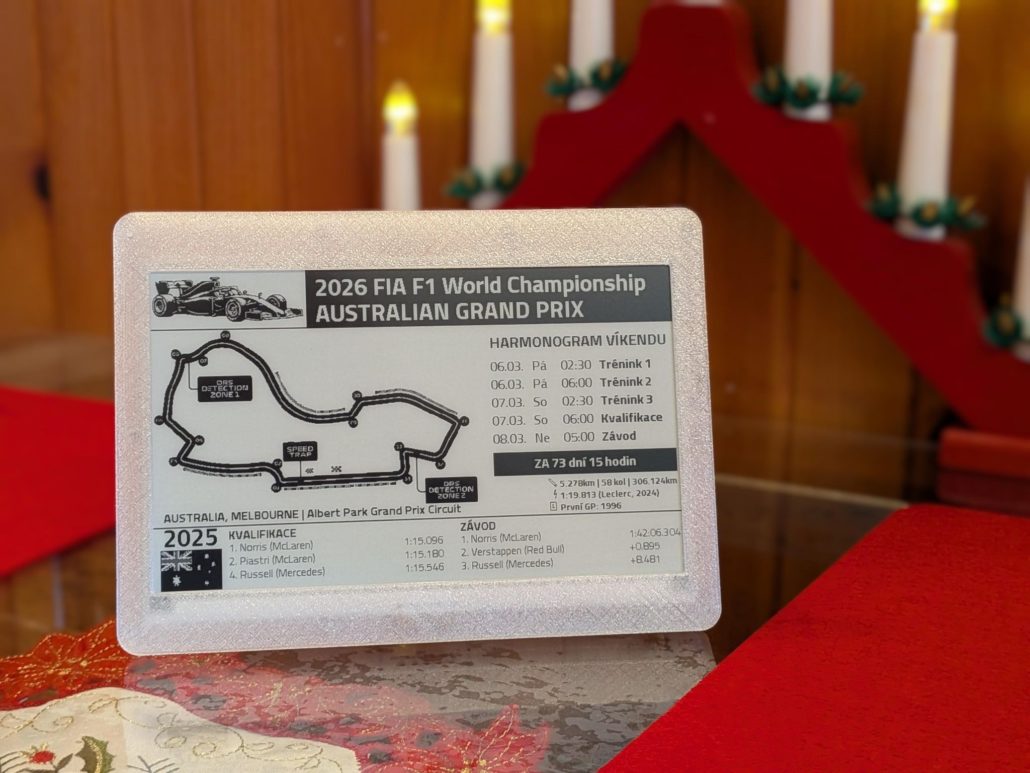
- Intro: InkyCloud-F1 is a BMP-generating service. Point any e-ink display at a URL, and it returns a ready-to-render race calendar image with a countdown to the next Grand Prix, session times in your timezone, an optional weather overlay, and last year’s podium results. It supports 1-bit, B/W/R, B/W/R/Y, and 6-color Spectra output, so any ESP32-driven panel that can fetch and draw a plain BMP over HTTP can run it.
“Catlendar” — A Cat-Themed E-Ink Calendar
- Maker: meilily Li, Hackster.io
- Category: Multi-Screen Dashboard / E-Ink Calendar
- Device: Seeed Studio XIAO EE05 ePaper Display Board (XIAO ESP32-S3) + 4.26″ Monochrome ePaper Display
- Difficulty: ★★★☆☆
- Best for: Makers who want a themed and personality-driven dashboard
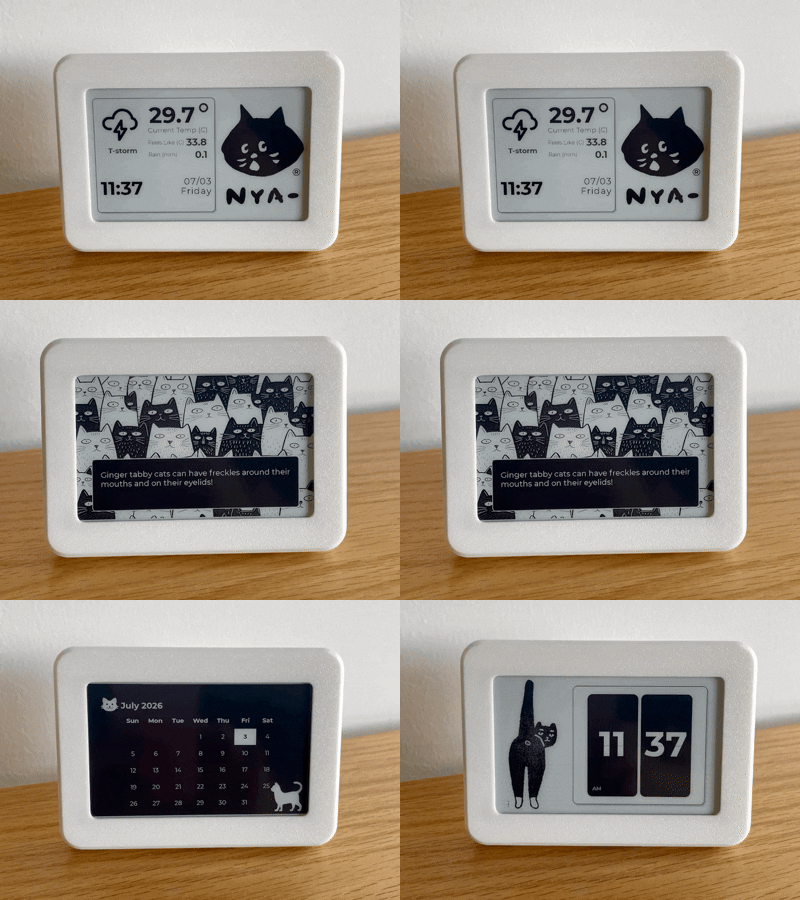
- Intro: Built no-code on SenseCraft HMI, this is a 4.26″ desktop dashboard that slides between four cat-themed designs. These include a weather station, a random cat-fcts card, a lucky-cat flip clock, and the calendar entry (“Catlendar,” a monthly calendar built from SenseCraft’s Calendar widget over a custom black background with two cat illustrations). The device switches designs automatically every 5 minutes or manually via a button press. The maker credits SenseCraft’s Calendar widget directly for how simple it was to configure, and published all four designs as public templates others can duplicate.
Tempo Privacy-First E Ink Calendar
- Maker: UKPerson3823, r/functionalprint
- Category: Family Agenda Display
- Device: Raspberry Pi Zero 2W + 7.3″ e-ink screen
- Difficulty: ★★☆☆☆ (no soldering required)
- Best for: Parents and kids building a shared no-subscription household calendar together
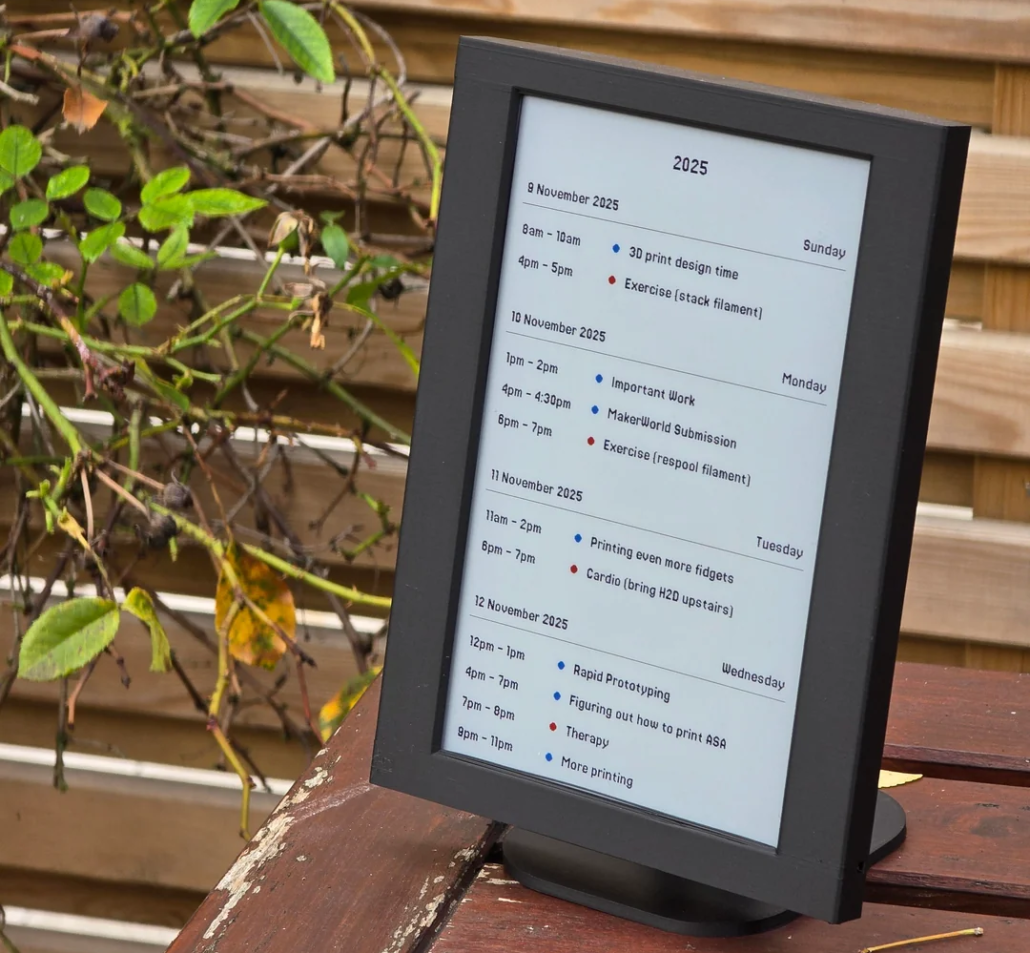
- Intro: Tempo pulls Google Calendar, Outlook, or any .ics feed into one daily agenda that refreshes automatically as new events arrive. It solves a real problem of juggling work and kids’ schedules. It runs entirely on a local Raspberry Pi, with no cloud account or third-party server involved. The kit snaps together with no soldering.
Conclusion
The above ten e-ink calendar projects show how far a simple e-panel can go. You can set up a minimalist countdown gadget or a full Home Assistant display. What ties them together is Seeed Studio‘s e-paper lineup: the XIAO ePaper DIY Kits (EE02, EE04, EE05) for makers who want to design their own firmware or SenseCraft HMI layout, and the reTerminal E-Series (E1001–E1004) for those who would skip the wiring and start with a ready-made display. Whichever you pick, the same no-code SenseCraft HMI platform and Arduino ecosystem carry over, so the calendar you build today can grow into your next project tomorrow.
>> Explore Seeed Studio’s ePaper

>> Read more
About Author
